WebSocket traffic starts as an HTTP request and then upgrades into a long-lived tunnel. A working HAProxy configuration must preserve the upgrade handshake and keep the upgraded connection open longer than an ordinary short HTTP request.
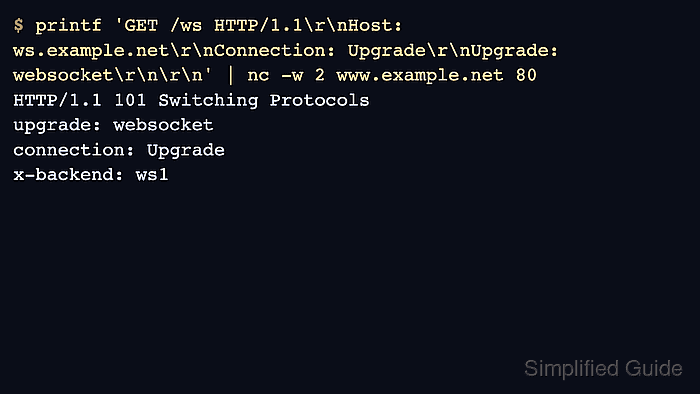
HAProxy can route WebSocket requests in HTTP mode because the initial handshake uses HTTP headers such as Connection and Upgrade. After the backend returns 101 Switching Protocols, timeout tunnel controls how long HAProxy allows the upgraded stream to stay idle.
Set WebSocket timeouts deliberately. A normal HTTP server timeout can close quiet WebSocket clients too early, while an unlimited tunnel timeout can hold resources long after clients disappear.
Steps to configure HAProxy for WebSocket traffic:
- Confirm the WebSocket backend is reachable from the HAProxy host.
$ nc -zv 10.0.30.11 8080
Connection to 10.0.30.11 8080 port [tcp/*] succeeded!
A TCP connect check proves only reachability. The upgrade test later proves that the backend accepts WebSocket handshakes through HAProxy.
- Open the active HAProxy configuration file.
$ sudoedit /etc/haproxy/haproxy.cfg
- Add a frontend route and WebSocket backend.
- /etc/haproxy/haproxy.cfg
frontend fe_http
    bind :80
    mode http
    acl is_websocket hdr(Upgrade) -i websocket
    use_backend be_websocket if is_websocket
    default_backend be_http

backend be_http
    server app1 10.0.10.11:8080 check

backend be_websocket
    mode http
    option http-server-close
    timeout tunnel 1h
    server ws1 10.0.30.11:8080 check
hdr(Upgrade) -i websocket matches the upgrade request. timeout tunnel applies after the connection switches protocols.
- Size the tunnel timeout and connection capacity before exposing high-volume traffic.
Long-lived sockets consume file descriptors, memory, and backend capacity even when they are idle.
Tool: WebSocket Connection Capacity Calculator - Validate the complete HAProxy configuration.
$ sudo haproxy -c -V -f /etc/haproxy/haproxy.cfg
Configuration file is valid
- Reload HAProxy after validation succeeds.
$ sudo systemctl reload haproxy
Related: How to reload HAProxy gracefully
- Send a raw WebSocket upgrade probe through HAProxy.
$ printf 'GET /ws HTTP/1.1\r\nHost: ws.example.net\r\nConnection: Upgrade\r\nUpgrade: websocket\r\nSec-WebSocket-Version: 13\r\nSec-WebSocket-Key: dGhlIHNhbXBsZSBub25jZQ==\r\n\r\n' | nc -w 2 www.example.net 80
HTTP/1.1 101 Switching Protocols
upgrade: websocket
connection: Upgrade
sec-websocket-accept: s3pPLMBiTxaQ9kYGzzhZRbK+xOo=
x-backend: ws1
HTTP 101 proves the request reached a WebSocket-capable backend and the upgrade headers survived the HAProxy route.
- Check ordinary HTTP traffic still reaches the default backend.
$ curl -sS -i http://www.example.net/
HTTP/1.1 200 OK

plain HTTP backend
- Review HAProxy logs or backend connection counts during a real client test.
If WebSocket clients disconnect at a fixed interval, compare timeout client, timeout server, timeout tunnel, backend idle timeout, and any firewall or CDN idle timeout in front of HAProxy.

Mohd Shakir Zakaria is a cloud architect with deep roots in software development and open-source advocacy. Certified in AWS, Red Hat, VMware, ITIL, and Linux, he specializes in designing and managing robust cloud and on-premises infrastructures.


