Canary routing in HAProxy should expose a release candidate only when a request carries the chosen canary signal. Without a clear signal and a separate proof request, a canary backend can appear ready while normal users are still routed to it accidentally.
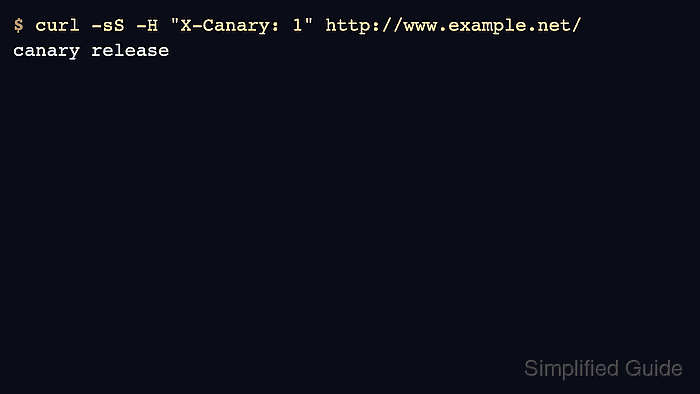
The example uses an X-Canary request header to select a canary backend and keeps all other traffic on the stable backend. This shape works well for internal testers, synthetic probes, or application code that can mark a controlled slice of traffic before a percentage-based rollout is introduced elsewhere.
Keep the stable backend as the default path, validate before reload, and test both routes from the same client path. Promotion, rollback, and observation windows should stay in the release plan; the HAProxy file should only express the routing rule that the release process will use.
Steps to route canary traffic with HAProxy:
- Choose the canary signal before editing HAProxy.
The example uses X-Canary: 1. A header, cookie, source network, or hostname can work, but it must be something the release owner can add and remove deliberately.
Use the planner to define traffic steps, guardrails, bake windows, and rollback actions before the routing rule is exposed.
Tool: Canary Deployment Planner - Confirm that the stable and canary backends answer from the HAProxy host.
$ curl -sS http://10.0.10.11:8080/
stable release
$ curl -sS http://10.0.10.21:8080/
canary release
Use the same readiness path and port that HAProxy will use. A canary server that only works from a developer workstation is not ready for HAProxy routing.
- Open the active HAProxy configuration file.
$ sudoedit /etc/haproxy/haproxy.cfg
- Add the canary ACL, route, and backend.
- /etc/haproxy/haproxy.cfg
frontend fe_http
    bind :80
    acl canary_header req.hdr(X-Canary) -i 1 true yes
    use_backend be_canary if canary_header
    default_backend be_stable

backend be_stable
    server stable1 10.0.10.11:8080 check

backend be_canary
    server canary1 10.0.10.21:8080 check
The use_backend line appears before default_backend so marked requests leave the stable path. Keep the canary backend small and explicit until monitoring proves the candidate is safe to widen.
- Validate the complete HAProxy configuration.
$ sudo haproxy -c -V -f /etc/haproxy/haproxy.cfg
Configuration file is valid
- Reload HAProxy after validation succeeds.
$ sudo systemctl reload haproxy
Related: How to reload HAProxy gracefully
- Send an unmarked request and confirm it reaches the stable backend.
$ curl -sS -i http://www.example.net/
HTTP/1.1 200 OK
x-backend: stable

stable release
- Send a marked request and confirm it reaches the canary backend.
$ curl -sS -i -H "X-Canary: 1" http://www.example.net/
HTTP/1.1 200 OK
x-backend: canary

canary release
- Remove or disable the canary route when the release is stopped.
Rollback should make new requests return to the stable backend immediately. Remove the use_backend be_canary line or make the canary signal unreachable, then validate and reload before declaring rollback complete.

Mohd Shakir Zakaria is a cloud architect with deep roots in software development and open-source advocacy. Certified in AWS, Red Hat, VMware, ITIL, and Linux, he specializes in designing and managing robust cloud and on-premises infrastructures.


