An HAProxy ACL should make one routing or policy decision visible and testable. A named condition by itself does nothing, so the important proof is not only that the file parses, but that a matching request takes the intended action while ordinary traffic keeps using the default path.
ACLs are usually defined in a frontend or backend and referenced later with an if or unless condition. The example below matches requests whose path begins with /api/ and sends them to a separate backend pool.
Use a narrow ACL name, keep the match close to the action that consumes it, and test both the matching and nonmatching requests after reload. A broad or unused ACL can make the configuration look safer than it is while traffic still follows the old default backend.
Steps to create an HAProxy ACL:
- Choose the request condition that should change HAProxy behavior.
The example uses a path prefix, /api/, because it can be tested with a normal HTTP request. Use the same fetch method that matches the real decision, such as hdr(host) for hostnames, path_beg for path prefixes, or src for client addresses.
- Open the active HAProxy configuration file.
$ sudoedit /etc/haproxy/haproxy.cfg
Package-managed Debian and Ubuntu hosts commonly load /etc/haproxy/haproxy.cfg. If the service uses a custom -f path, edit that same file.
- Add the ACL and the action that uses it.
- /etc/haproxy/haproxy.cfg
frontend fe_http
    bind :80
    acl is_api path_beg -i /api/
    use_backend be_api if is_api
    default_backend be_web

backend be_web
    server web1 10.0.10.11:8080 check

backend be_api
    server api1 10.0.10.21:8080 check
path_beg -i /api/ matches the URL path case-insensitively. The use_backend line is what makes the ACL affect routing.
Use the backend generator when the server pool needs health checks, TLS arguments, weights, or persistence notes before it is pasted into the final HAProxy file.
Tool: HAProxy Backend Config Generator - Validate the complete HAProxy configuration.
$ sudo haproxy -c -V -f /etc/haproxy/haproxy.cfg
Configuration file is valid
- Reload HAProxy after validation succeeds.
$ sudo systemctl reload haproxy
Do not reload after a failed parse. Fix the reported file and line, then run the same validation command again.
Related: How to reload HAProxy gracefully
- Request a nonmatching path and confirm it stays on the default backend.
$ curl -sS -i http://www.example.net/
HTTP/1.1 200 OK
x-backend: web

web backend
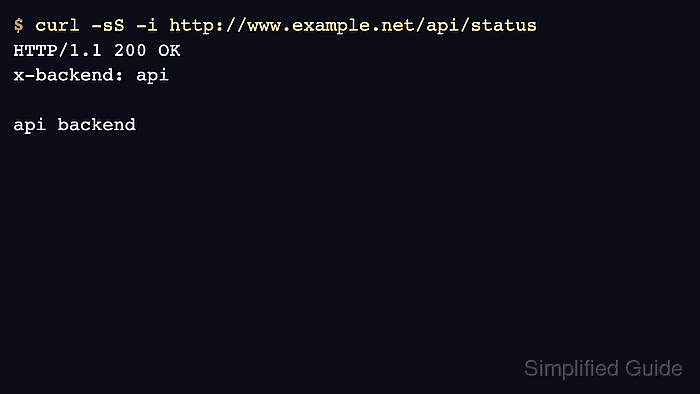
- Request a matching path and confirm the ACL-selected backend answers.
$ curl -sS -i http://www.example.net/api/status
HTTP/1.1 200 OK
x-backend: api

api backend
If both requests reach the same backend, check the ACL match expression, the order of use_backend lines, and whether an earlier rule already selected a backend.

Mohd Shakir Zakaria is a cloud architect with deep roots in software development and open-source advocacy. Certified in AWS, Red Hat, VMware, ITIL, and Linux, he specializes in designing and managing robust cloud and on-premises infrastructures.


