Delimited text often has to move from a tab-separated shell file to a comma-separated import, report, or handoff file. awk can read one simple field separator and print selected fields with a different output separator, which keeps the row shape visible while changing the delimiter.
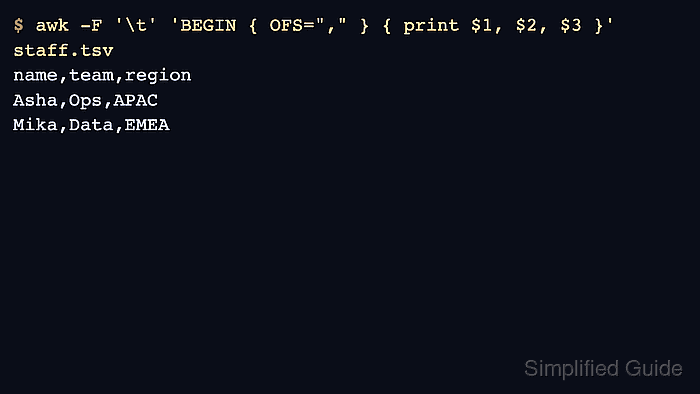
The -F option sets the input field separator for each record. The OFS variable sets the output field separator used when a print statement separates fields with commas, so print $1, $2, $3 writes the same three fields with the delimiter stored in OFS.
Use this pattern for regular delimited rows where the delimiter does not appear inside a field value. CSV with quoted commas, embedded line breaks, or escaped quotes needs a CSV-aware parser because plain awk splits on the raw separator and can shift columns when quoting rules matter.
Steps to convert delimiters with awk:
- Save a small tab-delimited source file.
- staff.tsv
name	team	region
Asha	Ops	APAC
Mika	Data	EMEA
- Convert the tab-delimited rows to comma-delimited rows.
$ awk -F '\t' 'BEGIN { OFS="," } { print $1, $2, $3 }' staff.tsv > staff.csv-F '\t' reads tab-separated input, OFS sets the delimiter to write, and print $1, $2, $3 prints the three fields with OFS between them.
- Review the converted file.
$ cat staff.csv
name,team,region
Asha,Ops,APAC
Mika,Data,EMEA
- Verify that each converted row still has three fields.
$ awk -F ',' '{ print NF }' staff.csv
3
3
3
If any field can contain commas, quotes, or line breaks, stop and use a CSV-aware parser instead of treating comma as a raw split character.

Mohd Shakir Zakaria is a cloud architect with deep roots in software development and open-source advocacy. Certified in AWS, Red Hat, VMware, ITIL, and Linux, he specializes in designing and managing robust cloud and on-premises infrastructures.


