Exporting Kibana saved objects writes dashboards, data views, saved searches, maps, and Lens visualizations into an NDJSON file that can be imported into another space or deployment. Use an export before promoting dashboard work between environments, archiving a space, or making a change that could remove workspace content.
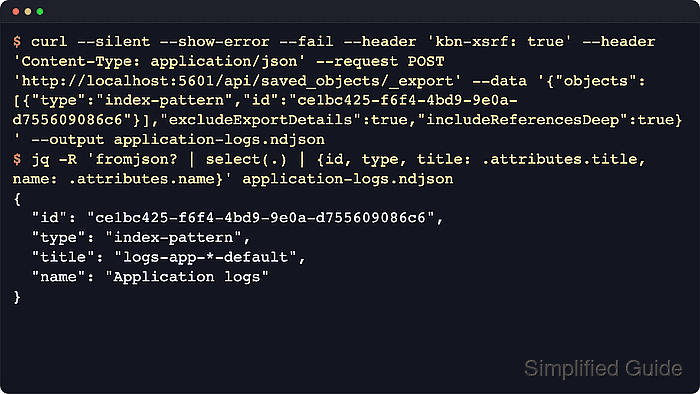
The Saved Objects export API runs from the Kibana endpoint, not the Elasticsearch endpoint. A request to POST /api/saved_objects/_export can target explicit type and id pairs or a broader type selection, and non-default spaces add /s/<space_id> before the API path.
Non-GET Kibana API requests need the kbn-xsrf header, and secured deployments also need Basic or API key authentication. The exported file is Kibana metadata rather than source documents from Elasticsearch indexes, so treat the NDJSON stream as opaque, protect it from unnecessary sharing, and import it only into the same Kibana version, a newer minor on the same major, or the next major.
Related: How to import Kibana saved objects
Related: How to create a Kibana space
Tool: API Testing Tool
Steps to export Kibana saved objects:
- Set the Kibana endpoint, optional space path, and API key header.
$ export KIBANA_URL="http://localhost:5601"
$ export KIBANA_SPACE_PATH="/s/ops"
$ export KIBANA_AUTH_HEADER="Authorization: ApiKey BASE64_ENCODED_API_KEY"
Leave KIBANA_SPACE_PATH empty for the default space. Include any reverse-proxy server.basePath in KIBANA_URL, and replace the API key header with --user username:password when the deployment uses basic authentication.
- Confirm that Kibana and the saved objects service are available.
$ curl --silent --show-error --fail \
  --header "$KIBANA_AUTH_HEADER" \
  "$KIBANA_URL$KIBANA_SPACE_PATH/api/status" | jq '{version: .version.number, savedObjects: .status.core.savedObjects.level}'
{
  "version": "9.3.2",
  "savedObjects": "available"
}
Use the same scheme, host, port, space path, and authentication method that will receive the export. Add --cacert /path/to/ca.crt when TLS uses a private certificate authority.
Related: How to check Kibana status - Export the saved object and its related objects to an NDJSON file.
$ curl --silent --show-error --fail \
  --header "$KIBANA_AUTH_HEADER" \
  --header 'kbn-xsrf: true' \
  --header 'Content-Type: application/json' \
  --request POST "$KIBANA_URL$KIBANA_SPACE_PATH/api/saved_objects/_export" \
  --data '{
    "objects": [
      {
        "type": "dashboard",
        "id": "ops-overview"
      }
    ],
    "includeReferencesDeep": true,
    "excludeExportDetails": true
  }' \
  --output ops-overview.ndjson \
  --write-out "saved %{size_download} bytes\n"
saved 475 bytes
includeReferencesDeep adds referenced objects such as the dashboard data view. Use a type body such as {"type":"*"} for a whole-space export, but do not combine objects and type in one request. Large exports are still limited by savedObjects.maxImportExportSize.
- Confirm the export file exists and is not empty.
$ ls -lh ops-overview.ndjson
-rw-r--r-- 1 user staff 475B Jun 18 15:20 ops-overview.ndjson
Protect exported NDJSON files because they can expose dashboard titles, data-view patterns, queries, URLs, and other operational context.
- Confirm the expected saved object records are in the export.
$ jq -R 'fromjson? | select(.type != "export-details") | {id, type, title: .attributes.title}' ops-overview.ndjson
{
  "id": "ops-overview",
  "type": "dashboard",
  "title": "Operations overview"
}
{
  "id": "logs-app-*",
  "type": "index-pattern",
  "title": "logs-app-*"
}
The jq -R pattern decodes one NDJSON record at a time. If excludeExportDetails is omitted or set to false, Kibana adds an export-details record after the exported objects.

Mohd Shakir Zakaria is a cloud architect with deep roots in software development and open-source advocacy. Certified in AWS, Red Hat, VMware, ITIL, and Linux, he specializes in designing and managing robust cloud and on-premises infrastructures.


