Adding a secret to the Kibana keystore moves sensitive settings such as elasticsearch.password, service account tokens, and encryption keys out of plain-text /etc/kibana/kibana.yml. The keystore keeps those values encrypted at rest while still letting Kibana load them when the server starts.
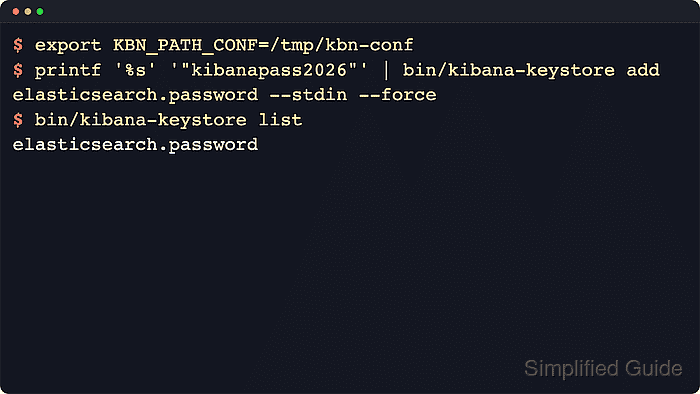
The kibana-keystore tool writes entries to kibana.keystore in the configuration directory selected by KBN_PATH_CONF. Package installs normally use /etc/kibana with the tool at /usr/share/kibana/bin/kibana-keystore, while archive installs use the config directory inside the extracted Kibana home.
Use the exact Kibana setting name and run the command as the service account that can read the keystore. Kibana reads keystore values at startup, so a restart is required before a newly saved entry affects the running server.
Related: How to create a Kibana keystore
Related: How to manage the Kibana service with systemctl in Linux
Related: How to check Kibana status
Steps to add a secret to a Kibana keystore:
- Confirm the keystore exists in the active Kibana configuration directory.
$ sudo -u kibana env KBN_PATH_CONF=/etc/kibana /usr/share/kibana/bin/kibana-keystore list
A blank result means the keystore is readable and currently has no saved entry names. Create it first if the command reports that kibana.keystore is missing.
Related: How to create a Kibana keystore - Add the secret with the exact Kibana setting name.
$ sudo -u kibana env KBN_PATH_CONF=/etc/kibana /usr/share/kibana/bin/kibana-keystore add elasticsearch.password
Enter value for elasticsearch.password: ********************
Use only supported Kibana settings. Elastic warns that invalid, unsupported, or extraneous keystore entries can prevent Kibana from starting. For automation, --stdin can read protected input, but Kibana JSON-parses stdin values, so include JSON string quotes when a value must stay a string.
- List the saved entries to confirm the new key exists.
$ sudo -u kibana env KBN_PATH_CONF=/etc/kibana /usr/share/kibana/bin/kibana-keystore list
elasticsearch.password
kibana-keystore list prints entry names only and does not reveal stored secret values.
- Open /etc/kibana/kibana.yml and remove any duplicate plain-text copy of the same secret.
$ sudoedit /etc/kibana/kibana.yml
Keep non-secret settings such as elasticsearch.username: "kibana_system" in kibana.yml when they are required, but remove the matching elasticsearch.password line after the password is stored in the keystore.
Tool: Secret Pattern Sample Checker - Restart the Kibana service so it reads the updated keystore.
$ sudo systemctl restart kibana.service
Keystore changes are read at startup, not by the already running Kibana process.
Related: How to manage the Kibana service with systemctl in Linux - Verify that the Kibana service is running after the restart.
$ systemctl is-active kibana.service
active
Check the application status endpoint when the saved secret controls Elasticsearch connectivity or another runtime dependency.
Related: How to check Kibana status

Mohd Shakir Zakaria is a cloud architect with deep roots in software development and open-source advocacy. Certified in AWS, Red Hat, VMware, ITIL, and Linux, he specializes in designing and managing robust cloud and on-premises infrastructures.


