Configuring a Filebeat syslog input lets network devices, appliances, and relay hosts send syslog messages into the same shipping pipeline as other Filebeat events. A local listener is useful when an existing deployment already depends on Filebeat to receive, parse, and forward those messages before they reach Elasticsearch or Logstash.
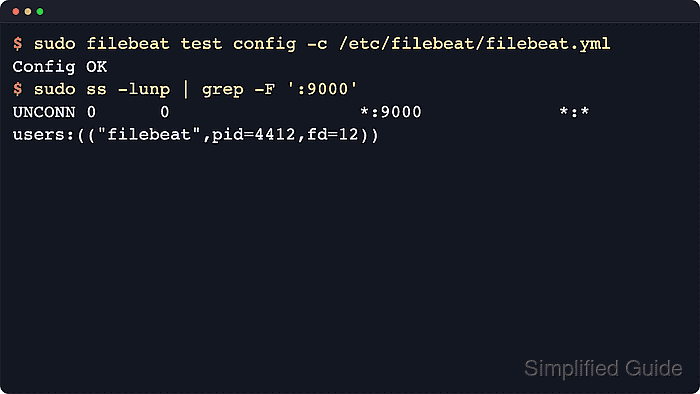
The dedicated syslog input opens a UDP, TCP, or Unix-domain socket and parses RFC 3164 or RFC 5424 messages before publishing them through the configured output. Using UDP on port 9000 keeps the listener testable without privileged port 514 or a local syslog daemon conflict.
Elastic deprecated the dedicated syslog input in 8.14.0 and recommends a tcp or udp input with the syslog processor for new configurations. Keep this input for existing deployments that still use it, validate the configuration before restart, and verify both the listening socket and one received test message after Filebeat reloads the file.
Related: How to configure a Filebeat TCP input
Related: How to configure Filebeat processors
Steps to configure a Filebeat syslog input:
- Back up the active Filebeat configuration.
$ sudo cp /etc/filebeat/filebeat.yml /etc/filebeat/filebeat.yml.bak
Restore the previous file with sudo cp /etc/filebeat/filebeat.yml.bak /etc/filebeat/filebeat.yml if validation fails or the listener does not start.
- Open the Filebeat configuration file.
$ sudoedit /etc/filebeat/filebeat.yml
- Add a UDP syslog input under filebeat.inputs.
- /etc/filebeat/filebeat.yml
filebeat.inputs:
  - type: syslog
    enabled: true
    format: auto
    timezone: Local
    protocol.udp:
      host: "0.0.0.0:9000"
      max_message_size: 10KiB
Keep filebeat.inputs: defined once in /etc/filebeat/filebeat.yml. Add the - type: syslog item under the existing key when other inputs are already present.
- Review the listener address and parser settings.
format: auto accepts RFC 3164 and RFC 5424 messages. timezone: Local fills in the local time zone only when an incoming timestamp lacks one.
Binding to 0.0.0.0 exposes the listener on every interface. Use a firewall rule or a narrower bind address when only specific senders should reach Filebeat.
- Test the Filebeat configuration.
$ sudo filebeat test config -c /etc/filebeat/filebeat.yml
Config OK
Related: How to test a Filebeat configuration
- Restart the Filebeat service.
$ sudo systemctl restart filebeat
- Confirm the Filebeat service is running.
$ sudo systemctl is-active filebeat
active
- Verify the UDP syslog listener is bound to the configured port.
$ sudo ss -lunp 'sport = :9000'
State  Recv-Q Send-Q Local Address:Port Peer Address:Port Process
UNCONN 0      0            0.0.0.0:9000      0.0.0.0:*     users:(("filebeat",pid=4412,fd=12))
Use sudo ss -ltnp 'sport = :9000' when the input uses protocol.tcp instead of protocol.udp.
- Send a test syslog message from an allowed Linux sender.
$ logger --server filebeat.example.net --port 9000 --udp --rfc3164 --tag filebeat-test "filebeat syslog input smoke test"
The command has no output when the datagram is sent. Replace filebeat.example.net with the address that syslog senders use to reach Filebeat.
- Search the configured destination for the test message.
$ curl --silent --show-error --fail \
  --user "elastic:${ELASTIC_PASSWORD}" \
  --header "Content-Type: application/json" \
  --request POST "https://elasticsearch.example.net:9200/filebeat-*/_search?pretty" \
  --data '{
    "size": 1,
    "_source": ["message", "input.type", "hostname", "syslog.facility_label"],
    "query": {
      "match_phrase": {
        "message": "filebeat syslog input smoke test"
      }
    }
  }'
{
  "hits" : {
    "hits" : [
      {
        "_source" : {
          "hostname" : "edge-fw-01",
          "input" : {
            "type" : "syslog"
          },
          "message" : "filebeat syslog input smoke test",
          "syslog" : {
            "facility_label" : "user-level"
          }
        }
      }
    ]
  }
}
If Filebeat sends through Logstash, search the final index or inspect the downstream pipeline output for the same message instead.
Related: How to test Filebeat output connectivity

Mohd Shakir Zakaria is a cloud architect with deep roots in software development and open-source advocacy. Certified in AWS, Red Hat, VMware, ITIL, and Linux, he specializes in designing and managing robust cloud and on-premises infrastructures.


