A Filebeat journald input sends systemd journal entries into the same log pipeline used for application files, modules, and other Filebeat inputs. It is the right input for Linux hosts where services write mainly to journald and the target logs should stay searchable with their unit name, syslog identifier, priority, and message text.
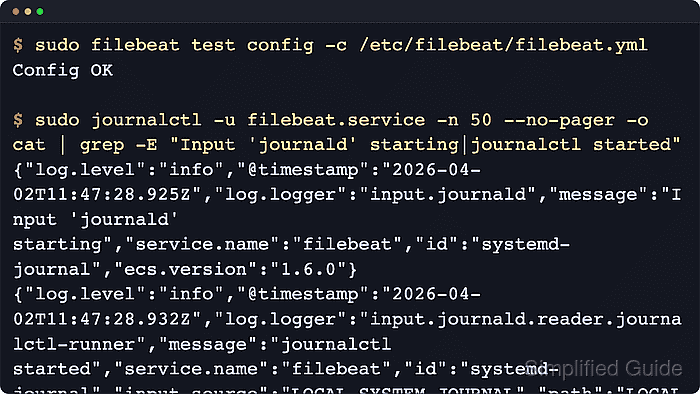
Filebeat reads the journal by starting journalctl, so the input behaves like a filtered journal follow rather than a file harvester. A stable input id is important because Filebeat stores the journal cursor against that ID and resumes from the cursor after restart.
The service account running Filebeat must be able to execute journalctl and read the target journal. Packaged Linux services usually run with the needed permissions, while container deployments need extra care because hardened Wolfi images do not include journalctl and Docker-based journald collection may require chroot or a compatible journalctl binary.
Steps to configure a Filebeat journald input:
- Inspect a recent journal entry for the service field to match.
$ sudo journalctl -u ssh.service -o json -n 1 --no-pager
{"_SYSTEMD_UNIT":"ssh.service","SYSLOG_IDENTIFIER":"sshd","MESSAGE":"Server listening on 0.0.0.0 port 22.","PRIORITY":"6"}
Use the field name that appears in the journal entry, such as _SYSTEMD_UNIT=ssh.service on Ubuntu or _SYSTEMD_UNIT=sshd.service on many RHEL-family systems.
- Back up the current Filebeat configuration.
$ sudo cp /etc/filebeat/filebeat.yml /etc/filebeat/filebeat.yml.bak
- Open the Filebeat configuration file.
$ sudoedit /etc/filebeat/filebeat.yml
- Add a journald input under filebeat.inputs.
filebeat.inputs:
  - type: journald
    id: ssh-journal
    seek: since
    since: -24h
    include_matches:
      match:
        - _SYSTEMD_UNIT=ssh.service
Keep the existing output section unchanged. Leave paths unset for the default local journal, and add paths only when Filebeat must read a specific journal file or directory such as /var/log/journal.
Each journald input needs a unique stable id. If the id changes, Filebeat creates a new cursor and seek starts from fresh state instead of the saved position.
- Test the Filebeat configuration.
$ sudo filebeat test config -c /etc/filebeat/filebeat.yml
Config OK
Related: How to test a Filebeat configuration
- Restart Filebeat to apply the input.
$ sudo systemctl restart filebeat
- Check the Filebeat service status.
$ sudo systemctl status filebeat --no-pager --lines=10
● filebeat.service - Filebeat sends log files to Logstash or directly to Elasticsearch.
     Loaded: loaded (/usr/lib/systemd/system/filebeat.service; enabled; preset: enabled)
     Active: active (running) since Thu 2026-06-18 06:30:56 UTC; 3s ago
       Docs: https://www.elastic.co/beats/filebeat
   Main PID: 1259 (filebeat)
      Tasks: 13 (limit: 28490)
     Memory: 62.6M
     CGroup: /system.slice/filebeat.service
             └─1274 journalctl --utc --output=json --no-pager --all --follow _SYSTEMD_UNIT=ssh.service --since "2026-06-17 06:30:56" --boot all
The child journalctl process shows the journal match that Filebeat is following.
- Review recent Filebeat logs for the journald input startup.
$ sudo journalctl -u filebeat.service -n 30 --no-pager -o cat
{"log.level":"info","@timestamp":"2026-06-18T06:30:56.700Z","log.logger":"input.journald","message":"Input 'journald' starting","service.name":"filebeat","id":"ssh-journal","ecs.version":"1.6.0"}
##### snipped #####
{"log.level":"info","@timestamp":"2026-06-18T06:30:56.702Z","log.logger":"input.journald.reader.journalctl-runner","message":"Journalctl command. Paths relative to chroot (if set)","service.name":"filebeat","id":"ssh-journal","input_source":"LOCAL_SYSTEM_JOURNAL","process.command_line":"journalctl --utc --output=json --no-pager --all --follow _SYSTEMD_UNIT=ssh.service --since 2026-06-17 06:30:56 --boot all","ecs.version":"1.6.0"}
{"log.level":"info","@timestamp":"2026-06-18T06:30:56.702Z","log.logger":"input.journald.reader.journalctl-runner","message":"journalctl started","service.name":"filebeat","id":"ssh-journal","input_source":"LOCAL_SYSTEM_JOURNAL","ecs.version":"1.6.0"}
On systems where Filebeat writes logs to files instead of journald, inspect /var/log/filebeat/ for the same startup messages.
- Confirm that a journal event reaches the configured output.
$ cat /tmp/filebeat-output/filebeat-20260618.ndjson
{"@timestamp":"2026-06-18T06:31:13.785Z","@metadata":{"beat":"filebeat","type":"_doc","version":"9.4.2"},"input":{"type":"journald"},"systemd":{"unit":"ssh.service","transport":"syslog"},"log":{"syslog":{"appname":"sshd","priority":6}},"message":"Server listening on 0.0.0.0 port 22.","ecs":{"version":"8.0.0"}}
A temporary file output smoke test writes a date-suffixed file under /tmp/filebeat-output. In Elasticsearch or Kibana, search for input.type: journald and systemd.unit: ssh.service instead.

Mohd Shakir Zakaria is a cloud architect with deep roots in software development and open-source advocacy. Certified in AWS, Red Hat, VMware, ITIL, and Linux, he specializes in designing and managing robust cloud and on-premises infrastructures.


