Configuring Filebeat console output prints published events as JSON in the terminal instead of sending them to Elasticsearch, Logstash, Kafka, or another destination. It is useful for a short inspection window when checking harvested fields, processor changes, or enrichment before returning the shipper to its normal output.
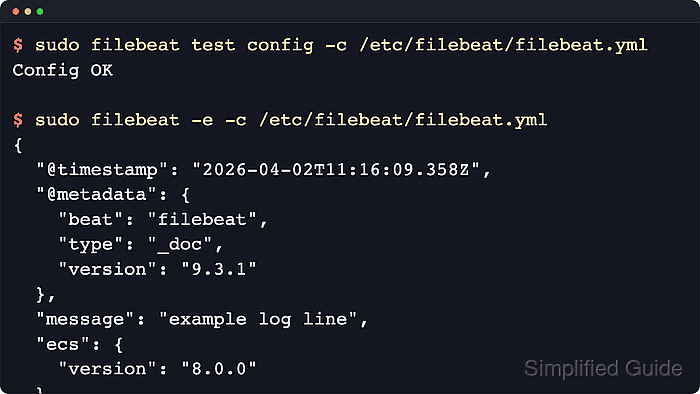
The setting lives in the output.console block of /etc/filebeat/filebeat.yml on packaged Linux installs. Elastic documents only one active output, so the existing destination block must be commented out or restored from a backup before normal shipping resumes.
Console output writes events to stdout, and pretty: true expands each event into multi-line JSON. A foreground run prints an event only after an enabled input publishes data, so a quiet source file or paused input can leave the terminal empty even when the YAML syntax is valid.
Steps to configure Filebeat console output:
- Back up the active Filebeat configuration file.
$ sudo cp /etc/filebeat/filebeat.yml /etc/filebeat/filebeat.yml.before-console-output
DEB and RPM packages use /etc/filebeat/filebeat.yml by default. Archive and container installs can use a different path.config.
- Open the Filebeat configuration file.
$ sudoedit /etc/filebeat/filebeat.yml
- Disable the current output block and enable output.console.
- /etc/filebeat/filebeat.yml
#output.elasticsearch:
#  hosts: ["https://es.example.net:9200"]

output.console:
  pretty: true
Filebeat supports only one enabled output.* block. Use console output only for a short debugging session because it can print a large amount of event data.
- Test the Filebeat configuration for syntax errors.
$ sudo filebeat test config -c /etc/filebeat/filebeat.yml
Config OK
Related: How to test a Filebeat configuration
- Stop the Filebeat service before running the foreground check.
$ sudo systemctl stop filebeat
- Run Filebeat in the foreground to print published events.
$ sudo filebeat -c /etc/filebeat/filebeat.yml
{
  "@timestamp": "2026-06-18T06:02:54.928Z",
  "@metadata": {
    "beat": "filebeat",
    "type": "_doc",
    "version": "9.4.2"
  },
  "message": "console output validation event",
  "input": {
    "type": "filestream"
  },
  "service": {
    "name": "payments-api"
  },
  "host": {
    "name": "loghost01"
  }
}
Exact fields vary by input, processors, and source data. Add -e only when Filebeat logs should also appear in the terminal.
Tool: JSON Validator - Stop the foreground Filebeat process after reviewing the event output.
^C
- Restore the previous output configuration.
$ sudo cp /etc/filebeat/filebeat.yml.before-console-output /etc/filebeat/filebeat.yml
Use the backup restore command only if no later Filebeat changes need to be kept. Otherwise, edit the output blocks manually and leave only the normal destination enabled.
- Test the restored configuration before restarting the service.
$ sudo filebeat test config -c /etc/filebeat/filebeat.yml
Config OK
Related: How to test a Filebeat configuration
- Start the Filebeat service again.
$ sudo systemctl start filebeat
- Verify that Filebeat is active after the output is restored.
$ sudo systemctl status filebeat --no-pager --lines=15
● filebeat.service - Filebeat sends log files to Logstash or Elasticsearch.
     Loaded: loaded (/usr/lib/systemd/system/filebeat.service; enabled; preset: enabled)
     Active: active (running) since Thu 2026-06-18 06:09:18 UTC; 4s ago
##### snipped #####

Mohd Shakir Zakaria is a cloud architect with deep roots in software development and open-source advocacy. Certified in AWS, Red Hat, VMware, ITIL, and Linux, he specializes in designing and managing robust cloud and on-premises infrastructures.


