Creating an ingest pipeline in Elasticsearch stores a named processor chain that changes documents before they are indexed. It is useful when incoming events need consistent field case, service labels, or other small enrichments before searches, dashboards, and alerts read the data.
Ingest pipelines are cluster-wide objects stored in cluster state. Nodes with the ingest role run the processors in order during indexing, and secured clusters require the manage_pipeline cluster privilege to create or update a pipeline.
The _ingest/pipeline API creates or replaces a pipeline by ID, and a successful change is available to indexing requests immediately. Test the pipeline with _simulate before routing live documents through it, and include a pipeline version when operators need the if_version query parameter for controlled updates.
Related: How to simulate an Elasticsearch ingest pipeline
Tool: JSON Validator
Steps to create an ingest pipeline in Elasticsearch:
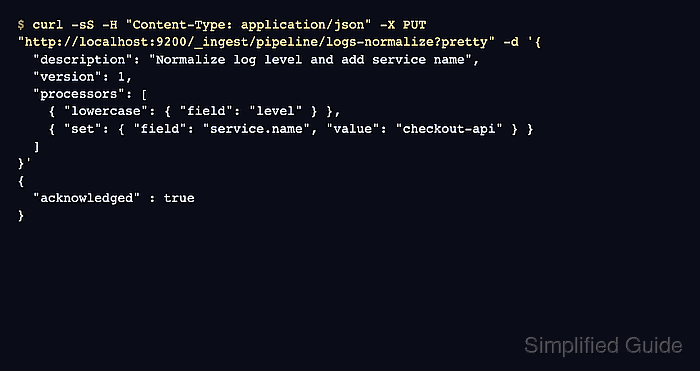
- Create the logs-normalize ingest pipeline.
$ curl -sS -H "Content-Type: application/json" -X PUT "http://localhost:9200/_ingest/pipeline/logs-normalize?pretty" -d '{
  "description": "Normalize log level and add service name",
  "version": 1,
  "processors": [
    { "lowercase": { "field": "level" } },
    { "set": { "field": "service.name", "value": "checkout-api" } }
  ]
}'
{
  "acknowledged" : true
}
On secured clusters, replace http://localhost:9200 with the cluster HTTPS endpoint and add authentication such as --user username:password or -H "Authorization: ApiKey BASE64_KEY".
A PUT request with an existing pipeline ID replaces that pipeline immediately. Use a pipeline version and the if_version query parameter when updates need optimistic concurrency control.
- Fetch the stored pipeline definition.
$ curl -sS "http://localhost:9200/_ingest/pipeline/logs-normalize?filter_path=*.description,*.version,*.processors&pretty" { "logs-normalize" : { "description" : "Normalize log level and add service name", "version" : 1, "processors" : [ { "lowercase" : { "field" : "level" } }, { "set" : { "field" : "service.name", "value" : "checkout-api" } } ] } } - Simulate the pipeline with a sample document.
$ curl -sS -H "Content-Type: application/json" -X POST "http://localhost:9200/_ingest/pipeline/logs-normalize/_simulate?filter_path=docs.doc._source&pretty" -d '{
  "docs": [
    { "_source": { "level": "ERROR", "message": "payment timeout" } }
  ]
}'
{
  "docs" : [
    {
      "doc" : {
        "_source" : {
          "message" : "payment timeout",
          "level" : "error",
          "service" : {
            "name" : "checkout-api"
          }
        }
      }
    }
  ]
}
The _simulate endpoint returns transformed documents without indexing them, so it is the safest first check for processor order, field names, and output shape.
- Index a test document through the pipeline.
$ curl -sS -H "Content-Type: application/json" -X PUT "http://localhost:9200/app-ingest-demo-000001/_doc/1?pipeline=logs-normalize&refresh=wait_for&filter_path=_index,_id,result&pretty" -d '{
  "level": "WARN",
  "message": "retry queued"
}'
{
  "_index" : "app-ingest-demo-000001",
  "_id" : "1",
  "result" : "created"
}
The pipeline query parameter can also be used with Bulk API requests when the same transform should apply to a batch.
- Retrieve the stored document.
$ curl -sS "http://localhost:9200/app-ingest-demo-000001/_doc/1?filter_path=_source&pretty"
{
  "_source" : {
    "level" : "warn",
    "service" : {
      "name" : "checkout-api"
    },
    "message" : "retry queued"
  }
}
The lowercased level field and added service.name field confirm the pipeline executed during indexing.
- Remove the demo index when it was created only for testing.
$ curl -sS -X DELETE "http://localhost:9200/app-ingest-demo-000001?pretty"
{
  "acknowledged" : true
}
Do not delete a real application index just because it was used to test the pipeline. This cleanup step is only for the sample app-ingest-demo-000001 index.

Mohd Shakir Zakaria is a cloud architect with deep roots in software development and open-source advocacy. Certified in AWS, Red Hat, VMware, ITIL, and Linux, he specializes in designing and managing robust cloud and on-premises infrastructures.


