Elasticsearch component templates store reusable settings, mappings, or aliases that a composable index template can assemble for new indices and data streams. They fit environments where several index families need the same field definitions or index defaults without copying the same JSON into every template.
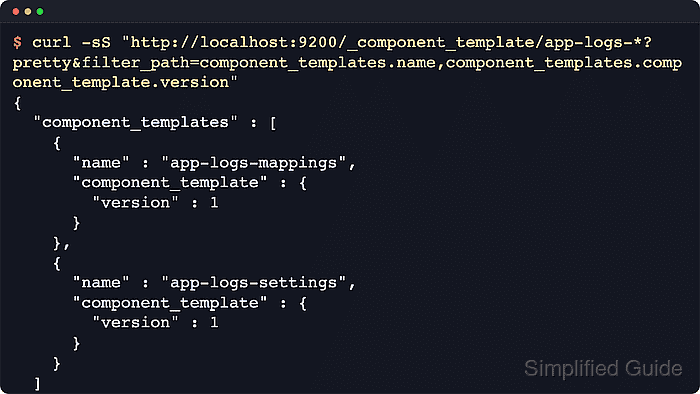
The /_component_template API saves each reusable block, but Elasticsearch does not apply a component template directly to an index. A composable index template created through /_index_template names the components in composed_of, matches new names with index_patterns, and resolves competing templates with priority.
A local development cluster with security disabled accepts the HTTP requests without credentials. Secured clusters usually require HTTPS, authentication, and the manage_index_templates cluster privilege, and existing indices keep the settings and mappings they already received before a component template changes.
Steps to create component templates in Elasticsearch:
- Create a component template for reusable index settings.
$ curl -sS --fail -H "Content-Type: application/json" -X PUT "http://localhost:9200/_component_template/app-logs-settings?create=true&pretty" -d '{
  "template": {
    "settings": {
      "index": {
        "number_of_shards": 1,
        "number_of_replicas": 0,
        "refresh_interval": "30s"
      }
    }
  },
  "version": 1,
  "_meta": {
    "description": "Shared settings for application log indices"
  }
}'
{
  "acknowledged" : true
}
The create=true query parameter prevents accidental replacement. Omit it only when intentionally updating an existing component template.
A single-node validation cluster stays green with number_of_replicas set to 0. Use replicas on production clusters with multiple data nodes. - Create a component template for reusable field mappings.
$ curl -sS --fail -H "Content-Type: application/json" -X PUT "http://localhost:9200/_component_template/app-logs-mappings?create=true&pretty" -d '{ "template": { "mappings": { "properties": { "@timestamp": { "type": "date" }, "level": { "type": "keyword" }, "message": { "type": "text" }, "service": { "properties": { "name": { "type": "keyword" } } } } } }, "version": 1, "_meta": { "description": "Shared mappings for application log indices" } }' { "acknowledged" : true } - List the stored component template names.
$ curl -sS --fail "http://localhost:9200/_component_template/app-logs-*?pretty&filter_path=component_templates.name" { "component_templates" : [ { "name" : "app-logs-mappings" }, { "name" : "app-logs-settings" } ] } - Create an index template that composes both component templates.
$ curl -sS --fail -H "Content-Type: application/json" -X PUT "http://localhost:9200/_index_template/app-logs-template?create=true&pretty" -d '{
  "index_patterns": ["app-logs-*"],
  "composed_of": ["app-logs-settings", "app-logs-mappings"],
  "priority": 300,
  "version": 1,
  "_meta": {
    "description": "Composes shared application log components"
  }
}'
{
  "acknowledged" : true
}
If more than one index template matches a new index, Elasticsearch uses the highest priority. Keep index_patterns specific enough to avoid unintended overlap with built-in or application templates.
Component templates listed later in composed_of override earlier components when the same setting, alias, or mapping path conflicts. Settings or mappings supplied directly by the index template or create-index request override the component result.
- Simulate a matching index name to preview the merged settings and mappings.
$ curl -sS --fail -X POST "http://localhost:9200/_index_template/_simulate_index/app-logs-2026.06?pretty&filter_path=template.settings.index.number_of_shards,template.settings.index.number_of_replicas,template.settings.index.refresh_interval,template.mappings.properties,overlapping"
{
  "template" : {
    "settings" : {
      "index" : {
        "refresh_interval" : "30s",
        "number_of_shards" : "1",
        "number_of_replicas" : "0"
      }
    },
    "mappings" : {
      "properties" : {
        "@timestamp" : {
          "type" : "date"
        },
        "level" : {
          "type" : "keyword"
        },
        "message" : {
          "type" : "text"
        },
        "service" : {
          "properties" : {
            "name" : {
              "type" : "keyword"
            }
          }
        }
      }
    }
  },
  "overlapping" : [ ]
}
Simulation reads the stored templates and returns the configuration Elasticsearch would apply without creating the index.
- Create a test index that matches the index template pattern.
$ curl -sS --fail -X PUT "http://localhost:9200/app-logs-2026.06?pretty"
{
  "acknowledged" : true,
  "shards_acknowledged" : true,
  "index" : "app-logs-2026.06"
}
Creating a test index proves the component templates and the composable index template apply together at index-creation time.
- Verify the inherited field mappings on the test index.
$ curl -sS --fail "http://localhost:9200/app-logs-2026.06/_mapping?pretty&filter_path=*.mappings.properties.@timestamp,*.mappings.properties.level,*.mappings.properties.service.properties.name" { "app-logs-2026.06" : { "mappings" : { "properties" : { "@timestamp" : { "type" : "date" }, "level" : { "type" : "keyword" }, "service" : { "properties" : { "name" : { "type" : "keyword" } } } } } } } - Verify the inherited index settings on the test index.
$ curl -sS --fail "http://localhost:9200/app-logs-2026.06/_settings?pretty&filter_path=*.settings.index.number_of_shards,*.settings.index.number_of_replicas,*.settings.index.refresh_interval" { "app-logs-2026.06" : { "settings" : { "index" : { "refresh_interval" : "30s", "number_of_shards" : "1", "number_of_replicas" : "0" } } } } - Delete the temporary test index after verification.
$ curl -sS --fail -X DELETE "http://localhost:9200/app-logs-2026.06?pretty"
{
  "acknowledged" : true
}
Deleting an index permanently removes its documents and index-level metadata.

Mohd Shakir Zakaria is a cloud architect with deep roots in software development and open-source advocacy. Certified in AWS, Red Hat, VMware, ITIL, and Linux, he specializes in designing and managing robust cloud and on-premises infrastructures.


