Installing one package from Debian backports lets a stable Debian host use a newer build without changing the default package source for the whole system. This fits a reviewed tool, driver helper, or application that needs the version maintained for the matching stable-backports suite.
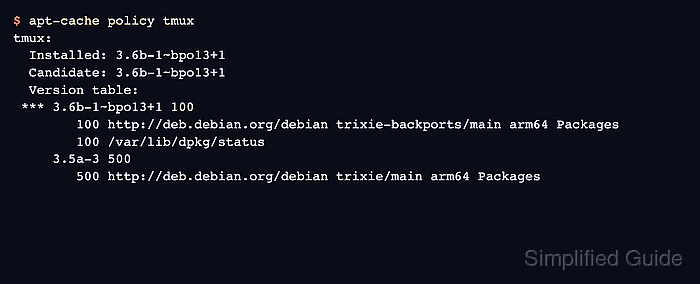
Backports packages are visible to APT after the matching suite is enabled, but they are pinned below normal stable packages. On Debian 13, trixie-backports packages normally appear at priority 100, while stable packages remain at priority 500 unless a package is selected from backports.
Use backports as an explicit opt-in for the package you reviewed. The official single-package form is package/trixie-backports; use -t trixie-backports only when required dependencies should also be selected from backports.
Related: How to enable Debian backports
Related: How to install a package on Debian with apt
Related: How to pin a Debian package version
Steps to install a package from Debian backports with APT:
- Refresh the APT package lists after enabling backports.
$ sudo apt update
Get:1 http://deb.debian.org/debian trixie-backports InRelease [54.0 kB]
Hit:2 http://deb.debian.org/debian trixie InRelease
Hit:3 http://deb.debian.org/debian trixie-updates InRelease
Hit:4 http://deb.debian.org/debian-security trixie-security InRelease
Get:5 http://deb.debian.org/debian trixie-backports/main arm64 Packages [292 kB]
Reading package lists...
Building dependency tree...
Reading state information...
All packages are up to date.
Enable the matching backports suite first if apt update does not contact trixie-backports.
Related: How to enable Debian backports - Check the stable and backports versions for the package.
$ apt-cache policy tmux
tmux:
  Installed: (none)
  Candidate: 3.5a-3
  Version table:
     3.6b-1~bpo13+1 100
        100 http://deb.debian.org/debian trixie-backports/main arm64 Packages
     3.5a-3 500
        500 http://deb.debian.org/debian trixie/main arm64 Packages
The Candidate line still points to stable because priority 500 is higher than backports priority 100.
- Simulate installing the package from the backports suite.
$ sudo apt --simulate install tmux/trixie-backports
Reading package lists...
Building dependency tree...
Reading state information...
Installing:
  tmux

Installing dependencies:
  libevent-core-2.1-7t64  libjemalloc2

Summary:
  Upgrading: 0, Installing: 3, Removing: 0, Not Upgrading: 0
Inst libevent-core-2.1-7t64 (2.1.12-stable-10+b1 Debian:13.5/stable [arm64])
Inst libjemalloc2 (5.3.0-3 Debian:13.5/stable [arm64])
Inst tmux (3.6b-1~bpo13+1 Debian Backports:stable-backports [arm64])
Stop if the resolver proposes removals or newer dependencies that have not been reviewed for the host.
- Install the selected package from backports.
$ sudo apt install tmux/trixie-backports
Reading package lists...
Building dependency tree...
Reading state information...
Installing:
  tmux

Installing dependencies:
  libevent-core-2.1-7t64  libjemalloc2

Summary:
  Upgrading: 0, Installing: 3, Removing: 0, Not Upgrading: 0
  Download size: 822 kB
  Space needed: 2350 kB / 109 GB available

##### snipped #####
Setting up tmux (3.6b-1~bpo13+1) ...
Use sudo apt install -t trixie-backports tmux when the selected package needs backported dependencies too.
- Verify the installed package origin.
$ apt-cache policy tmux
tmux:
  Installed: 3.6b-1~bpo13+1
  Candidate: 3.6b-1~bpo13+1
  Version table:
 *** 3.6b-1~bpo13+1 100
        100 http://deb.debian.org/debian trixie-backports/main arm64 Packages
        100 /var/lib/dpkg/status
     3.5a-3 500
        500 http://deb.debian.org/debian trixie/main arm64 Packages
The installed version should be the one from trixie-backports, while unrelated packages continue to follow the normal stable policy.
- Run the installed command's version check.
$ tmux -V
tmux 3.6b
Replace the version check with the command or service check that proves the package you installed is usable.

Mohd Shakir Zakaria is a cloud architect with deep roots in software development and open-source advocacy. Certified in AWS, Red Hat, VMware, ITIL, and Linux, he specializes in designing and managing robust cloud and on-premises infrastructures.


