Debian commands can show locale warnings, sort text unexpectedly, or format dates and currency in the wrong regional style when the requested locale has not been generated on the host. Generating the locale compiles the language and character-set data that programs need before a user, service, or system default can use values such as en_GB.UTF-8.
The locales package provides locale-gen and the locale templates used by glibc. The file /etc/locale.gen lists which locale and character-set pairs should be built, and locale-gen compiles the selected entries into the system locale archive.
Use UTF-8 locales unless a legacy application requires another character set. Generating a locale makes it available to the system, but existing shells and services keep their current LANG and LC_* values until they are restarted or started in a new login session.
Steps to generate locales on Debian:
- Check the locales currently available on the system.
$ locale -a
C
C.utf8
POSIX
If the target locale already appears in this list, the locale data has already been generated. A generated en_GB.UTF-8 locale is normally listed by locale -a as en_GB.utf8.
- Install the locales package if locale-gen is not available.
$ sudo apt install locales
Reading package lists... Done
Building dependency tree... Done
Reading state information... Done
The following additional packages will be installed:
  libc-l10n
The following NEW packages will be installed:
  libc-l10n locales
##### snipped #####
Setting up locales (2.41-12+deb13u3) ...
Generating locales (this might take a while)...
Generation complete.
Minimal containers and trimmed server images may not include locale-gen until the locales package is installed. Full Debian installations often already have it.
- Confirm the exact locale name and character set supported by the installed locale templates.
$ grep -F 'en_GB.UTF-8' /usr/share/i18n/SUPPORTED
en_GB.UTF-8 UTF-8
Replace en_GB.UTF-8 with the language and region needed on the host. Keep the two-field form from the supported list when editing /etc/locale.gen.
- Back up the locale selection file before changing it.
$ sudo cp /etc/locale.gen /etc/locale.gen.bak
- Edit /etc/locale.gen.
$ sudo editor /etc/locale.gen
Uncomment the target line by removing the leading #, or add the exact supported line if it is missing.
- Enable the target UTF-8 locale in /etc/locale.gen.
en_GB.UTF-8 UTF-8
Leave other uncommented locales in place if they are still needed. Commenting a line and running locale-gen again removes that locale from the generated archive.
- Generate the selected locales.
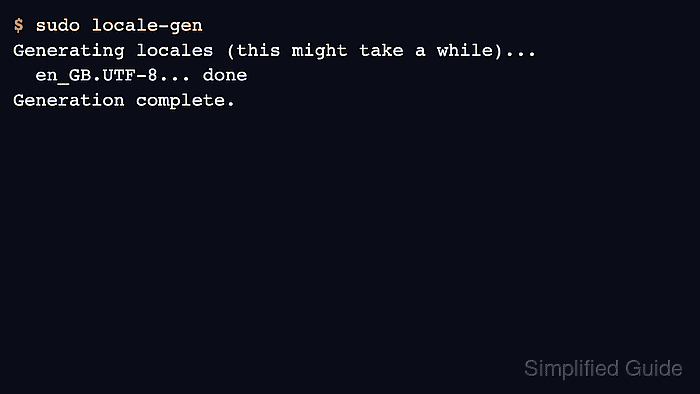
$ sudo locale-gen
Generating locales (this might take a while)...
  en_GB.UTF-8... done
Generation complete.
locale-gen reads every uncommented entry in /etc/locale.gen. The output should include the locale just enabled and end with Generation complete.
- Verify that the generated locale is now listed.
$ locale -a
C
C.utf8
POSIX
en_GB.utf8
The lowercase utf8 suffix in locale -a output is expected. It still matches the UTF-8 locale generated from /etc/locale.gen.
- Set the generated locale as the system default only when new sessions should use it automatically.
$ sudo update-locale LANG=en_GB.UTF-8
Skip this step when the locale is only needed by a single service, script, or user profile. Set that service or shell environment directly instead.
- Confirm the default locale file written by update-locale.
$ cat /etc/locale.conf
#  File generated by update-locale
LANG=en_GB.UTF-8
On current Debian systems, update-locale writes /etc/locale.conf. Existing login shells do not reread the file until the session is restarted.

Mohd Shakir Zakaria is a cloud architect with deep roots in software development and open-source advocacy. Certified in AWS, Red Hat, VMware, ITIL, and Linux, he specializes in designing and managing robust cloud and on-premises infrastructures.


