A curl request can leave through the wrong network path on hosts with VPN tunnels, backup uplinks, lab adapters, or several local source addresses. Binding one transfer to the intended interface makes the test prove that route instead of the operating system's default route.
Use --interface when the request must leave through one device or one local source address. curl accepts an interface name, a local IP address, a hostname, or an explicit selector such as if!lo, host!127.0.0.1, or ifhost!eth0!192.0.2.24. The option binds the client socket only; it does not override DNS for the URL or change which backend the hostname resolves to.
The command flow below uses the Linux loopback interface so the bind can be verified on one host. Replace lo, 127.0.0.1, and the sample URL with the real interface name, local source address, and target you need. On macOS, the loopback device is usually lo0; on Windows, bind with a configured local IP address because curl does not support interface names there.
Steps to bind curl to a network interface:
- Check the interface name and local address before you bind the request.
$ ip -brief address show dev lo
lo               UNKNOWN        127.0.0.1/8 ::1/128
On macOS, ifconfig lo0 gives the same kind of quick readout for the loopback interface. Use an interface or local address that already has a working route to the target.
- Send the request with an explicit interface selector when the transfer must stay on one device.
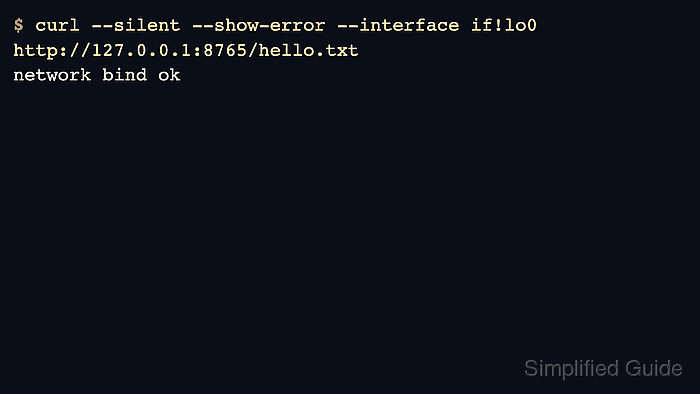
$ curl --silent --show-error --interface if!lo http://127.0.0.1:8765/hello.txt
network bind ok
The if! prefix tells curl to treat the value strictly as an interface name. Replace lo with the interface you actually want, such as en0, eth0, or ens3.
- Run the same request with --verbose when you need proof that curl bound the socket before sending the request.
$ curl --silent --show-error --verbose --interface if!lo http://127.0.0.1:8765/hello.txt
*   Trying 127.0.0.1:8765...
* socket successfully bound to interface 'lo'
* Established connection to 127.0.0.1 (127.0.0.1 port 8765) from 127.0.0.1 port 60874
* using HTTP/1.x
> GET /hello.txt HTTP/1.1
> Host: 127.0.0.1:8765
##### snipped #####
< HTTP/1.0 200 OK
##### snipped #####
network bind ok
The decisive line is socket successfully bound to interface. If that line is missing, the request did not bind the way you expected.
- Bind to a local address instead of an interface name when the host has multiple addresses on one interface or when you need a Windows-safe example.
$ curl --silent --show-error --interface 127.0.0.1 http://127.0.0.1:8765/hello.txt
network bind ok
Address binding is the most portable form of --interface. On curl 8.9.0 and later, ifhost!eth0!192.0.2.24 can require both the interface and the source address in one value.
- Treat error 45 as a bind failure and fix the interface or source address before retrying.
$ curl --silent --show-error --interface if!eno999 http://127.0.0.1:8765/hello.txt
curl: (45) Could not bind to interface 'eno999' with errno 19: No such device
Error 45 means curl could not bind the socket to the requested interface or local address. If the hostname in the URL still resolves to the wrong backend, fix that separately with How to override DNS resolution with cURL.

Mohd Shakir Zakaria is a cloud architect with deep roots in software development and open-source advocacy. Certified in AWS, Red Hat, VMware, ITIL, and Linux, he specializes in designing and managing robust cloud and on-premises infrastructures.


