Some Codex tasks need one supporting folder outside the project, such as notes, generated specs, or a shared fixture directory. Adding that folder as a writable root keeps workspace-write focused on the project while allowing edits in the extra location the task actually needs.
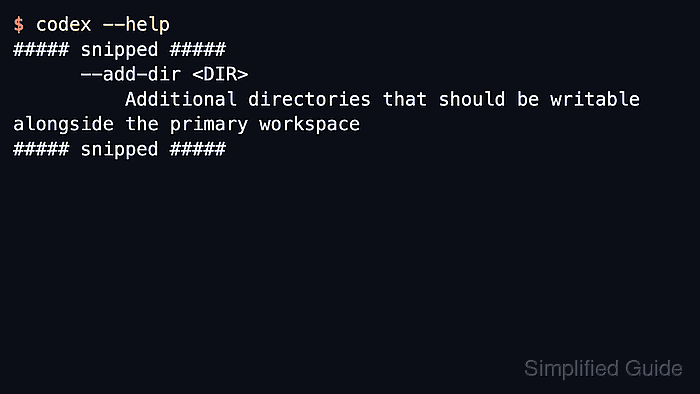
The --add-dir launch flag grants write access to an additional path alongside the primary workspace. The primary workspace comes from the shell's current directory by default, or from -C or --cd when the session is launched with an explicit working root.
Persistent writable roots belong under [sandbox_workspace_write] in ~/.codex/config.toml. They apply only to workspace-write sessions, and protected control directories such as .git, .codex, and .agents remain read-only under the sandbox even when their parent root is writable.
Related: How to set the working directory for Codex
Related: How to set Codex sandbox mode
Steps to add a writable directory for Codex:
- Review the installed CLI help for the writable-root flag.
$ codex --help
##### snipped #####
  -C, --cd <DIR>
          Tell the agent to use the specified directory as its working root

      --add-dir <DIR>
          Additional directories that should be writable alongside the primary workspace
##### snipped #####
Current OpenAI docs describe the same flag as repeatable, so the option can be passed more than once when several extra paths are needed.
- Start a workspace-write session with one extra writable directory.
$ codex --sandbox workspace-write --add-dir /home/user/notes
Use an absolute path so copied commands, shell history, and launch scripts all point at the same writable boundary.
- Add more writable directories by repeating the flag.
$ codex --sandbox workspace-write --add-dir /home/user/notes --add-dir /home/user/specs
Add only the directories the task needs. If every local path must be writable, use a controlled full-access environment instead of quietly expanding workspace-write.
Related: How to set Codex sandbox mode
- Set a different primary workspace with -C when needed.
$ codex -C /home/user/project --sandbox workspace-write --add-dir /home/user/notes
-C changes the main working root; --add-dir adds a separate writable path without changing where project instructions and repository context are loaded.
- Create the Codex config directory when it does not exist.
$ mkdir -p ~/.codex
- Open the user Codex config file.
$ vi ~/.codex/config.toml
Use a project .codex/config.toml only when the extra writable roots should apply to one trusted project instead of every local Codex session.
- Save recurring writable roots in the config file.
- ~/.codex/config.toml
sandbox_mode = "workspace-write"
approval_policy = "on-request"

[sandbox_workspace_write]
writable_roots = ["/home/user/notes", "/home/user/specs"]
network_access = false
Saved writable_roots are for sessions that load this config. One-off --add-dir flags still apply only to the command process that includes them.
- Check the saved writable roots.
$ cat ~/.codex/config.toml
sandbox_mode = "workspace-write"
approval_policy = "on-request"

[sandbox_workspace_write]
writable_roots = ["/home/user/notes", "/home/user/specs"]
network_access = false
Start a new Codex session after editing the file so the saved workspace-write boundary is loaded.

Mohd Shakir Zakaria is a cloud architect with deep roots in software development and open-source advocacy. Certified in AWS, Red Hat, VMware, ITIL, and Linux, he specializes in designing and managing robust cloud and on-premises infrastructures.


