Codex shell completions make the terminal suggest CLI subcommands, options, and shell-specific arguments while entering codex commands. Generating the script from the installed CLI keeps those suggestions aligned with the commands and flags available on that machine.
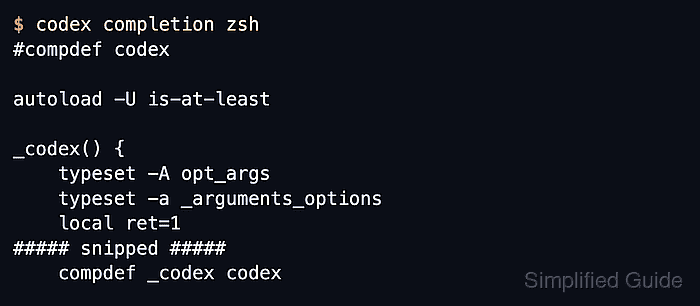
The codex completion [SHELL] command prints a completion script to standard output. The shell name controls the generated format, and the output can be reviewed in the terminal, redirected into a file, or used later by shell setup code outside this generation-only pass.
A generated completion script is tied to the Codex release that produced it. Regenerate it after upgrading Codex or when a new command or flag does not appear after restarting the shell. The generation command does not edit ~/.zshrc, fish configuration, or a PowerShell profile.
Related: How to install Codex CLI with Homebrew
Related: How to upgrade Codex CLI with Homebrew
Related: How to check Codex CLI version
Steps to generate shell completions for Codex:
- Check the completion help for the installed Codex CLI.
$ codex completion --help
Generate shell completion scripts

Usage: codex completion [OPTIONS] [SHELL]

Arguments:
  [SHELL]
          Shell to generate completions for

          [default: bash]
          [possible values: bash, elvish, fish, powershell, zsh]

Options:
##### snipped #####
Use one of the shell names shown by the local help output. Omitting the shell name prints bash completions.
- Generate the completion script for zsh.
$ codex completion zsh
#compdef codex

autoload -U is-at-least

_codex() {
    typeset -A opt_args
    typeset -a _arguments_options
    local ret=1
##### snipped #####
else
    compdef _codex codex
fi
Replace zsh with bash, elvish, fish, or powershell when generating a script for another shell.
- Save the generated zsh script to a completion file.
$ codex completion zsh > _codex
For zsh, _codex is the conventional completion-function filename. Move it into a directory in fpath or source it from shell setup only after inspecting the generated file.
- Confirm the saved file contains the Codex completion binding.
$ cat _codex
#compdef codex

autoload -U is-at-least

_codex() {
##### snipped #####
else
    compdef _codex codex
fi
The compdef _codex codex line binds the generated zsh completion function to the codex command.

Mohd Shakir Zakaria is a cloud architect with deep roots in software development and open-source advocacy. Certified in AWS, Red Hat, VMware, ITIL, and Linux, he specializes in designing and managing robust cloud and on-premises infrastructures.


