Embedding Codex in a server-side tool lets a build script, dashboard, or internal workflow start a coding task without opening the interactive CLI. The TypeScript Codex SDK wraps the local codex runtime, creates a thread, sends a prompt, and returns the final assistant response to the calling Node.js process.
The SDK runs from the working directory passed to startThread(), so repository context, AGENTS.md, sandbox mode, and login state still matter. A thread keeps conversation state across turns, which lets a later run() build on the previous task or lets a saved thread ID be resumed by another process.
Use the SDK only in server-side code that can protect credentials and local filesystem access. The Codex account or API-key login must already be configured for the runtime user, and workspace-write or danger-full-access should be reserved for tasks where the script is expected to change files.
Related: How to run Codex exec with a prompt
Related: How to use an output schema in Codex
Steps to run a Codex task with the TypeScript SDK:
- Open a terminal in the repository that should provide context for the SDK run.
$ git rev-parse --show-toplevel
/home/user/projects/example-app
Codex requires a trusted Git repository by default. Use the repository that owns the files, instructions, and task context for the run.
Related: How to fix the Codex trusted-directory error
Related: How to set the working directory for Codex - Install the TypeScript Codex SDK in the server-side Node.js project.
$ npm install @openai/codex-sdk

added 3 packages, and audited 4 packages in 10s

found 0 vulnerabilities
The SDK requires Node.js 18 or later and should run on the server side, not in a browser bundle.
- Create the SDK task script.
- run-codex-task.mjs
import { Codex } from "@openai/codex-sdk";

const codex = new Codex();
const thread = codex.startThread({
  workingDirectory: process.cwd(),
  sandboxMode: "read-only",
  approvalPolicy: "never",
});
const turn = await thread.run(
  "Read package.json and reply with only the package name."
);

console.log(turn.finalResponse);
sandboxMode keeps this smoke test read-only. Change it to workspace-write only when the SDK task is expected to edit files.
- Check the script syntax before starting a model turn.
$ node --check run-codex-task.mjs
No output means Node.js accepted the module syntax.
- Run the SDK task from the same repository.
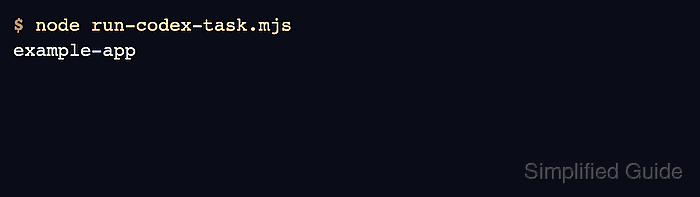
$ node run-codex-task.mjs
example-app
The output should match the name value in package.json. A 401 Unauthorized error means the SDK reached the OpenAI API, but the runtime user does not have a Codex login or API key available.
Related: How to log in to Codex with an API key

Mohd Shakir Zakaria is a cloud architect with deep roots in software development and open-source advocacy. Certified in AWS, Red Hat, VMware, ITIL, and Linux, he specializes in designing and managing robust cloud and on-premises infrastructures.


