Running Checkmk in a Docker container starts a self-contained monitoring site without installing the Checkmk server package on the host. It fits lab systems, evaluations, and container-based monitoring hosts where the site data should stay in a Docker-managed volume.
The official Community image creates a site named cmk on first start. The container publishes the web interface from port 5000, uses port 8000 for the Agent Receiver, and stores site data below /omd/sites so the site survives container replacement when that path is backed by a named volume.
Checkmk supports the official container images on Docker itself. The sample password passed through CMK_PASSWORD is convenient for the first login, but Docker stores environment values in container metadata, so replace it before use and change the cmkadmin password after login when the host is shared.
Steps to run Checkmk in a Docker container:
- Pull the current Checkmk Community image.
$ docker image pull checkmk/check-mk-community:2.5.0-latest
2.5.0-latest: Pulling from checkmk/check-mk-community
##### snipped #####
Status: Downloaded newer image for checkmk/check-mk-community:2.5.0-latest
docker.io/checkmk/check-mk-community:2.5.0-latest
- Create the named volume that will hold the Checkmk site data.
$ docker volume create monitoring
monitoring
The container mounts this volume at /omd/sites, so removing the container does not remove the site data.
- Start the Checkmk container.
$ docker container run -dit \
  --name monitoring \
  -e CMK_PASSWORD='replace-this-password' \
  -e TZ='Europe/Berlin' \
  -v monitoring:/omd/sites \
  --tmpfs /opt/omd/sites/cmk/tmp:uid=1000,gid=1000 \
  -p 8080:5000 \
  -p 8000:8000 \
  --restart always \
  checkmk/check-mk-community:2.5.0-latest
c850572de41592afff9de610d1ef3faecb267bf4fbccf2a9d8dae92dec11aacb
Use a different host port instead of 8080 if that port is already in use. Keep the container port 5000 because the Checkmk web interface listens there inside the container.
- Check the published container ports.
$ docker container port monitoring
5000/tcp -> 0.0.0.0:8080
5000/tcp -> [::]:8080
8000/tcp -> 0.0.0.0:8000
8000/tcp -> [::]:8000
Port 8000 is used by Checkmk's Agent Receiver when monitored hosts register or send data to the site.
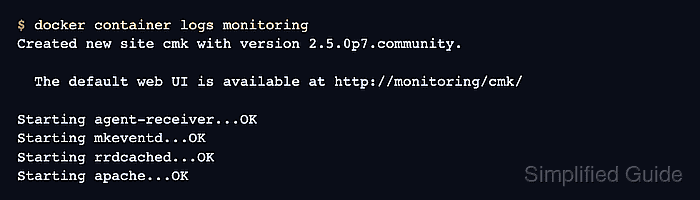
- Read the startup log for the generated site URL and admin account.
$ docker container logs monitoring
Created new site cmk with version 2.5.0p7.community.

  The default web UI is available at http://monitoring/cmk/
  The admin user for the web applications is cmkadmin with password: replace-this-password

Starting agent-receiver...OK
Starting mkeventd...OK
Starting rrdcached...OK
Starting apache...OK
### CONTAINER STARTED
- Open the Checkmk web interface from the Docker host.
http://localhost:8080/cmk/
Sign in as cmkadmin with the password set through CMK_PASSWORD, then change the password from the Checkmk user menu or with cmk-passwd cmkadmin inside the site shell.
- Confirm the web endpoint redirects to the Checkmk login page.
$ curl -I http://localhost:8080/cmk/
HTTP/1.1 302 FOUND
Location: /cmk/check_mk/login.py
##### snipped #####
- Inspect the persistent volume before relying on the container for real monitoring data.
$ docker volume inspect monitoring
[
    {
        "Driver": "local",
        "Mountpoint": "/var/lib/docker/volumes/monitoring/_data",
        "Name": "monitoring",
        "Scope": "local"
    }
]
Back up the monitoring volume before replacing the container image or moving the site to another Docker host.

Mohd Shakir Zakaria is a cloud architect with deep roots in software development and open-source advocacy. Certified in AWS, Red Hat, VMware, ITIL, and Linux, he specializes in designing and managing robust cloud and on-premises infrastructures.


