Ceph clusters managed by cephadm start with a small orchestration command on the first administration host. On Ubuntu, installing that command from the official Ceph repository gives the host a versioned cephadm binary before any monitor, manager, or storage daemon is bootstrapped.
The Ceph documentation separates distro-specific packages from the curl-based initial cephadm method and warns not to mix both methods on one host. The upstream repository path starts with the standalone cephadm executable for the active Ceph release, uses it to add the official package repository, and then installs the packaged command on the host.
Use a Ceph-supported Ubuntu release before changing APT sources. Unsupported Ubuntu codenames fail during the repository refresh, so a clean cephadm version check after installation is the boundary between a command copied into place and a command ready for cluster bootstrap.
Steps to install cephadm on Ubuntu:
- Open a terminal with sudo privileges on the Ubuntu host.
- Install the initial download prerequisites.
$ sudo apt update && sudo apt install --assume-yes curl ca-certificates python3
curl downloads the standalone cephadm executable, ca-certificates lets curl validate the Ceph HTTPS endpoint, and python3 runs the downloaded executable.
- Set the Ceph release number for the active Tentacle package.
$ CEPH_RELEASE=20.2.2
Check the official Ceph releases page before reuse and replace this value with the latest active release in the same release family when it changes.
- Download the standalone cephadm executable for that release.
$ curl --silent --remote-name --location https://download.ceph.com/rpm-${CEPH_RELEASE}/el9/noarch/cephadm - Make the standalone cephadm executable runnable.
$ chmod +x cephadm
- Check the downloaded cephadm version before it changes APT sources.
$ ./cephadm version
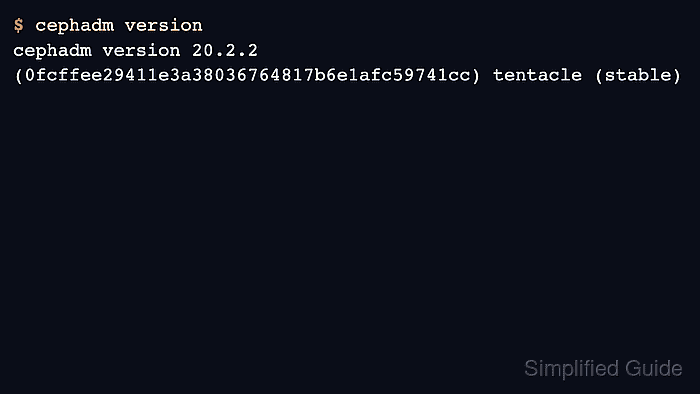
cephadm version 20.2.2 (0fcffee29411e3a38036764817b6e1afc59741cc) tentacle (stable)
- Add the official Ceph Tentacle repository.
$ sudo ./cephadm add-repo --release tentacle
Installing repo GPG key from https://download.ceph.com/keys/release.gpg...
Installing repo file at /etc/apt/sources.list.d/ceph.list...
Updating package list...
Completed adding repo.
The --release value must match the Ceph release family and the Ubuntu codename must have a repository on download.ceph.com. Current Ceph platform documentation lists Ubuntu 22.04 as a supported Tentacle host, marks Ubuntu 24.04 package support as upcoming, and does not publish a Tentacle repository for Ubuntu 26.04.
- Install the packaged cephadm command into the host path.
$ sudo ./cephadm install
Installing packages ['cephadm']...
The later cluster bootstrap step handles Ceph service containers and storage-host dependencies.
- Confirm that the installed command resolves from /usr/sbin.
$ command -v cephadm
/usr/sbin/cephadm
- Confirm that the installed command reports the expected Ceph release.
$ cephadm version
cephadm version 20.2.2 (0fcffee29411e3a38036764817b6e1afc59741cc) tentacle (stable)
The commit hash changes with each Ceph release. The release number and family should match the values used when downloading cephadm and adding the repository.
- Remove the downloaded standalone executable.
$ rm cephadm
The installed command remains at /usr/sbin/cephadm.

Mohd Shakir Zakaria is a cloud architect with deep roots in software development and open-source advocacy. Certified in AWS, Red Hat, VMware, ITIL, and Linux, he specializes in designing and managing robust cloud and on-premises infrastructures.


