Bash shell options change how a shell session or script reacts to errors, unset variables, pipelines, filename expansion, and tracing. They are useful when a script should stop on a bad state instead of continuing with partial or misleading output.
The set builtin manages shell options in the current shell. Long option names use set -o option-name to enable behavior and set +o option-name to disable it, while common script safety settings often appear together near the top of a script.
Options set inside a script stay inside that script process unless the script is sourced into the current shell. Use interactive options for temporary tests, but put durable behavior in the script that depends on it so another terminal or user runs with the same option state.
Related: How to create and run a Bash script
Related: How to debug a Bash script
Related: How to use glob options in Bash
Steps to set Bash shell options:
- Create a demo script that enables three common shell options.
- shell-options-demo.sh
#!/usr/bin/env bash
set -o errexit
set -o nounset
set -o pipefail

printf "Shell options in this script:\n"
set -o
errexit exits after many unhandled command failures, nounset errors on unset variables, and pipefail makes a pipeline return failure when any command in it fails. Use the long option names when the script should be easy to audit.
- Check the script syntax before running it.
$ bash -n shell-options-demo.sh
No output means Bash parsed the script without finding a syntax error.
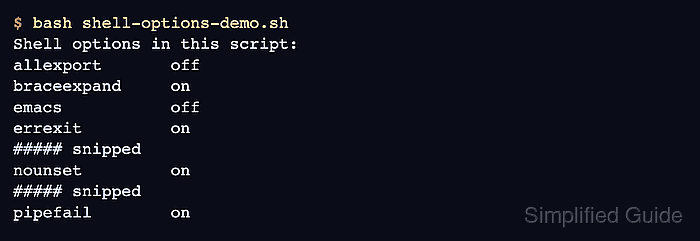
- Run the script and verify the selected options show on.
$ bash shell-options-demo.sh
Shell options in this script:
allexport      	off
braceexpand    	on
emacs          	off
errexit        	on
##### snipped
nounset        	on
##### snipped
pipefail       	on
##### snipped
- If an option was enabled in the current interactive shell, disable it when the temporary test is finished.
$ set +o pipefail
A script run with bash shell-options-demo.sh exits with its own option state. Use set +o option-name only for options enabled in the current shell session.
- Check the current shell option state when troubleshooting a session.
$ set -o
allexport      	off
braceexpand    	on
##### snipped
pipefail       	off
##### snipped
- Remove the demo script after testing.
$ rm shell-options-demo.sh

Mohd Shakir Zakaria is a cloud architect with deep roots in software development and open-source advocacy. Certified in AWS, Red Hat, VMware, ITIL, and Linux, he specializes in designing and managing robust cloud and on-premises infrastructures.


