Bash completion options decide what Readline does after Bash finds a programmable completion specification for a command. They control fallback completion, filename treatment, directory matches, and trailing spaces, which matters when a wrapper command accepts fixed words, paths, or values with punctuation.
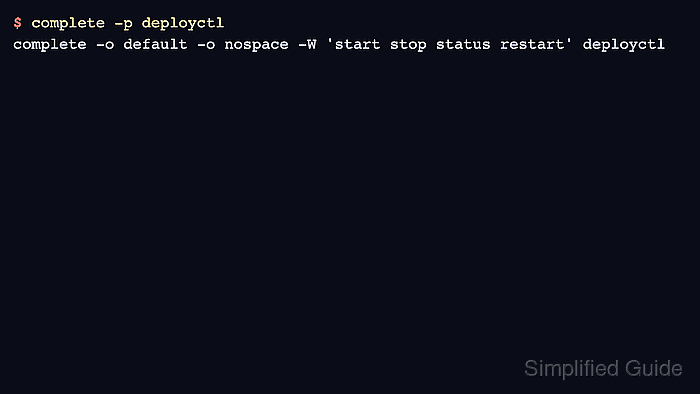
The complete builtin attaches a completion specification to a command name. A -W word list can provide literal candidates, and each -o argument adds one completion option. complete -p <name> prints the reusable specification, so it is the quickest way to verify which options are active.
Use compopt when an existing specification needs an option change without rebuilding the word list or replacing a function binding. Completion specifications created at the prompt disappear when the shell exits, so durable options belong in ~/.bashrc after any completion functions they reference.
Related: command completion loader: How to enable command completion in Bash
Related: shell startup files for persistent completion commands: How to configure Bash login scripts
Related: Bash functions for function-based completions: How to create a function in Bash
Steps to configure Bash completion options:
- Register a completion specification for the command name with the options to test.
$ complete -W 'start stop status restart' -o default -o nospace deployctl
The -W word list provides the completion candidates. The default option lets Bash fall back to Readline filename completion when the word list has no match, while nospace prevents Readline from adding a trailing space after an accepted match.
- Inspect the active completion specification.
$ complete -p deployctl
complete -o default -o nospace -W 'start stop status restart' deployctl
The output proves that both completion options are attached to the deployctl command name.
- Clear nospace when accepted matches should return to normal spacing.
$ compopt +o nospace deployctl
Use compopt -o option to enable an option on an existing specification and compopt +o option to clear it. A successful option change prints no output.
- Confirm the updated option set.
$ complete -p deployctl
complete -o default -W 'start stop status restart' deployctl
- Save the final completion command in ~/.bashrc when the option set should load in future interactive shells.
$ nano ~/.bashrc
- ~/.bashrc
complete -W 'start stop status restart' -o default deployctl
If the completion uses a function with complete -F, define that function before the complete line in the same startup file.
- Reload the shell startup file and verify the persistent specification.
$ source ~/.bashrc
$ complete -p deployctl
complete -o default -W 'start stop status restart' deployctl

Mohd Shakir Zakaria is a cloud architect with deep roots in software development and open-source advocacy. Certified in AWS, Red Hat, VMware, ITIL, and Linux, he specializes in designing and managing robust cloud and on-premises infrastructures.


