Site owners sometimes need to change how part of a website responds without editing the server configuration. On Debian and Ubuntu, Apache can enable .htaccess overrides for a single filesystem directory so those rules can live alongside the site files.
Apache reads .htaccess files during requests. A grant for a directory also covers its subdirectories unless a more specific setting changes it.
Each override class delegates a group of directives. FileInfo permits URL rewriting and can also change which handler serves a file, so grant it only where you trust everyone who can write .htaccess.
Steps to enable .htaccess overrides in Apache:
- Find the enabled virtual host for the site's hostname and port.
# apache2ctl -S
VirtualHost configuration:
##### snipped #####
         port 80 namevhost www.example.test (/etc/apache2/sites-enabled/www.example.test.conf:1)
##### snipped #####
www.example.test and /docs/ stand in for your own site and URL directory. Commands marked # run from an administrative shell.
Related: How to find Apache configuration files - Identify the filesystem directory that serves the URL from the virtual host configuration.
# apache2ctl -t -D DUMP_INCLUDES
If an Alias, a rewrite or a proxy serves the URL instead of the matched virtual host's DocumentRoot, stop to find the directory Apache maps it to before granting overrides. For a URL served directly from the DocumentRoot, append the URL path to that root. The sites-enabled entry for this site points to www.example.test.conf in /etc/apache2/sites-available, and /docs/ maps to docs beneath that site's DocumentRoot.
- Review AllowOverride and AllowOverrideList in the <Directory> blocks that apply to the target and its subdirectories.
Each directive's Override field names the required class. If your rules need a different grant, use that grant instead (AuthConfig for authentication or the restricted Options=Indexes for directory listings), skip the sample file, use your own rules, and test with a request they change. For directory listings, use Options +Indexes in .htaccess because Options Indexes replaces inherited options such as FollowSymLinks.
Apache override classes - Review any existing .htaccess files in the target directory and its subdirectories.
Stop if overrides already apply there or if any existing rule falls outside the grant you plan to use. Reloading can activate dormant rules, and disallowed or invalid directives can cause HTTP 500 responses.
The sample rewrite requires mod_rewrite to be enabled, either FollowSymLinks or SymLinksIfOwnerMatch to be in effect for the directory, and an existing destination at /docs/manual.html.
Related: How to enable mod_rewrite in Apache - Back up the site's sites-available file before editing.
# cp -i /etc/apache2/sites-available/www.example.test.conf \ /etc/apache2/sites-available/www.example.test.conf.pre-htaccess - Open that sites-available file in your text editor.
- Set FileInfo for the rewrite in a <Directory> block for the exact path inside the site's <VirtualHost>.
    <Directory "/var/www/www.example.test/public/docs">
        AllowOverride FileInfo
        AllowOverrideList None
    </Directory>
The block goes immediately before the closing </VirtualHost> tag. If the virtual host already has an exact-path block, put both directives inside it, replacing their existing values where present. AllowOverrideList None adds no individual directives to the grant.
- Save the virtual host configuration.
If the target already has an .htaccess file, leave it as it is and continue at the syntax test.
- Create a new .htaccess file in the target directory with your text editor.
The pattern matches the path relative to the .htaccess file.
RewriteEngine On
RewriteRule ^old-manual\.html$ /docs/manual.html [R=302,L]
- Save the new .htaccess file in the target directory.
- Test the Apache configuration syntax.
# apache2ctl configtest
Syntax OK
This checks the server configuration. Apache parses .htaccess when it handles a request, so the HTTP check still matters.
Related: How to test Apache configuration - Reload Apache after the syntax test succeeds.
A reload activates all saved Apache configuration changes. If the new grant breaks requests, restore the saved virtual host file, test the restored configuration and reload again.
# service apache2 reload
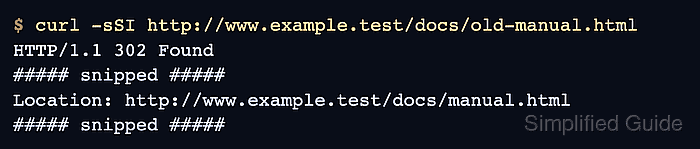
- Check the HTTP response from Apache for a request that matches your .htaccess rule.
$ curl -sSI http://www.example.test/docs/old-manual.html
HTTP/1.1 302 Found
##### snipped #####
Location: http://www.example.test/docs/manual.html
##### snipped #####
The request needs the host, HTTP method and access context your rule expects. Look for a response only that rule produces. The sample HEAD request returns 302 with /docs/manual.html in Location. For HTTP 500, the site's Apache error log can identify the disallowed or invalid directive.