Event feeds often carry nested customer objects and item arrays that should remain structured during processing. Apache Spark maps those values into typed DataFrame columns, filters the records in place, and serializes the result back to newline-delimited JSON without flattening the nested fields.
Spark reads one complete JSON object per line by default. An explicit schema fixes the expected field types before execution and avoids a separate inference pass, while FAILFAST stops the job when a record cannot be parsed into that shape. Set multiLine=true only when each input file contains one regular multi-line document.
Spark writes a dataset directory rather than one named output file. Reading that directory with the selected schema and comparing the returned rows against the filtered DataFrame proves that the nested customer and item values survived the round trip.
Related: How to run PySpark locally
Steps to read and write JSON files with PySpark:
- Create events.jsonl with three nested event records.
$ cat > events.jsonl <<'JSON'
{"event_id":"evt-1001","customer":{"name":"northwind","tier":"standard"},"amount":19.95,"status":"placed","items":["cable"]}
{"event_id":"evt-1002","customer":{"name":"contoso","tier":"gold"},"amount":42.50,"status":"paid","items":["keyboard","mouse"]}
{"event_id":"evt-1003","customer":{"name":"northwind","tier":"standard"},"amount":7.25,"status":"cancelled","items":["adapter"]}
JSON
Each nonblank line must contain one complete object. The validator supports JSON Lines and flags a malformed record before Spark processes it.
Tool: JSON Validator - Create the typed JSON reader in json_read_write.py.
- json_read_write.py
from pyspark.sql import SparkSession
from pyspark.sql.functions import col


spark = (
    SparkSession.builder.master("local[1]")
    .appName("spark-json-read-write")
    .config("spark.ui.showConsoleProgress", "false")
    .getOrCreate()
)
spark.sparkContext.setLogLevel("ERROR")

schema = """
    event_id STRING,
    customer STRUCT<name: STRING, tier: STRING>,
    amount DOUBLE,
    status STRING,
    items ARRAY<STRING>
"""

events = (
    spark.read.schema(schema)
    .option("mode", "FAILFAST")
    .json("events.jsonl")
)
The STRUCT and ARRAY declarations keep customer and items as nested columns instead of unparsed strings.
- Append the paid-event projection to json_read_write.py.
paid_events = (
    events.where(col("status") == "paid")
    .select("event_id", "customer", "amount", "items")
)
Related: Select and filter DataFrame rows
- Append the JSON write and read-back comparison to json_read_write.py.
overwrite replaces an existing dataset at output/json-paid-events. A new or dedicated path prevents unrelated output from being replaced.
output_path = "output/json-paid-events"
paid_events.write.mode("overwrite").json(output_path)

read_back = spark.read.schema(paid_events.schema).json(output_path)
assert read_back.orderBy("event_id").collect() == paid_events.orderBy("event_id").collect()
- Append the observable row counts and nested JSON output to json_read_write.py.
print(f"Input rows: {events.count()}")
print(f"Read-back rows: {read_back.count()}")
print("Read-back JSON:")
for row in read_back.orderBy("event_id").toJSON().collect():
    print(row)

spark.stop()
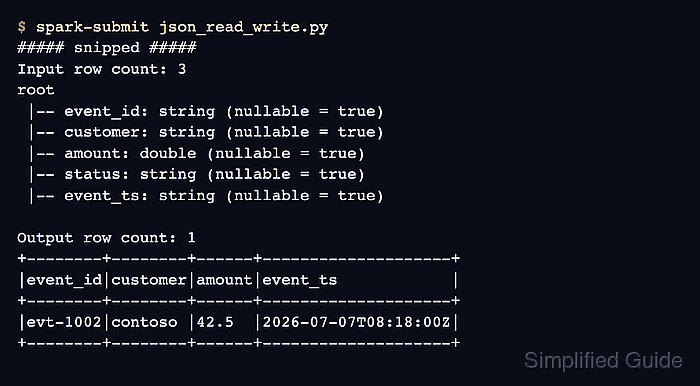
- Run the completed job to confirm that Spark reads, writes, and returns the same nested paid event.
$ spark-submit json_read_write.py
##### snipped #####
Input rows: 3
Read-back rows: 1
Read-back JSON:
{"event_id":"evt-1002","customer":{"name":"contoso","tier":"gold"},"amount":42.5,"items":["keyboard","mouse"]}
The row comparison raises an assertion error if the written directory returns a different schema value or record.

Mohd Shakir Zakaria is a cloud architect with deep roots in software development and open-source advocacy. Certified in AWS, Red Hat, VMware, ITIL, and Linux, he specializes in designing and managing robust cloud and on-premises infrastructures.


