Uploading a local file to HDFS should end with proof that the cluster stored the file at the intended path. The hdfs dfs -put and hdfs dfs -copyFromLocal commands copy from the client filesystem into the default Hadoop filesystem.
Create or choose the HDFS destination directory first, then upload with an explicit filename. Existing files are not overwritten unless -f is used, which makes accidental replacement avoidable.
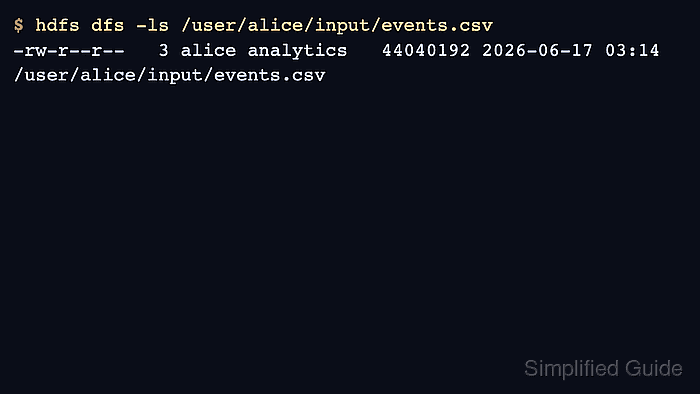
The uploaded file inherits HDFS ownership from the authenticated user and default permissions from the cluster umask. Check the listing after upload before handing the path to a job.
Steps to upload a file to HDFS:
- Check the local file before uploading it.
$ ls -lh events.csv
-rw-r--r--  1 alice  staff   42M Jun 17 03:01 events.csv
- Create the HDFS destination directory.
$ hdfs dfs -mkdir -p /user/alice/input
- Upload the local file into HDFS.
$ hdfs dfs -put events.csv /user/alice/input/events.csv
- List the uploaded file in HDFS.
$ hdfs dfs -ls /user/alice/input/events.csv
-rw-r--r--   3 alice analytics   44040192 2026-06-17 03:14 /user/alice/input/events.csv
- Read back the beginning of the file.
$ hdfs dfs -cat /user/alice/input/events.csv
event_id,event_time,customer_id
1001,2026-06-17T03:00:00Z,1844
1002,2026-06-17T03:00:03Z,2081
##### snipped #####
- Check the replication count when the file is part of a job input.
$ hdfs dfs -stat %r /user/alice/input/events.csv
3
Related: How to set HDFS file replication

Author: Mohd
Shakir Zakaria
Mohd Shakir Zakaria is a cloud architect with deep roots in software development and open-source advocacy. Certified in AWS, Red Hat, VMware, ITIL, and Linux, he specializes in designing and managing robust cloud and on-premises infrastructures.


Mohd Shakir Zakaria is a cloud architect with deep roots in software development and open-source advocacy. Certified in AWS, Red Hat, VMware, ITIL, and Linux, he specializes in designing and managing robust cloud and on-premises infrastructures.