Uneven HDFS storage use can leave one DataNode nearly full while other nodes still have space. The HDFS balancer moves block replicas until DataNode utilization is closer to the configured threshold.
The balancer is an administrative command, not a repair command for corrupt files. Check cluster health first, choose a threshold that matches the maintenance window, and monitor bytes moved until the job exits.
Running the balancer consumes network and disk bandwidth. Avoid running it during ingestion peaks unless the cluster is already under a disk pressure incident.
Steps to run the HDFS balancer:
- Check HDFS health before moving blocks.
$ hdfs fsck /
Status: HEALTHY
 Total size: 184320000 B
 Total blocks (validated): 42
Related: How to check HDFS cluster health
- Inspect current DataNode utilization.
$ hdfs dfsadmin -report
Live datanodes (3):
Name: worker01.example.net:9866
DFS Used%: 83.21%
Name: worker02.example.net:9866
DFS Used%: 41.72%
Name: worker03.example.net:9866
DFS Used%: 39.88%
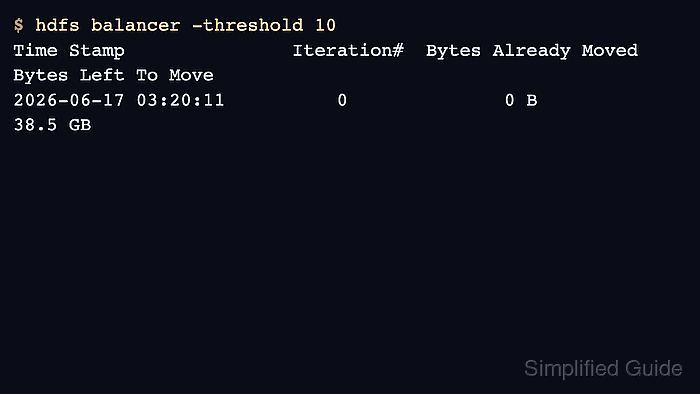
- Start the balancer with a 10 percent threshold.
$ hdfs balancer -threshold 10
Time Stamp               Iteration#  Bytes Already Moved  Bytes Left To Move
2026-06-17 03:20:11          0              0 B              38.5 GB
2026-06-17 03:31:44          1          12.7 GB              21.4 GB
- Wait for the balancer to finish or stop it if the maintenance window closes.
$ hdfs balancer -threshold 10
The cluster is balanced. Exiting...
- Verify utilization after the run.
$ hdfs dfsadmin -report
Live datanodes (3):
Name: worker01.example.net:9866
DFS Used%: 58.44%
Name: worker02.example.net:9866
DFS Used%: 55.12%
Name: worker03.example.net:9866
DFS Used%: 54.93%

Author: Mohd
Shakir Zakaria
Mohd Shakir Zakaria is a cloud architect with deep roots in software development and open-source advocacy. Certified in AWS, Red Hat, VMware, ITIL, and Linux, he specializes in designing and managing robust cloud and on-premises infrastructures.


Mohd Shakir Zakaria is a cloud architect with deep roots in software development and open-source advocacy. Certified in AWS, Red Hat, VMware, ITIL, and Linux, he specializes in designing and managing robust cloud and on-premises infrastructures.