Queue changes in YARN affect where new applications run and how much cluster capacity each tenant can consume. The CapacityScheduler reads its queue hierarchy from capacity-scheduler.xml, so a missed validation step can leave jobs waiting in the wrong queue or rejected at submission time.
The scheduler configuration belongs on the ResourceManager hosts and is distributed through the active Hadoop configuration directory. A small queue change should be staged, validated with the scheduler tools where available, and reloaded before users submit work to the new queue.
Dynamic scheduler changes are safer than a full service restart when the cluster supports them, but the XML file should still stay in sync with the live scheduler state. Keep queue names, ACLs, and capacity totals specific to the tenant being changed.
Steps to configure a Hadoop CapacityScheduler queue:
- Check the current queue before changing the scheduler.
$ yarn queue -status root.analytics
Queue Name : root.analytics
State : RUNNING
Capacity : 20.0%
Current Capacity : 7.5%
- Back up the scheduler configuration on a ResourceManager host.
$ cp $HADOOP_CONF_DIR/capacity-scheduler.xml $HADOOP_CONF_DIR/capacity-scheduler.xml.before-analytics
- Edit the queue capacity and state in /etc/hadoop/capacity-scheduler.xml or the active $HADOOP_CONF_DIR path.
- capacity-scheduler.xml
<property>
  <name>yarn.scheduler.capacity.root.queues</name>
  <value>default,analytics</value>
</property>
<property>
  <name>yarn.scheduler.capacity.root.analytics.capacity</name>
  <value>25</value>
</property>
<property>
  <name>yarn.scheduler.capacity.root.analytics.maximum-capacity</name>
  <value>50</value>
</property>
<property>
  <name>yarn.scheduler.capacity.root.analytics.state</name>
  <value>RUNNING</value>
</property>
- Refresh the scheduler through YARN.
$ yarn rmadmin -refreshQueues
Refresh queues successfully
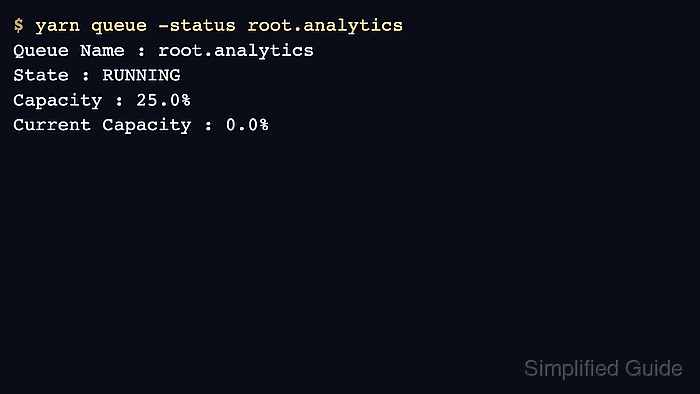
- Verify the live queue state.
$ yarn queue -status root.analytics
Queue Name : root.analytics
State : RUNNING
Capacity : 25.0%
Current Capacity : 0.0%
- Submit the next job to the queue by name.
$ yarn jar share/hadoop/mapreduce/hadoop-mapreduce-examples-3.5.0.jar pi -Dmapreduce.job.queuename=analytics 2 1000
Job Finished in 18.421 seconds
Estimated value of Pi is 3.14800000000000000000
Related: How to run a MapReduce job on Hadoop

Mohd Shakir Zakaria is a cloud architect with deep roots in software development and open-source advocacy. Certified in AWS, Red Hat, VMware, ITIL, and Linux, he specializes in designing and managing robust cloud and on-premises infrastructures.


