Package solves fail when the requested release or build is not present in the channels that the environment uses. conda search checks channel metadata before installation, so the package name, version, build string, and channel can be chosen before changing an environment.
Conda search queries use MatchSpec syntax, the same package specification language used by install and update requests. A plain package name lists matching records for the current platform, while version ranges, build wildcards, channel names, and subdir filters narrow the search to package records that can satisfy the project.
The sample commands use the requests package and Anaconda's default channels unless a command names conda-forge directly. Default Anaconda channels can require Terms of Service acceptance in recent Conda installs; use only channels your organization allows, or search with --override-channels and a specific approved channel.
Related: How to install a specific package version with Conda
Related: How to install a package with Conda
Related: How to enable conda-forge in Conda
Related: How to configure Conda channels
Steps to search for Conda package versions:
- Open a terminal where Conda is available.
- Accept a blocked Anaconda channel Terms of Service only after review.
$ conda tos accept --override-channels --channel https://repo.anaconda.com/pkgs/main
accepted Terms of Service for https://repo.anaconda.com/pkgs/main
Run this only for channels your organization allows. If Conda lists more than one blocked channel, repeat the command for each listed URL or remove the channel instead.
- Search for the package name in the configured channels.
$ conda search requests
Loading channels: done
# Name                       Version           Build  Channel
requests                      2.24.0            py_0  pkgs/main
requests                      2.25.0    pyhd3eb1b0_0  pkgs/main
##### snipped #####
requests                      2.32.5 py313hd43f75c_1  pkgs/main
requests                      2.33.1 py313hd43f75c_0  pkgs/main
requests                      2.34.2 py313hd43f75c_0  pkgs/main
The Version, Build, and Channel columns identify the package records available to the current platform and channel configuration.
- Search the version range needed by the project.
$ conda search 'requests>=2.32,<2.33'
Loading channels: done
# Name                       Version           Build  Channel
requests                      2.32.2 py310hd43f75c_0  pkgs/main
requests                      2.32.2 py311hd43f75c_0  pkgs/main
##### snipped #####
requests                      2.32.5 py313hd43f75c_0  pkgs/main
requests                      2.32.5 py313hd43f75c_1  pkgs/main
requests                      2.32.5 py314hd43f75c_1  pkgs/main
Quote version ranges so the shell does not treat characters such as <, >, or * as redirection or filename patterns.
- Search for a build that matches a Python runtime.
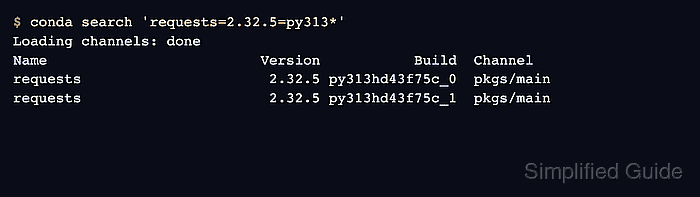
$ conda search 'requests=2.32.5=py313*'
Loading channels: done
# Name                       Version           Build  Channel
requests                      2.32.5 py313hd43f75c_0  pkgs/main
requests                      2.32.5 py313hd43f75c_1  pkgs/main
The build string is meant for human readability and often includes runtime clues, such as py313 for Python 3.13 builds.
- Search an approved channel without configured channel fallbacks.
$ conda search --override-channels --channel conda-forge requests
Loading channels: done
# Name                       Version           Build  Channel
requests                      2.21.0       py27_1000  conda-forge
requests                      2.22.0          py38_1  conda-forge
##### snipped #####
requests                      2.32.5    pyhcf101f3_1  conda-forge
requests                      2.34.1    pyhcf101f3_0  conda-forge
requests                      2.34.2    pyhcf101f3_0  conda-forge
--override-channels searches only the channels passed with --channel instead of falling back to .condarc or Anaconda's default channels.
Related: How to enable conda-forge in Conda - Inspect package metadata for the candidate build.
$ conda search 'requests=2.32.5=py313hd43f75c_1' --info
Loading channels: done
requests 2.32.5 py313hd43f75c_1
-------------------------------
file name   : requests-2.32.5-py313hd43f75c_1.conda
name        : requests
version     : 2.32.5
build       : py313hd43f75c_1
build number: 1
size        : 167 KB
license     : Apache-2.0
subdir      : linux-aarch64
url         : https://repo.anaconda.com/pkgs/main/linux-aarch64/requests-2.32.5-py313hd43f75c_1.conda
##### snipped #####
dependencies:
  - certifi >=2017.4.17
  - charset-normalizer >=2,<4
  - idna >=2.5,<4
  - python >=3.13,<3.14.0a0
  - python_abi 3.13.* *_cp313
  - urllib3 >=1.21.1,<3
Use subdir, dependencies, and the build fields to confirm that the package record matches the target platform, Python runtime, and install plan.
Related: How to install a specific package version with Conda

Mohd Shakir Zakaria is a cloud architect with deep roots in software development and open-source advocacy. Certified in AWS, Red Hat, VMware, ITIL, and Linux, he specializes in designing and managing robust cloud and on-premises infrastructures.


