How to use conditionals in Zsh
Scripts become dependable when invalid state is rejected before later commands run. Zsh conditional blocks can stop missing inputs, choose an alternate branch, or continue only when several requirements are satisfied.
The if, elif, and else keywords form one ordered chain, and only the first true branch runs. Zsh's double-bracket form handles file and string tests, while (( ... )) evaluates numeric expressions without string comparison operators.
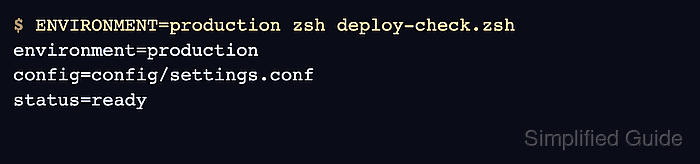
The sample script checks a required configuration file and environment value before accepting a positive retry count. Its failure branches return nonzero exit statuses, while the successful branch prints the inputs and status=ready.
Related: How to set Zsh shell options
Related: How to debug a Zsh script
Related: How to use a case statement in Zsh
Steps to use conditionals in Zsh:
- Create the unused zsh-conditionals-demo sample directory.
$ mkdir zsh-conditionals-demo
mkdir stops with a File exists error instead of reusing an existing directory, so files with the same names remain untouched.
- Enter the newly created zsh-conditionals-demo directory.
$ cd zsh-conditionals-demo
- Create deploy-check.zsh with the script inputs that each conditional will inspect.
- deploy-check.zsh
#!/usr/bin/env zsh

config_file="config/settings.conf"
environment=${ENVIRONMENT:-}
integer retries=3
The ${ENVIRONMENT:-} expansion supplies an empty string when the variable is unset, and integer gives retries numeric behavior inside arithmetic expressions.
- Append the file and string guards after the variable declarations.
if [[ ! -f $config_file ]]; then
    print -u2 -- "missing config: $config_file"
    exit 1
elif [[ -z $environment ]]; then
    print -u2 -- "missing environment"
    exit 1
-f succeeds only for a regular file, and -z succeeds when a string has zero length. Each failed requirement prints to standard error through print -u2.
- Complete the conditional chain with the arithmetic branch and fallback.
elif (( retries > 0 )); then
    print -r -- "environment=$environment"
    print -r -- "config=$config_file"
    print -r -- "status=ready"
else
    print -u2 -- "no retries left"
    exit 1
fi
The arithmetic condition succeeds when retries is greater than zero. The final else handles every remaining state before fi closes the chain.
- Compare deploy-check.zsh with the completed script before execution.
- deploy-check.zsh
#!/usr/bin/env zsh

config_file="config/settings.conf"
environment=${ENVIRONMENT:-}
integer retries=3

if [[ ! -f $config_file ]]; then
    print -u2 -- "missing config: $config_file"
    exit 1
elif [[ -z $environment ]]; then
    print -u2 -- "missing environment"
    exit 1
elif (( retries > 0 )); then
    print -r -- "environment=$environment"
    print -r -- "config=$config_file"
    print -r -- "status=ready"
else
    print -u2 -- "no retries left"
    exit 1
fi
- Check deploy-check.zsh for Zsh syntax errors.
$ zsh -n deploy-check.zsh
No output means Zsh parsed the conditional chain without finding a syntax error.
- Run deploy-check.zsh without the configuration file to exercise the file guard.
$ zsh deploy-check.zsh
missing config: config/settings.conf
- Create the new config directory expected by config_file.
$ mkdir config
The plain mkdir command refuses to reuse an existing directory, which keeps the next file creation inside the isolated sample tree.
- Write the required configuration file for the remaining branch checks.
$ printf 'region=us-east-1\n' > config/settings.conf
- Run deploy-check.zsh without ENVIRONMENT to exercise the string guard.
$ zsh deploy-check.zsh
missing environment
- Run deploy-check.zsh with ENVIRONMENT set to verify the successful arithmetic branch.
$ ENVIRONMENT=production zsh deploy-check.zsh
environment=production
config=config/settings.conf
status=ready