How to clean up temporary files in Zsh with trap
Temporary workspaces let a shell script stage downloads, generated files, or intermediate results without mixing them into the caller's directory. Those files become debris when the script exits early unless the script owns a bounded removal path.
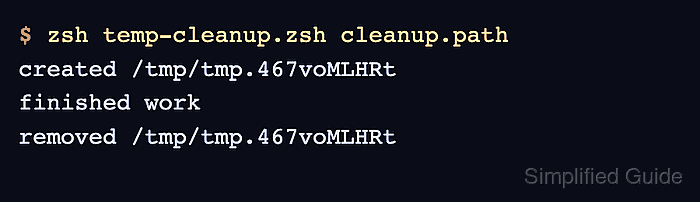
The Zsh EXIT trap runs with the script's exit status available in $?. Saving that value before removal prevents a successful rm command from hiding the failure that caused the script to exit, while separate INT and TERM handlers convert handled interruptions into conventional signal exit codes before cleanup.
The script writes its temporary directory to cleanup.path so the parent shell can confirm its removal after normal, failed, and handled interruption paths. The signal checks use timeout on Linux to deliver INT and TERM while preserving the script's resulting status; KILL and power loss cannot be trapped, so files that must survive those events need storage outside the temporary workspace.
Related: How to debug a Zsh script
Related: How to use conditionals in Zsh
Related: Clean up temporary files in Bash with trap
Steps to clean up temporary files in Zsh with trap:
- Create the Zsh script header and state variables in temp-cleanup.zsh.
- temp-cleanup.zsh
#!/usr/bin/env zsh
emulate -L zsh
setopt err_exit no_unset pipe_fail

path_file=${1:-cleanup.path}
mode=${2:-ok}
workdir=
An empty workdir keeps the cleanup guard safe if mktemp fails before assigning a directory.
- Add the cleanup function after the state variables.
cleanup() {
    local exit_status=$?

    if [[ -n ${workdir:-} && -d $workdir ]]; then
        rm -rf -- "$workdir"
        print -r -- "removed $workdir"
    fi

    return $exit_status
}
The function uses rm -rf. The destructive command is bounded while $workdir remains quoted, names an existing directory, and comes solely from mktemp -d.
- Register the cleanup function for the EXIT event.
trap cleanup EXIT
- Register an INT handler that exits with status 130.
trap 'exit 130' INT
- Register a TERM handler that exits with status 143.
trap 'exit 143' TERM
The interruption handlers exit first, then the EXIT trap calls cleanup once.
- Add the temporary work block after the trap registrations.
workdir=$(mktemp -d)
print -r -- "$workdir" > "$path_file"
print -r -- "created $workdir"
print -r -- "report data" > "$workdir/report.txt"
Writing cleanup.path outside the temporary directory gives the parent shell an independent path to test after cleanup.
- Add the controlled failure path after the temporary work block.
if [[ $mode == fail ]]; then print -u2 -- "simulated failure" exit 1 fi - Add the signal-wait path and normal completion output after the failure path.
if [[ $mode == wait ]]; then print -r -- "waiting for a signal" sleep 30 fi print -r -- "finished work" - Compare temp-cleanup.zsh with the completed script definition.
- temp-cleanup.zsh
#!/usr/bin/env zsh
emulate -L zsh
setopt err_exit no_unset pipe_fail

path_file=${1:-cleanup.path}
mode=${2:-ok}
workdir=

cleanup() {
    local exit_status=$?

    if [[ -n ${workdir:-} && -d $workdir ]]; then
        rm -rf -- "$workdir"
        print -r -- "removed $workdir"
    fi

    return $exit_status
}

trap cleanup EXIT
trap 'exit 130' INT
trap 'exit 143' TERM

workdir=$(mktemp -d)
print -r -- "$workdir" > "$path_file"
print -r -- "created $workdir"
print -r -- "report data" > "$workdir/report.txt"

if [[ $mode == fail ]]; then
    print -u2 -- "simulated failure"
    exit 1
fi

if [[ $mode == wait ]]; then
    print -r -- "waiting for a signal"
    sleep 30
fi

print -r -- "finished work"
- Validate temp-cleanup.zsh with Zsh for syntax errors.
$ zsh -n temp-cleanup.zsh
No output means Zsh parsed the file without finding a syntax error.
- Run temp-cleanup.zsh through its normal exit path.
$ zsh temp-cleanup.zsh cleanup.path
created /tmp/tmp.wV4IzIAeQl
finished work
removed /tmp/tmp.wV4IzIAeQl
- Load the recorded normal-run directory into cleanup_dir.
$ read -r cleanup_dir < cleanup.path
- Test that the normal-run temporary directory is absent.
$ [[ ! -d $cleanup_dir ]]
- Print the normal-run absence test status.
$ print -r -- "status=$?"
status=0
- Run temp-cleanup.zsh through its simulated failure path.
$ zsh temp-cleanup.zsh cleanup.path fail
created /tmp/tmp.oI8O3WKjBn
simulated failure
removed /tmp/tmp.oI8O3WKjBn
- Confirm that the failed run retained status 1 after cleanup.
$ print -r -- "status=$?"
status=1
- Load the recorded failed-run directory into cleanup_dir.
$ read -r cleanup_dir < cleanup.path
- Test that the failed-run temporary directory is absent.
$ [[ ! -d $cleanup_dir ]]
- Print the failed-run absence test status.
$ print -r -- "status=$?"
status=0
- Send INT to the waiting script after one second.
$ timeout --preserve-status --signal=INT 1s zsh temp-cleanup.zsh cleanup.path wait
created /tmp/tmp.G0QgksDCC7
waiting for a signal
removed /tmp/tmp.G0QgksDCC7
The --preserve-status option returns the script's handled signal status instead of timeout's default timeout status.
- Confirm that the INT path retained status 130 after cleanup.
$ print -r -- "status=$?"
status=130
- Load the recorded INT directory into cleanup_dir.
$ read -r cleanup_dir < cleanup.path
- Test that the INT temporary directory is absent.
$ [[ ! -d $cleanup_dir ]]
- Print the INT absence test status.
$ print -r -- "status=$?"
status=0
- Send TERM to the waiting script after one second.
$ timeout --preserve-status --signal=TERM 1s zsh temp-cleanup.zsh cleanup.path wait
created /tmp/tmp.Dyve8YGtHK
waiting for a signal
removed /tmp/tmp.Dyve8YGtHK
- Confirm that the TERM path retained status 143 after cleanup.
$ print -r -- "status=$?"
status=143
- Load the recorded TERM directory into cleanup_dir.
$ read -r cleanup_dir < cleanup.path
- Test that the TERM temporary directory is absent.
$ [[ ! -d $cleanup_dir ]]
- Print the TERM absence test status.
$ print -r -- "status=$?"
status=0
- Remove only the temporary cleanup.path check file.
$ rm cleanup.path
The completed temp-cleanup.zsh script remains available for reuse.