How to set Zsh shell options
Zsh options change how interactive shells respond to directory names, spelling corrections, history entries, and terminal alerts. Saving the intended options in the user's startup file keeps new terminal windows from falling back to settings that were enabled only in an earlier shell.
The setopt command enables an option, and unsetopt disables one. Put persistent interactive settings in ~/.zshrc, or in $ZDOTDIR/.zshrc when that account uses a custom Zsh configuration directory.
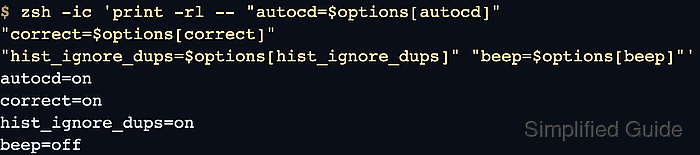
A small option set can enable autocd, correct, and hist_ignore_dups, then disable beep. A syntax check catches startup-file mistakes before the file is loaded, and a fresh zsh -ic check proves the saved file sets the expected option state for new interactive shells.
Related: How to configure Zsh startup files
Related: How to manage Zsh command history
Related: How to customize the Zsh prompt with PS1
Steps to set Zsh shell options:
- Back up ~/.zshrc if the file already exists.
$ cp ~/.zshrc ~/.zshrc.bak
Use $ZDOTDIR/.zshrc instead when the account stores Zsh startup files outside the home directory.
- Add the desired options near the other interactive shell settings.
- ~/.zshrc
setopt autocd
setopt correct
setopt hist_ignore_dups
unsetopt beep
If the file already sets one of these options later, update the existing line instead of leaving conflicting setopt and unsetopt commands in the same startup file.
autocd changes to a directory when its name is entered as a command, correct asks before using a spelling correction, hist_ignore_dups avoids consecutive duplicate history entries, and beep controls audible terminal alerts.
- Check the edited startup file for syntax errors.
$ zsh -n ~/.zshrc
No output from zsh -n means Zsh parsed the file without finding a syntax error. Use the same startup-file path that was edited when ZDOTDIR points somewhere else.
- Start a new interactive Zsh process and print the selected option state.
$ zsh -ic 'print -rl -- "autocd=$options[autocd]" "correct=$options[correct]" "hist_ignore_dups=$options[hist_ignore_dups]" "beep=$options[beep]"'
autocd=on
correct=on
hist_ignore_dups=on
beep=off
The $options parameter reports Zsh option state as on or off for the current shell.
- Remove or comment any option line that does not match the desired terminal behavior, then open a new interactive Zsh shell and repeat the syntax and option-state checks.