How to disable comments on WordPress posts
Disabling comments on WordPress posts removes the public reply form from posts where discussion is not needed. Announcement posts, documentation updates, release notes, and campaign content often need the post body to stand on its own without new moderation queues or spam submissions.
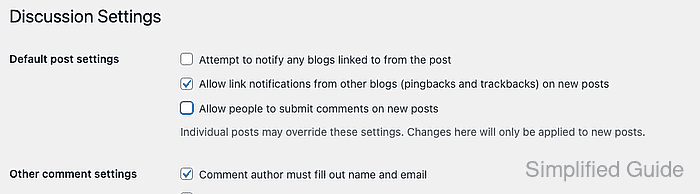
WordPress stores comment availability in two places. Settings → Discussion controls the default for posts created after the change, while each existing post keeps its own comment setting until an editor, Quick Edit, or Bulk actions changes it.
Close both layers when published posts are already accepting replies. Existing approved comments can remain visible after the reply form is removed, so moderate or delete those comments separately when the page should show no discussion history.
Steps to disable comments on WordPress posts:
- Log in to the WordPress dashboard with an administrator account.
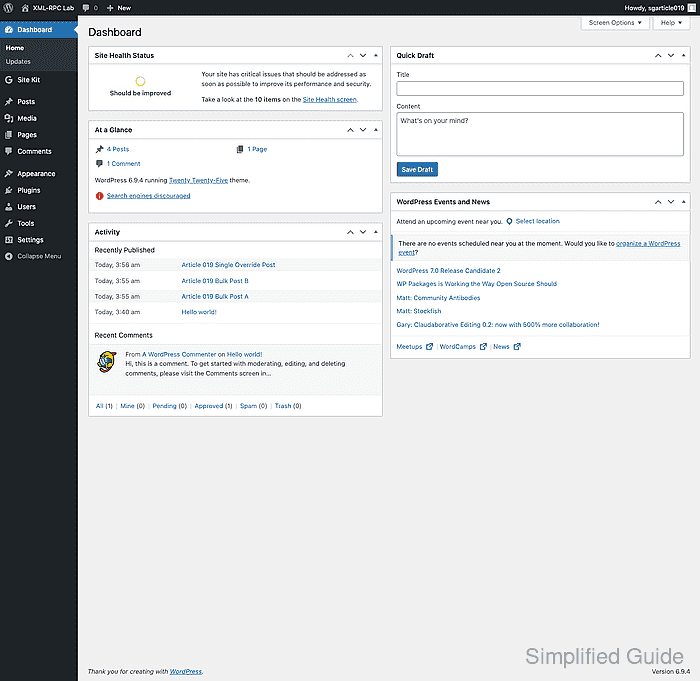
The full workflow needs access to Settings → Discussion and post editing tools.
- Open Settings → Discussion.
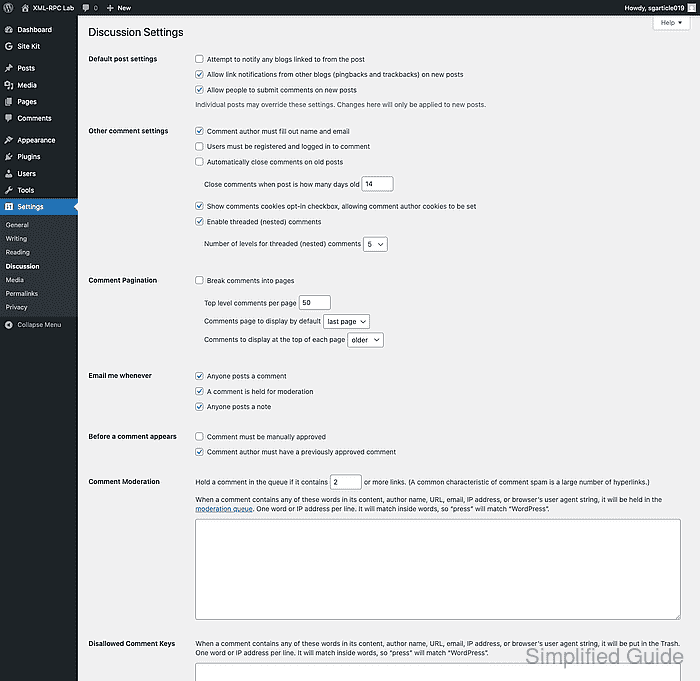
- Clear Allow people to submit comments on new posts under Default post settings.
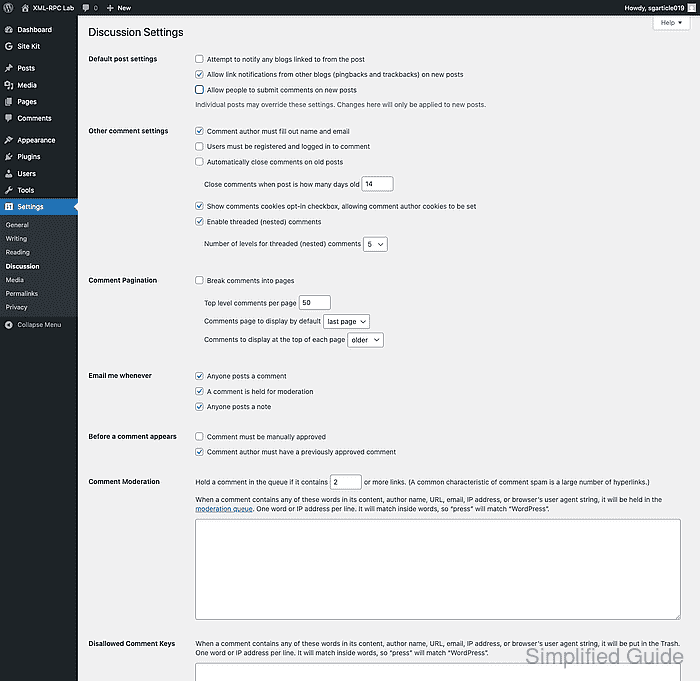
- Click Save Changes.
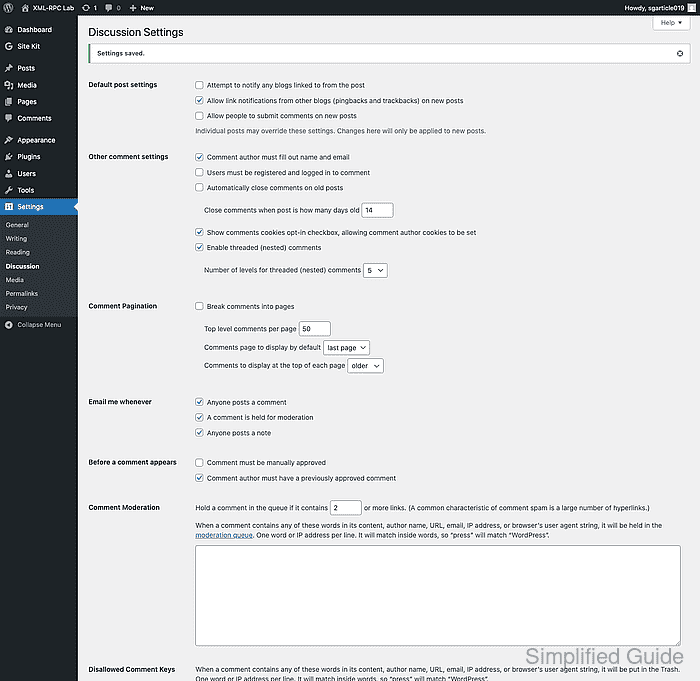
The saved default applies to posts created after the change. Existing posts keep their current comment setting until they are updated separately.
- Open Posts → All Posts and select the published posts to close.
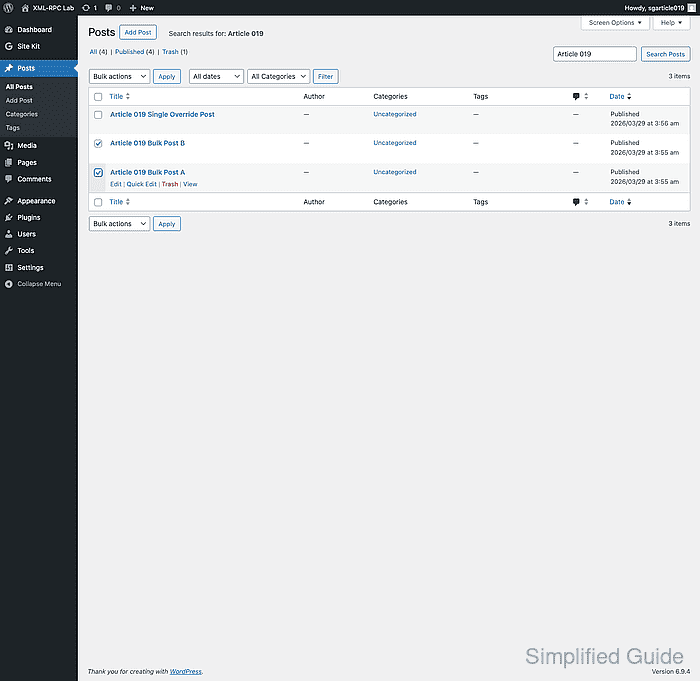
Use the search box or the author, date, and category filters first when only part of the catalog should stop accepting comments.
- Choose Edit from Bulk actions, click Apply, set Comments to Do not allow, and click Update.
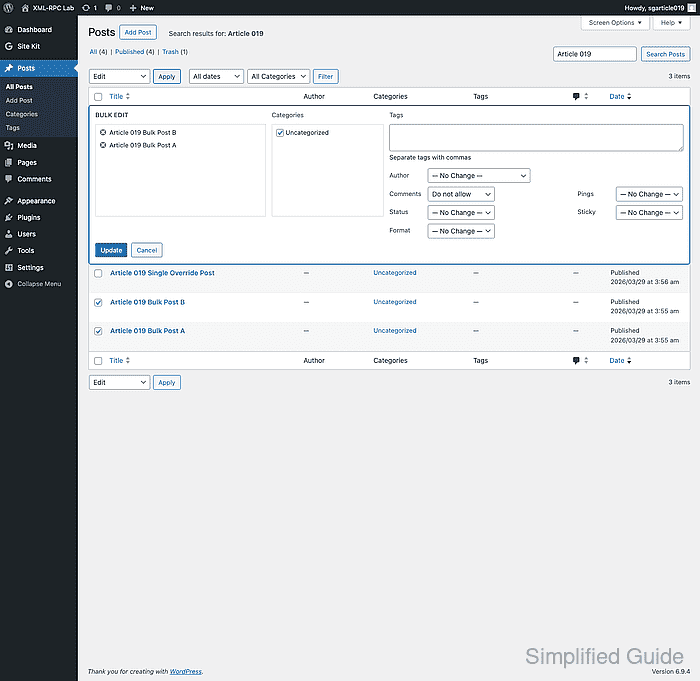
This closes comments on every post in the current bulk edit selection.
- For a single post that still needs its own override, click Quick Edit, clear Allow Comments, and click Update.
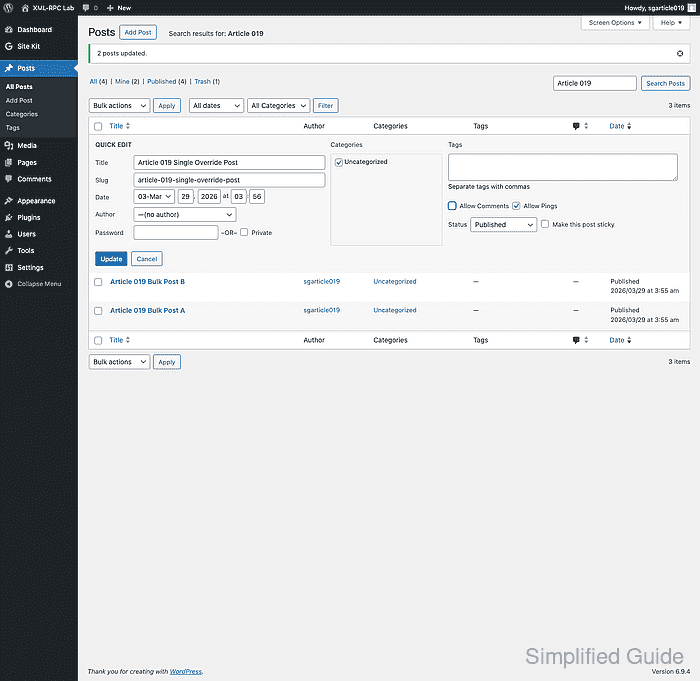
Quick Edit is usually faster than opening the full editor when only one post needs a comment setting change.
- Open one affected post on the public site and confirm the comment form is gone.
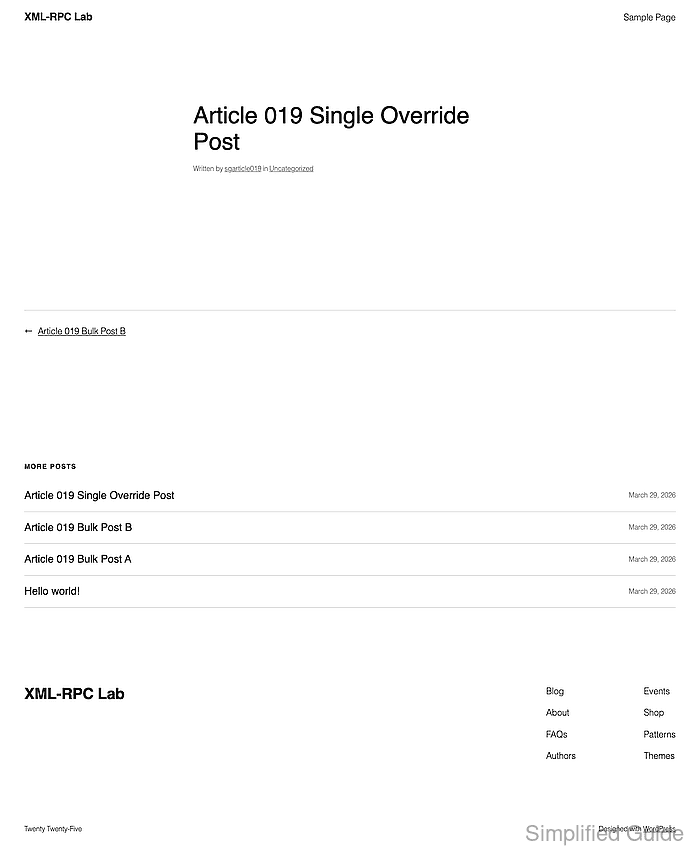
The post can still show previously approved comments above the missing form until those comments are moderated or deleted separately.