How to sanitize whois contact data
Raw WHOIS records can be useful evidence, but they can also expose names, mailboxes, phone numbers, postal addresses, contact handles, and registrar account clues. Sanitizing the record before it leaves the restricted case folder keeps the proof needed for a report without publishing personal registration data.
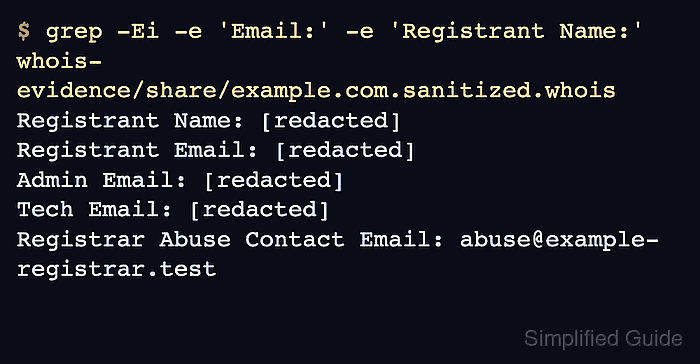
A sanitized copy should keep fields that identify the resource and the responsible registry path, such as the domain name, registrar, status values, dates, nameservers, WHOIS server, referral fields, and approved abuse contacts. Personal registrant, administrative, and technical contact values should be replaced unless the recipient is authorized to see them.
Work from a saved raw file and keep that original private. Different registries format WHOIS text differently, so command-based redaction needs a final review for leftover names, addresses, and unapproved mailboxes before the sanitized copy is attached to a public ticket, documentation page, or handoff note.
Related: How to save raw whois output
Related: How to parse whois output
Related: How to find abuse contacts with whois
Steps to sanitize whois contact data:
- Create separate folders for private raw evidence and the sanitized copy.
$ mkdir -p whois-evidence/private whois-evidence/share
- Save the raw lookup in the private folder.
$ whois example.com > whois-evidence/private/example.com.raw.whois
Do not paste raw registration output into public issue trackers, shared chat, or documentation before review.
- Restrict the raw file to the current account.
$ chmod 600 whois-evidence/private/example.com.raw.whois
Related: How to save raw whois output
- Copy the raw file to the sanitized working file.
$ cp whois-evidence/private/example.com.raw.whois whois-evidence/share/example.com.sanitized.whois
- Redact labeled registrant, administrative, and technical contact values.
$ perl -pi -e 's/^((Registrant|Admin|Tech).*(Name|Organization|Email|Phone|Fax|Street|City|State\/Province|Postal Code|Country):).*/$1 [redacted]/i' whois-evidence/share/example.com.sanitized.whois
This keeps the field labels visible so the reviewer can see which contact data was removed.
- Redact any remaining email address except approved abuse role fields.
$ perl -pi -e 's/[A-Za-z0-9._%+-]+@[A-Za-z0-9.-]+/[redacted-email]/g unless /^(Registrar Abuse Contact Email|OrgAbuseEmail|abuse-mailbox):/i' whois-evidence/share/example.com.sanitized.whois
Keep role mailboxes only when the handoff needs an escalation path, such as Registrar Abuse Contact Email or OrgAbuseEmail.
- Review the remaining contact-shaped lines.
$ grep -Ei -e Registrant -e Admin -e Tech -e Phone -e Street -e Postal -e @ whois-evidence/share/example.com.sanitized.whois
Registrant Name: [redacted]
Registrant Organization: [redacted]
Registrant Street: [redacted]
Registrant City: [redacted]
Registrant State/Province: [redacted]
Registrant Postal Code: [redacted]
Registrant Country: [redacted]
Registrant Phone: [redacted]
Registrant Email: [redacted]
Admin Name: [redacted]
Admin Email: [redacted]
Tech Name: [redacted]
Tech Phone: [redacted]
Tech Email: [redacted]
Registrar Abuse Contact Email: abuse@example-registrar.test
Registrar Abuse Contact Phone: +1.5555551212
Only redacted placeholders and approved role contacts should remain in this review output.
- Confirm the sanitized file still proves the resource state.
$ grep -Ei '^(Domain Name|Registrar|Registry Expiry Date|Domain Status|Name Server|WHOIS Server|Registrar Abuse Contact Email):' whois-evidence/share/example.com.sanitized.whois
Domain Name: EXAMPLE.COM
Registrar: Example Registrar, Inc.
WHOIS Server: whois.example-registrar.test
Registry Expiry Date: 2027-08-14T04:00:00Z
Domain Status: clientTransferProhibited https://icann.org/epp#clientTransferProhibited
Name Server: NS1.EXAMPLE.NET
Name Server: NS2.EXAMPLE.NET
Registrar Abuse Contact Email: abuse@example-registrar.test
- Share only the sanitized copy and keep the raw file private.
The sanitized file is ready when it preserves the domain, registrar, status, dates, nameservers, referral path, or approved abuse contact without exposing personal registrant, administrative, or technical contact data.