How to change the user agent in wget
Changing the HTTP User-Agent in GNU wget helps reproduce browser-gated downloads, compare server behavior across clients, and test request handling without switching tools. A one-off override keeps the change attached to the exact request being tested.
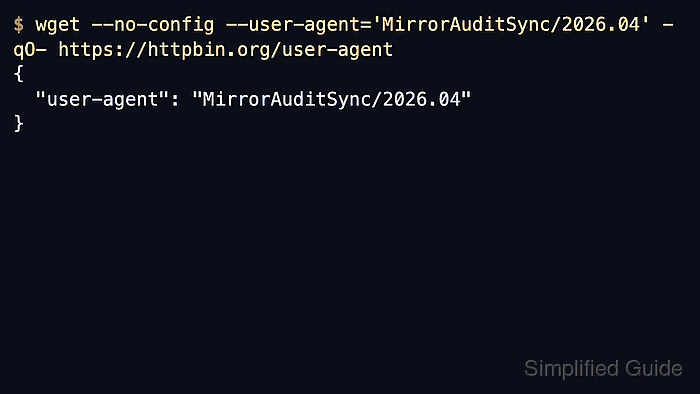
GNU wget normally identifies itself as Wget/version on HTTP and HTTPS requests. Current Wget changes that header with --user-agent=AGENT, and the upstream manual also documents that --user-agent="" suppresses the header completely when a blank value is passed.
User-agent changes can affect returned content, caching layers, bot detection, and rate limits upstream. Keep the override narrow, use /$HOME/.wgetrc/ only when the same identity should apply to later jobs from the same account, and fall back to --no-config when a clean baseline is needed.
Related: How to send custom headers with wget
Related: How to configure default options in ~/.wgetrc
Tool: Wget Command Generator
Steps to change the user agent in wget:
- Check the built-in header first so the comparison starts from the default GNU wget identity.
$ wget --no-config -qO- https://httpbin.org/user-agent
{
  "user-agent": "Wget/1.25.0"
}
--no-config bypasses both the system startup file and /$HOME/.wgetrc/, so the result shows the built-in header instead of a saved override.
- Override the header for one request with --user-agent.
$ wget --no-config --user-agent='MirrorAuditSync/2026.06' -qO- https://httpbin.org/user-agent
{
  "user-agent": "MirrorAuditSync/2026.06"
}
A per-command override is the safest choice for a one-off download, access check, or compatibility test.
- Suppress the header entirely with an empty value when the target behaves differently without a User-Agent line.
$ wget --no-config --user-agent='' -qO- https://httpbin.org/user-agent
{
  "user-agent": null
}
A null value from the echo service confirms that current GNU wget omitted the header instead of sending an empty string.
- Save a default identity in /$HOME/.wgetrc/ only when later wget commands from that account should all use the same value.
~/.wgetrc
# Default HTTP identity for recurring downloads.
user_agent = MirrorAuditSync/2026.06
A saved default affects every later HTTP or HTTPS request from that account until the file is changed or bypassed.
- Run wget without extra header flags and confirm that the saved default is active.
$ wget -qO- https://httpbin.org/user-agent
{
  "user-agent": "MirrorAuditSync/2026.06"
}
A matching value confirms that the saved startup file is applying the override.
- Skip the saved profile when a clean baseline is needed again.
$ wget --no-config -qO- https://httpbin.org/user-agent
{
  "user-agent": "Wget/1.25.0"
}