How to use Basic authentication in wget
When a protected download URL returns 401 Unauthorized to unauthenticated requests, wget needs credentials that can be repeated from a shell, scheduler, or deployment job. Basic authentication is still common on internal artifact stores, small APIs, and legacy endpoints where a username and password guard a single HTTP resource.
On a normal Basic-auth exchange, wget requests the URL, receives a 401 Unauthorized response with a WWW-Authenticate: Basic challenge, and retries with an Authorization header when credentials are available. Some older gateways never send that challenge, so --auth-no-challenge is reserved for endpoints that require credentials on the first request.
Basic auth should stay on trusted HTTPS endpoints because the scheme itself does not protect the password without transport encryption. Passwords typed on the command line can also leak through process listings, shell history, and debug logs, so prompted entry is safer for one-off access than copying secrets into every command.
Steps to use Basic authentication in wget:
- Probe the endpoint once without credentials to confirm that it is issuing a Basic-auth challenge.
$ wget --spider --server-response https://packages.example.net/api/v1/artifacts/current
Spider mode enabled. Check if remote file exists.
##### snipped #####
  HTTP/1.1 401 Unauthorized
  WWW-Authenticate: Basic realm="Package API"

Username/Password Authentication Failed.
A visible WWW-Authenticate: Basic header confirms that the server expects the normal challenge-response flow.
- Send the request with a username and password when a one-off authenticated fetch is acceptable.
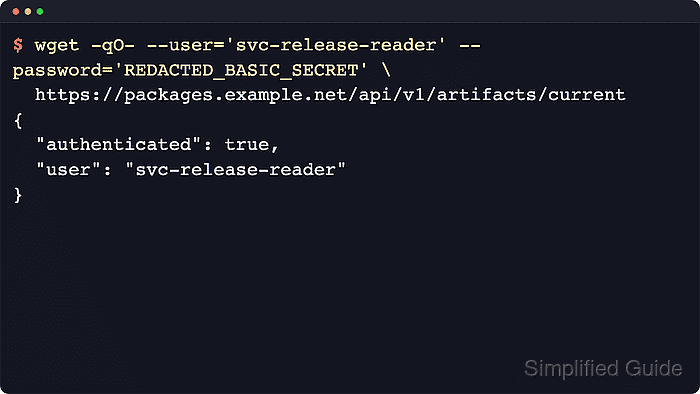
$ wget --quiet --output-document=- --user='svc-release-reader' --password='MASKED_BASIC_SECRET' https://packages.example.net/api/v1/artifacts/current
{
  "authenticated": true,
  "user": "svc-release-reader"
}
Literal passwords on the command line are visible to local process inspection, so avoid this form on shared systems.
- Prompt for the password interactively when the username can stay visible but the password should not appear in the command text.
$ wget --quiet --output-document=- --user='svc-release-reader' --ask-password https://packages.example.net/api/v1/artifacts/current
Password for user 'svc-release-reader':
{
  "authenticated": true,
  "user": "svc-release-reader"
}
--ask-password is mutually exclusive with --password, and --use-askpass fits the same job when an askpass helper is already in place.
- Add --auth-no-challenge only when the server accepts Basic auth but never sends the normal challenge header.
$ wget --quiet --output-document=- --auth-no-challenge --user='svc-release-reader' --password='MASKED_BASIC_SECRET' https://legacy-gateway.example.net/session/health
{
  "authenticated": true,
  "user": "svc-release-reader"
}
Preemptive Basic auth sends credentials on the first request, so keep it limited to servers that require it and use trusted HTTPS transport.