How to create an XML sitemap for your website
Search engines discover most pages through links, but an XML sitemap provides a deliberate inventory of canonical URLs for sites whose content is new, deep, or frequently changed.
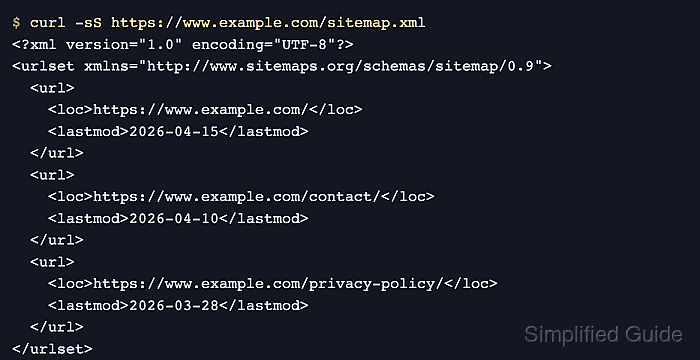
A useful sitemap follows one canonical host and lists only public URLs that should appear in search. Every loc value must be absolute, while lastmod is optional and should appear only when it reflects a significant page change.
Small, stable sites can maintain a short XML file directly. A CMS or site generator is safer for changing inventories. Google requires an oversized sitemap to be split into files that each contain no more than 50,000 URLs and are no larger than 50 MB uncompressed, while a sitemap index is an optional way to submit the files together.
Related: How to use canonical URLs for your website
Related: How to create a robots.txt file for your website
Related: How to set up Google Search Console for a website
Related: search-console-api-submit-sitemap
Related: sitemap-index-create
Tool: Sitemap XML Generator
Steps to create an XML sitemap for your website:
- Choose the canonical public URLs that the sitemap should advertise.
One sitemap covers a single host. Redirects, blocked pages, login-only pages, noindex pages, tracking variants, and duplicate URLs do not belong in the canonical inventory.
- Create the sitemap in the site's public document root, represented by /var/www/html/sitemap.xml, as UTF-8 XML with one loc entry for each chosen URL.
<?xml version="1.0" encoding="UTF-8"?>
<urlset xmlns="http://www.sitemaps.org/schemas/sitemap/0.9">
  <url>
    <loc>https://www.example.com/</loc>
  </url>
  <url>
    <loc>https://www.example.com/contact/</loc>
  </url>
</urlset>
XML special characters inside URLs must be entity escaped. Google ignores changefreq and priority, so the compact file excludes both optional fields.
- Validate /var/www/html/sitemap.xml as well-formed XML with xmllint.
$ xmllint --noout /var/www/html/sitemap.xml
A successful --noout check prints nothing. It detects malformed XML but does not confirm that the listed pages are canonical, indexable, or reachable.
- Fetch the public sitemap.xml URL with curl's HTTP-failure mode.
$ curl --fail --silent --show-error https://www.example.com/sitemap.xml
<?xml version="1.0" encoding="UTF-8"?>
<urlset xmlns="http://www.sitemaps.org/schemas/sitemap/0.9">
  <url>
    <loc>https://www.example.com/</loc>
  </url>
  <url>
    <loc>https://www.example.com/contact/</loc>
  </url>
</urlset>
The public response must be the sitemap XML rather than a redirect, login page, or HTML error document.