How to change color scheme in Vim
Vim allows users to change the appearance of the editor by selecting different color schemes. A color scheme defines how various elements, such as text, background, and syntax highlights, are displayed. Changing the color scheme can improve readability or help reduce eye strain during long coding sessions.
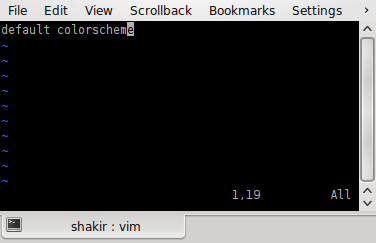
Vim comes with several built-in color schemes, and users can install additional schemes if needed. Understanding how to switch between color schemes or set a preferred one permanently enhances the overall editing experience.
You can also configure the .vimrc file to set your preferred color scheme by default every time you start Vim.
Steps to change color scheme in Vim:
- Press Esc to enter command mode.
- Type :colorscheme scheme_name to change the color scheme.
:colorscheme desert
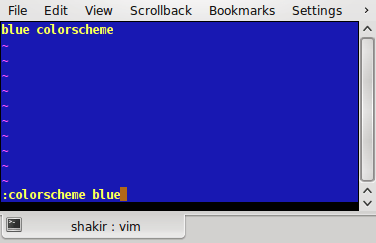
Replace desert with the desired scheme name. To view available schemes, use :colorscheme followed by pressing Tab to cycle through the options.
- List all available color schemes.
:colorscheme
Pressing Tab repeatedly will cycle through the available options.
The following color schemes are available;
blue, darkblue, default, delek, desert, elflord, evening, koehler, morning, murphy, pablo, peachpuff, ron, shine, slate, torte, zellner
- If you have custom color schemes installed, ensure they are located in the appropriate Vim directory (usually ~/.vim/colors).
- Open the .vimrc configuration file to make the color scheme change permanent.
vim ~/.vimrc
- Add a line to specify the color scheme you want to use by default.
colorscheme desert
- Save and close the .vimrc file.
:wq
- Reopen any file to verify that the selected color scheme is applied by default.