How to enable HTML auto-completion in Vim
Vim is a popular choice for developers who prefer an efficient, keyboard-driven text editor. By default, Vim does not offer auto-completion for HTML, but it can be configured to do so using the built-in omnifunc feature. This allows Vim to suggest HTML tags and attributes, making coding faster and reducing the chance of errors.
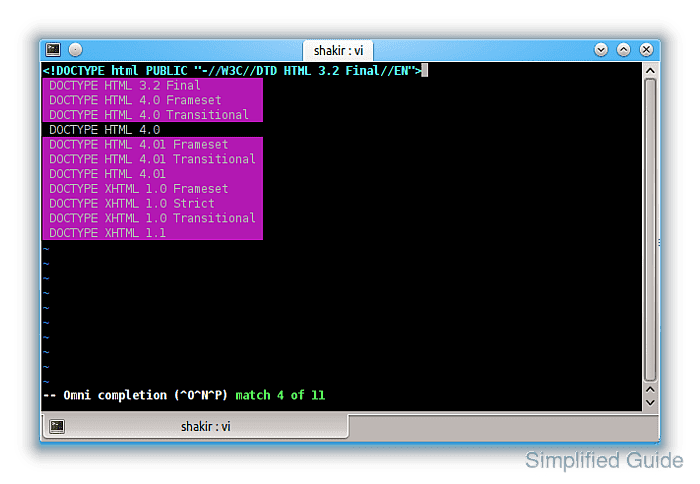
When enabled, omnifunc provides relevant suggestions for HTML, streamlining the process of writing HTML code. It detects common tags and attributes, helping developers write markup more efficiently. Utilizing Vim’s native omnifunc feature ensures that you don’t need third-party plugins to enhance your HTML development workflow.
Configuring omnifunc for HTML allows you to keep Vim’s lightweight performance while enabling context-aware completions for HTML. The following steps will show you how to activate this feature and improve your development efficiency with Vim.
Steps to configure HTML auto-completion in Vim:
- Open any HTML file in Vim.
Use any existing or newly created `.html` file in Vim for testing. This helps ensure omnifunc is working correctly before modifying the configuration file.
- Manually set omnifunc to the HTML completion function.
:set omnifunc=htmlcomplete#CompleteTags
- Enter insert mode.
Press the `i` key to enter insert mode.
- Trigger omnifunc completion with <C-x><C-o>.
- Review and select the suggested completions.
Use arrow keys to navigate the suggestions. Press `Enter` to select, or keep typing to refine the suggestions.
- If the completion works, open your vimrc configuration file.
vim ~/.vimrc
- Add a new autocmd to enable omnifunc for HTML files.
autocmd FileType html setlocal omnifunc=htmlcomplete#CompleteTags
- Save and close the vimrc file.
To save changes, use `:wq` in Vim.
- Reopen any HTML file to verify the changes.
Once reopened, omnifunc will automatically trigger for files with the `.html` extension.
- (Optional) Create a key mapping for easier triggering of omnifunc completion.
inoremap <silent><expr> <Tab> pumvisible() ? "\<C-n>" : "\<C-x>\<C-o>"
This key mapping allows you to use `<Tab>` to trigger omnifunc and navigate suggestions smoothly.