How to remove snapd from Ubuntu
Snap is a package management system developed by Canonical for distributing software on Ubuntu and other Linux distributions. Some users prefer not to use Snap due to its impact on system performance and storage. These users might want to remove Snap from their systems.
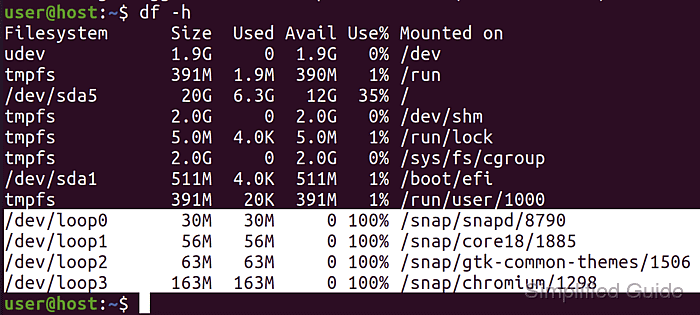
To remove Snap from Ubuntu, you must uninstall the snapd service that manages Snap applications. This requires removing any installed Snap packages and cleaning up associated files and directories to ensure a complete uninstallation.
Before removing Snap, consider whether the applications you need are available through other methods. If not, you may need to reinstall snapd to access these applications again.
Steps to completely remove snapd from Ubuntu:
- Open the terminal.
- List all installed Snap packages.
$ snap list
Name               Version                     Rev   Tracking         Publisher   Notes
chromium           85.0.4183.102               1298  latest/stable    canonical✓  -
core18             20200724                    1885  latest/stable    canonical✓  base
gnome-3-28-1804    3.28.0-17-gde3d74c.de3d74c  128   latest/stable    canonical✓  -
gnome-3-34-1804    0+git.3009fc7               36    latest/stable/…  canonical✓  -
gtk-common-themes  0.1-36-gc75f853             1506  latest/stable/…  canonical✓  -
snap-store         3.36.0-80-g208fd61          467   latest/stable/…  canonical✓  -
snapd              2.45.3.1                    8790  latest/stable    canonical✓  snapd
- Uninstall each Snap package (optional).
$ sudo snap remove chromium snap-store
[sudo] password for user:
2020-09-11T17:31:08+08:00 INFO Waiting for conflicting change in progress...
chromium removed
snap-store removed
- Stop the snapd service.
$ sudo systemctl stop snapd
Warning: Stopping snapd.service, but it can still be activated by:
  snapd.socket
- Uninstall the snapd package.
$ sudo apt remove --purge --assume-yes snapd gnome-software-plugin-snap
Reading package lists... Done
Building dependency tree
Reading state information... Done
Package 'gnome-software-plugin-snap' is not installed, so not removed
The following packages will be REMOVED:
  snapd*
0 upgraded, 0 newly installed, 1 to remove and 0 not upgraded.
After this operation, 120 MB disk space will be freed.
(Reading database ... 185414 files and directories currently installed.)
Removing snapd (2.45.1+20.04.2)
- Delete the user Snap directory.
$ rm -rf ~/snap/
- Remove the snapd cache directory.
$ sudo rm -rf /var/cache/snapd/
- Verify that all Snap-related files are removed.
$ ls /snap /var/snap /var/lib/snapd
If these directories are empty or do not exist, it indicates that Snap has been effectively removed.
This guide is tested on Ubuntu:
| Version | Code Name |
|---|---|
| 22.04 LTS | Jammy Jellyfish |
| 23.10 | Mantic Minotaur |
| 24.04 LTS | Noble Numbat |