How to disable and remove AppArmor in Ubuntu and Debian
AppArmor is a security module for Ubuntu and Debian that uses mandatory access control policies to confine applications within well-defined privilege boundaries. It intercepts system calls and enforces granular access restrictions, helping limit the potential damage from security breaches. By tightly regulating file system, network, and process capabilities, AppArmor adds an additional layer of protection to critical services.
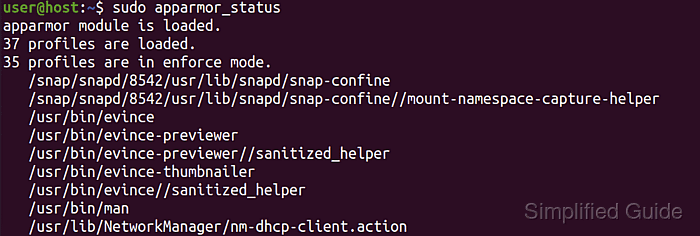
In certain development or testing environments, these enforced profiles may conflict with specialized tasks or custom workflows. Some applications might require broader privileges or rely on configurations that AppArmor blocks by default. This scenario makes temporary or permanent deactivation of AppArmor a practical consideration.
Disabling AppArmor can reduce overall security, so this action is best reserved for controlled settings where the potential risks are understood and mitigated. Specialized packages such as snapd also depend on AppArmor; removing one can affect the other and prompt reinstallation. A careful balance between security needs and operational flexibility should guide the decision to disable or remove AppArmor.
Steps to disable and remove AppArmor in Ubuntu and Debian:
- Open a terminal on your system.
- Stop the AppArmor service.
$ sudo systemctl stop apparmor
- Disable AppArmor from starting at boot.
$ sudo systemctl disable apparmor
Synchronizing state of apparmor.service with SysV service script with /usr/lib/systemd/systemd-sysv-install.
Executing: /usr/lib/systemd/systemd-sysv-install disable apparmor
Removed "/etc/systemd/system/sysinit.target.wants/apparmor.service".
- If necessary, remove the AppArmor package and its dependencies.
$ sudo apt remove --assume-yes --purge apparmor
Reading package lists... Done
Building dependency tree
Reading state information... Done
The following packages will be REMOVED:
  apparmor* snapd*
0 upgraded, 0 newly installed, 2 to remove and 0 not upgraded.
After this operation, 122 MB disk space will be freed.
##### snipped
This will also remove snapd. Only proceed if you don't use snapd to manage your packages. Reinstalling snapd will also install AppArmor as dependency.
This guide is tested on Ubuntu:
| Version | Code Name |
|---|---|
| 22.04 LTS | Jammy Jellyfish |
| 23.10 | Mantic Minotaur |
| 24.04 LTS | Noble Numbat |