How to install Unity Desktop on Ubuntu
Unity was the default desktop environment for Ubuntu from version 11.04 to 17.04. Although Ubuntu now uses GNOME, Unity is still maintained by the community and can be installed on modern Ubuntu versions. Unity provides a unique interface with a focus on simplicity and efficiency.
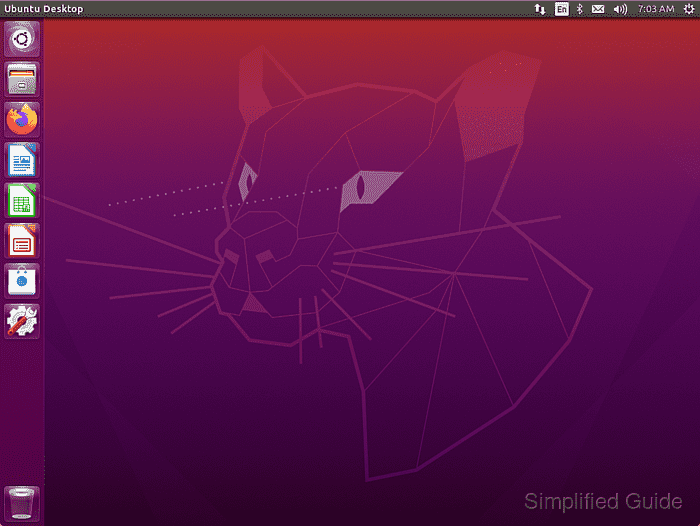
Installing Unity Desktop on Ubuntu is straightforward. The necessary packages are available in the default Ubuntu repositories. Users can install Unity on any current version of Ubuntu, integrating it with their existing setup.
For those who prefer a version of Ubuntu with Unity as the default desktop, Ubuntu Unity Remix is available. However, installing Unity on an existing Ubuntu installation is also possible with a few simple commands. This option allows users to add Unity to their system without needing a separate distribution.
Steps to install Unity Desktop on Ubuntu:
- Launch the terminal.
- Update the package list.
$ sudo apt update
Hit:1 http://ports.ubuntu.com/ubuntu-ports jammy-security InRelease
Hit:2 http://ports.ubuntu.com/ubuntu-ports jammy-proposed InRelease
Hit:3 http://us.ports.ubuntu.com/ubuntu-ports jammy InRelease
Hit:4 http://us.ports.ubuntu.com/ubuntu-ports jammy-updates InRelease
Hit:5 http://us.ports.ubuntu.com/ubuntu-ports jammy-backports InRelease
Reading package lists... Done
Building dependency tree... Done
Reading state information... Done
All packages are up to date.
- Upgrade installed packages.
$ sudo apt dist-upgrade --assume-yes
Reading package lists... Done
Building dependency tree... Done
Reading state information... Done
Calculating upgrade... Done
0 upgraded, 0 newly installed, 0 to remove and 0 not upgraded.
- Install the ubuntu-unity-desktop package.
$ sudo apt install --assume-yes ubuntu-unity-desktop
Reading package lists... Done
Building dependency tree... Done
Reading state information... Done
The following additional packages will be installed:
  a11y-profile-manager-indicator accountsservice-ubuntu-schemas
  activity-log-manager adium-theme-ubuntu bamfdaemon catdoc
  cinnamon-desktop-data cinnamon-l10n compiz compiz-core compiz-gnome
##### snipped
0 upgraded, 417 newly installed, 0 to remove and 0 not upgraded.
Need to get 244 MB of archives.
After this operation, 681 MB of additional disk space will be used.
##### snipped
- Choose LightDM when prompted.
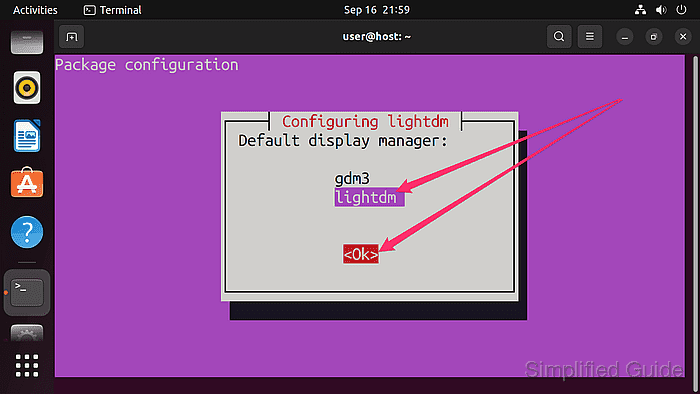
Use [TAB] key to navigate to the Ok button and press [ENTER] to start configuring LightDM if you're first presented with the following screen.
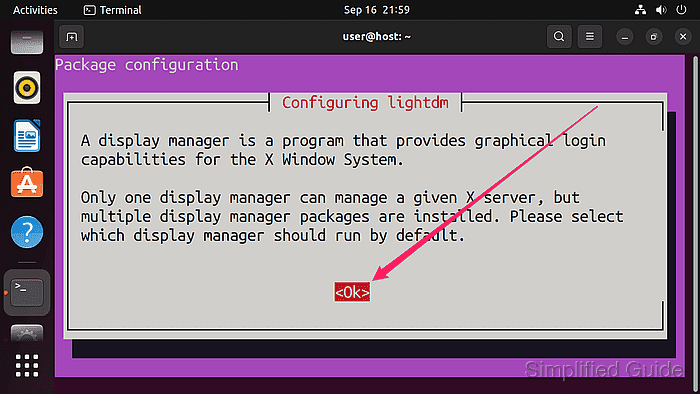 You'll get this screen if you're using a low resolution monitor and/or not running terminal in full screen.
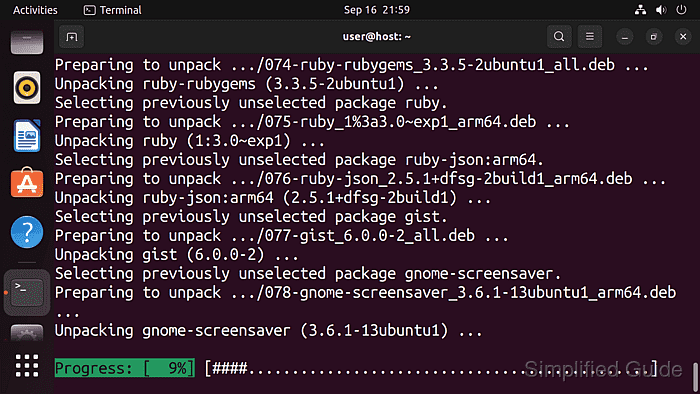
- Wait for the installation to complete.
- Reboot your system.
$ sudo reboot
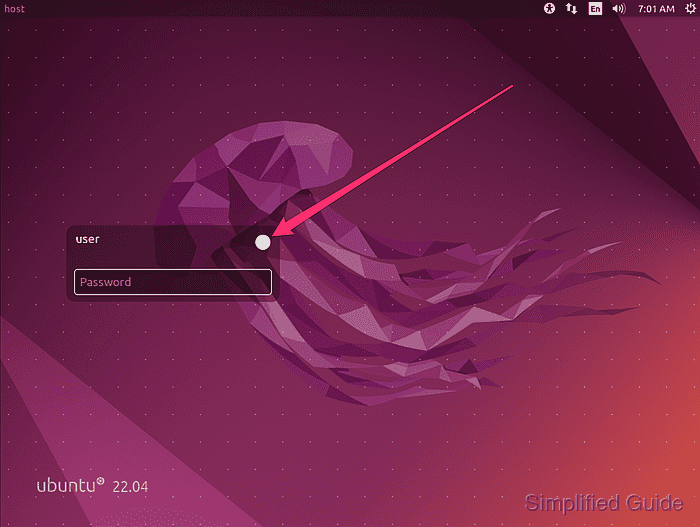
- Click on the Ubuntu icon to reveal the desktop environment selection panel.
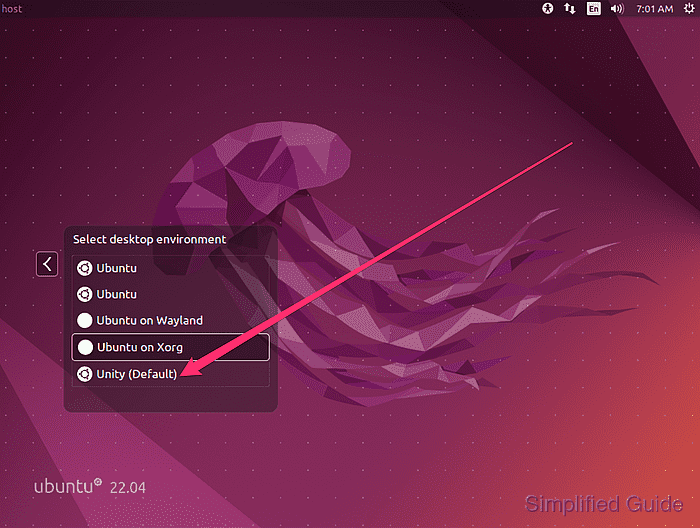
- Click on the Unity selection.
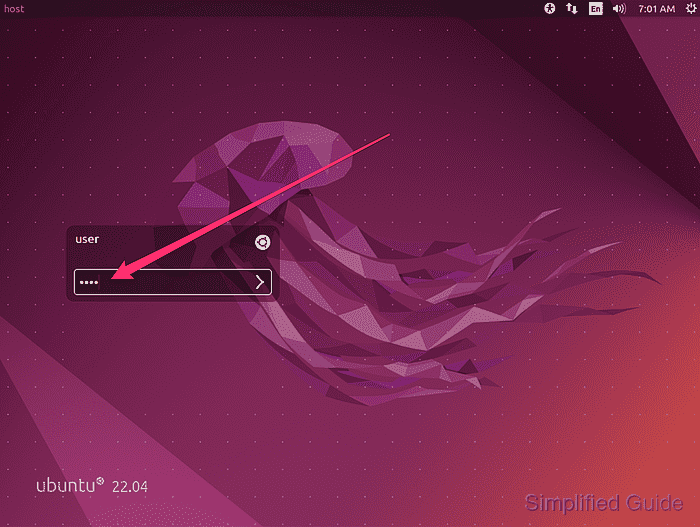
- Enter your password and log in to the Unity desktop.
This guide is tested on Ubuntu:
| Version | Code Name |
|---|---|
| 22.04 LTS | Jammy Jellyfish |
| 23.10 | Mantic Minotaur |
| 24.04 LTS | Noble Numbat |