How to install SSH server on Ubuntu
SSH provides secure remote access and file transfer capabilities on Linux systems. By default, Ubuntu Desktop does not include an SSH server, while Ubuntu Server ships with SSH enabled due to its common use in server environments.
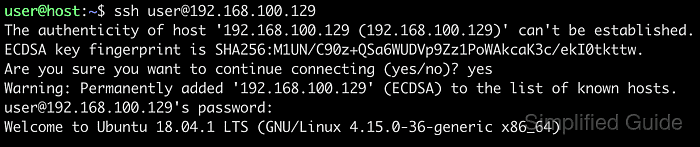
Installing OpenSSH from the default Ubuntu repositories allows secure, encrypted connections for administrative tasks, file transfers, and monitoring. It offers authentication options, including password-based logins and public key authentication, to fit different security models.
A configured SSH environment can be further customized to meet operational needs. Features like firewall integration using ufw and service management via systemd provide control over how and when SSH is accessible. SSH remains a vital component in modern server administration and troubleshooting.
Steps to install SSH server on Ubuntu:
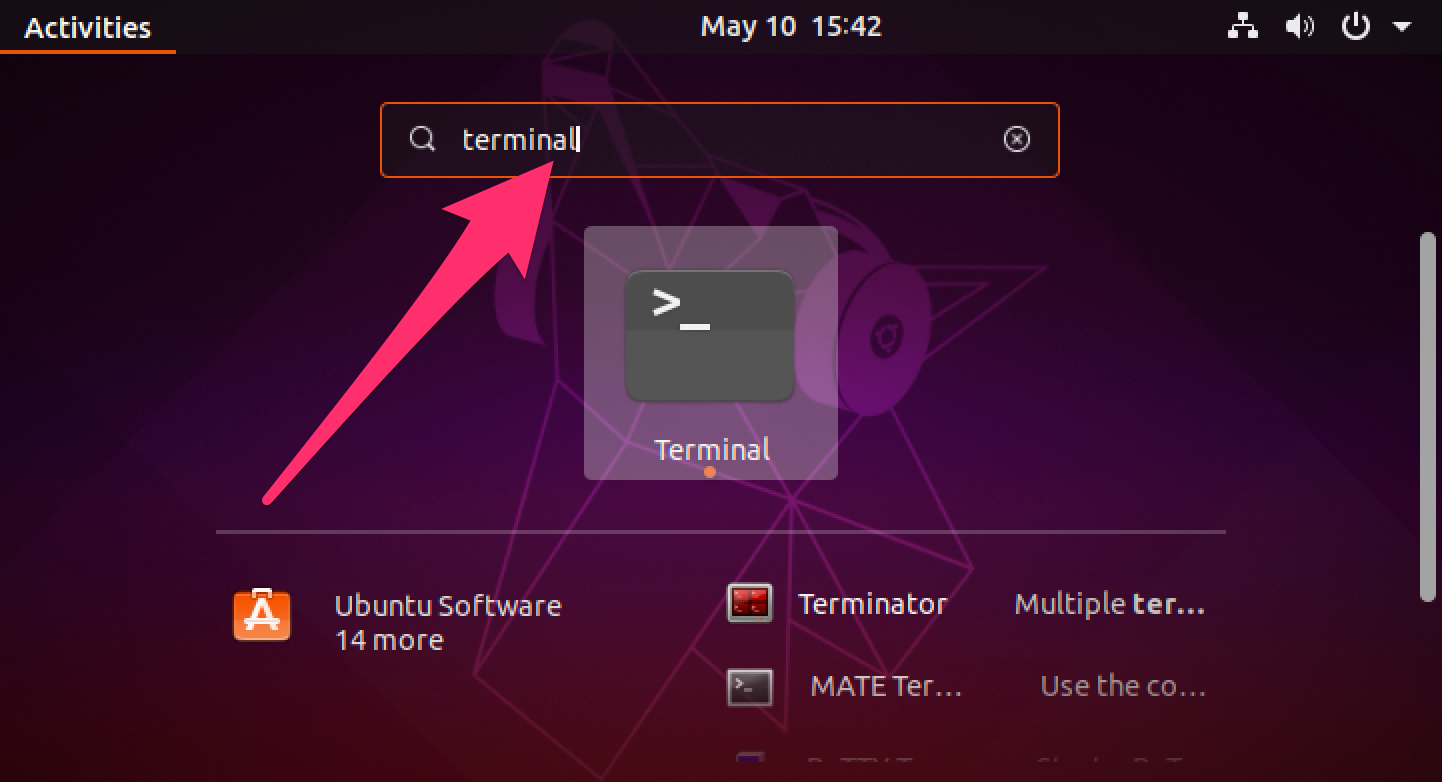
- Open terminal from the application launcher.
- Update the package list.
$ sudo apt update
[sudo] password for user:
Get:1 http://security.ubuntu.com/ubuntu focal-security InRelease [107 kB]
Get:2 http://security.ubuntu.com/ubuntu focal-security/main amd64 DEP-11 Metadata [21.2 kB]
Get:3 http://security.ubuntu.com/ubuntu focal-security/universe amd64 DEP-11 Metadata [36.0 kB]
Hit:4 http://jp.archive.ubuntu.com/ubuntu focal InRelease
Get:5 http://jp.archive.ubuntu.com/ubuntu focal-updates InRelease [111 kB]
Get:6 http://jp.archive.ubuntu.com/ubuntu focal-backports InRelease [98.3 kB]
Get:7 http://jp.archive.ubuntu.com/ubuntu focal-updates/main amd64 DEP-11 Metadata [196 kB]
Get:8 http://jp.archive.ubuntu.com/ubuntu focal-updates/universe amd64 DEP-11 Metadata [177 kB]
Get:9 http://jp.archive.ubuntu.com/ubuntu focal-updates/multiverse amd64 DEP-11 Metadata [2,468 B]
Get:10 http://jp.archive.ubuntu.com/ubuntu focal-backports/universe amd64 DEP-11 Metadata [1,976 B]
Fetched 751 kB in 6s (130 kB/s)
Reading package lists... Done
Building dependency tree
Reading state information... Done
All packages are up to date.
- Install the OpenSSH server package.
$ sudo apt install --assume-yes openssh-server
Reading package lists... Done
Building dependency tree
Reading state information... Done
The following additional packages will be installed:
  ncurses-term openssh-sftp-server ssh-import-id
Suggested packages:
  molly-guard monkeysphere ssh-askpass
The following NEW packages will be installed:
  ncurses-term openssh-server openssh-sftp-server ssh-import-id
0 upgraded, 4 newly installed, 0 to remove and 0 not upgraded.
Need to get 688 kB of archives.
After this operation, 6,010 kB of additional disk space will be used.
##### snipped
- Allow SSH traffic through the firewall, if necessary.
$ sudo ufw allow ssh
Rules updated
Rules updated (v6)
Ubuntu does not block ssh traffic by default so it's only required if you've configured your firewall to drop ssh traffic.
- Check the SSH service status to ensure it's running.
$ sudo systemctl status ssh ● ssh.service - OpenBSD Secure Shell server Loaded: loaded (/lib/systemd/system/ssh.service; enabled; vendor preset: e> Active: active (running) since Fri 2020-08-07 16:24:58 +08; 55s ago Docs: man:sshd(8) man:sshd_config(5) Main PID: 3247 (sshd) Tasks: 1 (limit: 4624) Memory: 1.4M CGroup: /system.slice/ssh.service └─3247 sshd: /usr/sbin/sshd -D [listener] 0 of 10-100 startups Ogos 07 16:24:58 host systemd[1]: Starting OpenBSD Secure Shell server... Ogos 07 16:24:58 host sshd[3247]: Server listening on 0.0.0.0 port 22. Ogos 07 16:24:58 host sshd[3247]: Server listening on :: port 22. Ogos 07 16:24:58 host systemd[1]: Started OpenBSD Secure Shell server. - Start the SSH service if it is not running.
$ sudo systemctl start ssh
- Disable SSH from starting automatically on boot if not required.
$ sudo systemctl disable ssh
Synchronizing state of ssh.service with SysV service script with /lib/systemd/systemd-sysv-install.
Executing: /lib/systemd/systemd-sysv-install disable ssh
Removed /etc/systemd/system/multi-user.target.wants/ssh.service.
Removed /etc/systemd/system/sshd.service.
- Enable SSH to start automatically on boot if needed.
$ sudo systemctl enable ssh
Synchronizing state of ssh.service with SysV service script with /lib/systemd/systemd-sysv-install.
Executing: /lib/systemd/systemd-sysv-install enable ssh
Created symlink /etc/systemd/system/sshd.service → /lib/systemd/system/ssh.service.
Created symlink /etc/systemd/system/multi-user.target.wants/ssh.service → /lib/systemd/system/ssh.service.
- Edit the SSH configuration file for custom server settings.
$ sudo vi /etc/ssh/sshd_config
Related: Guide list for SSH
Tool: SSH Algorithm Policy Checker - Restart the SSH service to apply any changes.
$ sudo systemctl restart ssh
This guide is tested on Ubuntu:
| Version | Code Name |
|---|---|
| 22.04 LTS | Jammy Jellyfish |
| 23.10 | Mantic Minotaur |
| 24.04 LTS | Noble Numbat |