How to create a new user on Ubuntu (GNOME)
Ubuntu stores user data in system files such as /etc/passwd, /etc/group, and /etc/shadow. Directly editing these files can cause errors or security issues, so many administrators prefer built-in user management tools. These tools automate user creation and help maintain system consistency.
For detailed control, some administrators use command-line utilities like adduser and useradd. These commands enable advanced scripting options, batch account creation, and precise permission settings. They are particularly useful on Ubuntu Server systems that lack a graphical interface.
On Ubuntu GNOME, a graphical interface provides a simpler, visual approach for user administration. This method is intuitive and reduces the chance of misconfigurations that can occur with manual file editing. It also allows administrators to create accounts quickly without relying on terminal commands.
Related: How to create a user in Linux
Steps to create a new user on Ubuntu (GNOME):
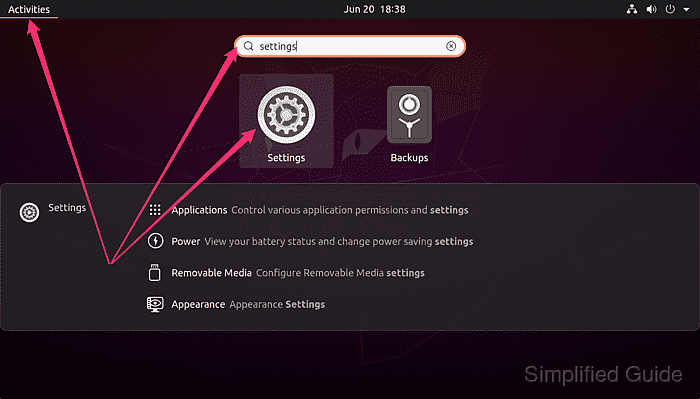
- Open Settings from the Activities Overview.
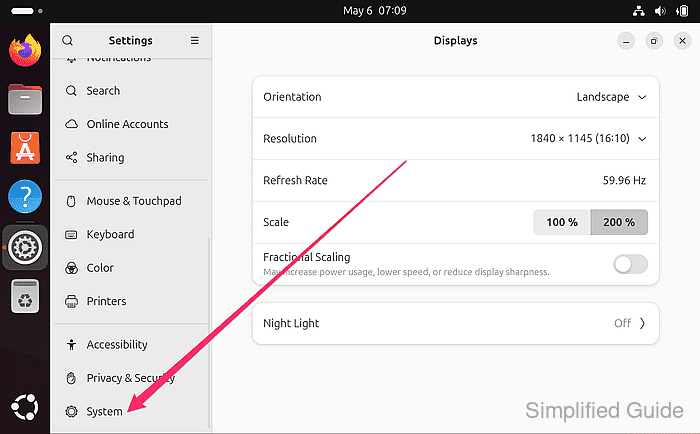
- Click on System at the bottom of the sidebar menu.
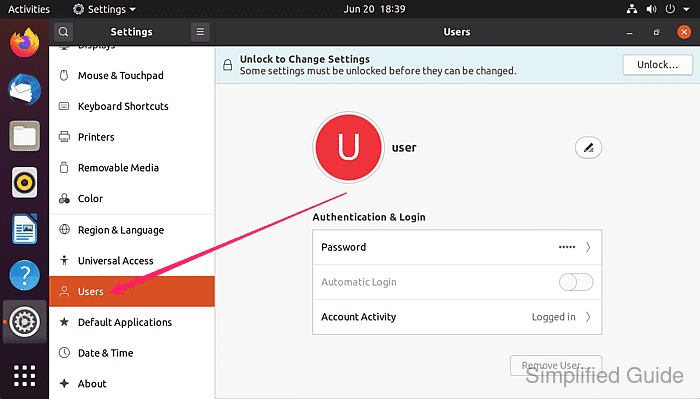
- Click on Users from the System panel.
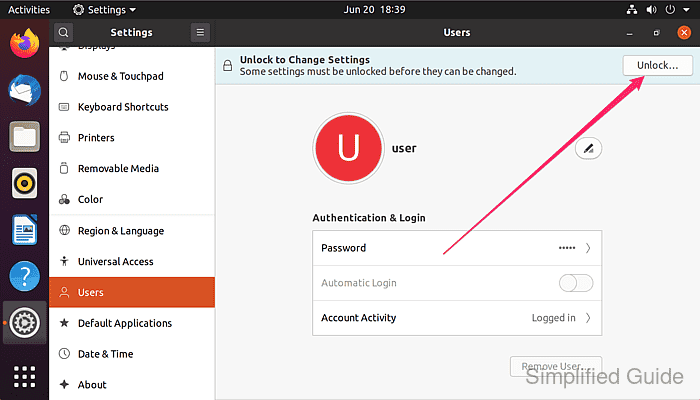
- Click the Unlock button at the top right of the screen.
- Enter your password to authenticate and click Authenticate.
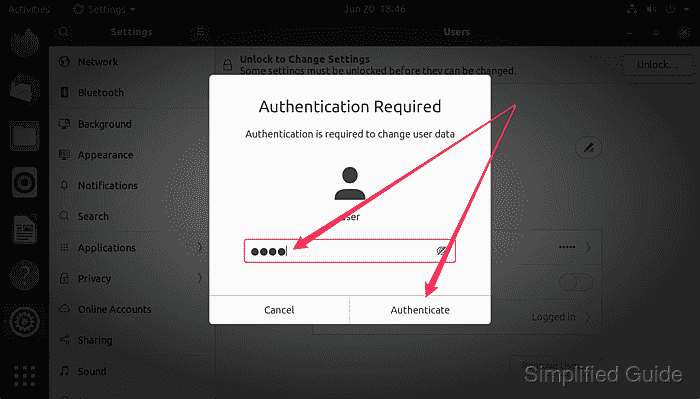
Your account must have Administrator privilege for this to work
- Click the Add User… button at the bottom of the panel.
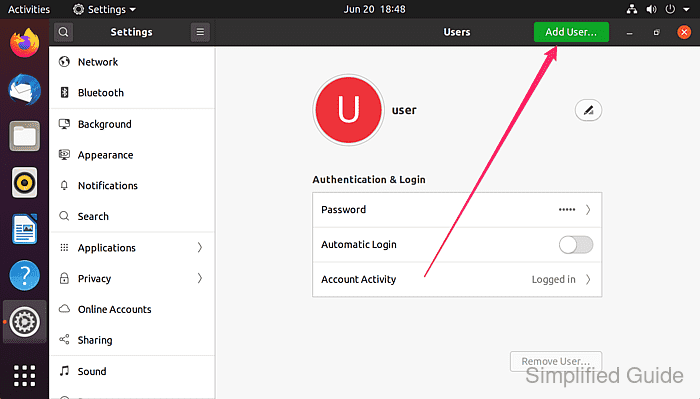
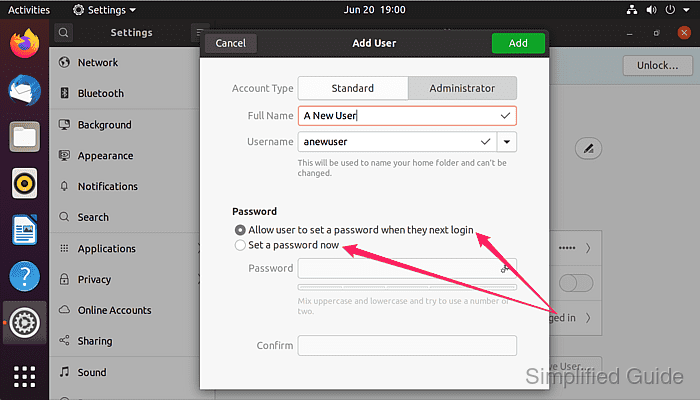
- Enter the full name and the username of the new user.
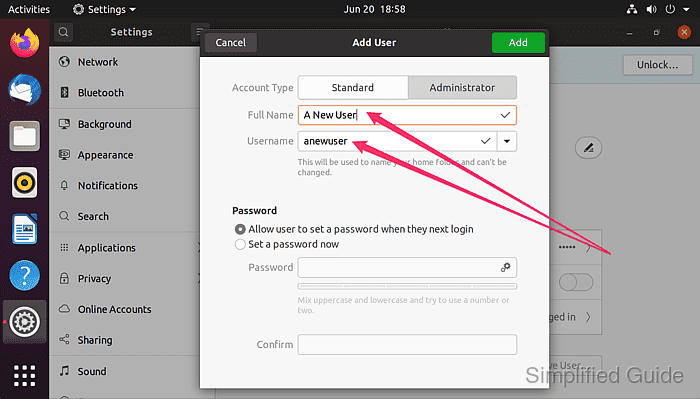
A Username will automatically be generated based on the entered Full Name but could be manually changed.
- Choose whether the user will be a normal user or an administrator.
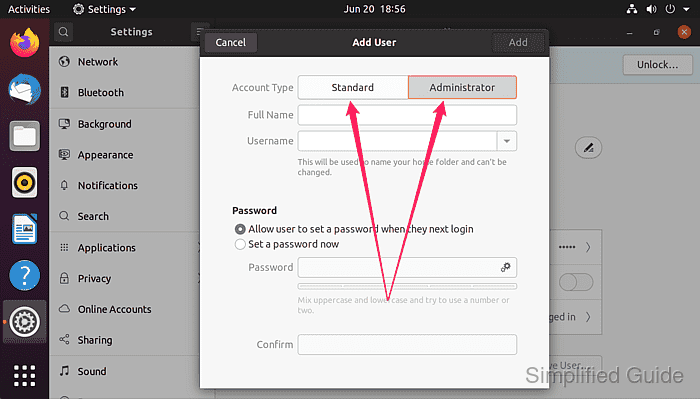
An administrator will have the capability to make system-wide changes such as to add a new user.
- Select whether the user will set the password at first login or set it manually.
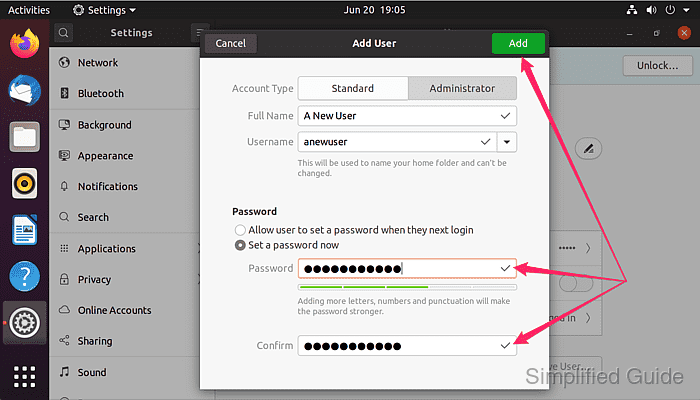
- If setting the password manually, enter a secure password in both textboxes until the Add button is enabled.
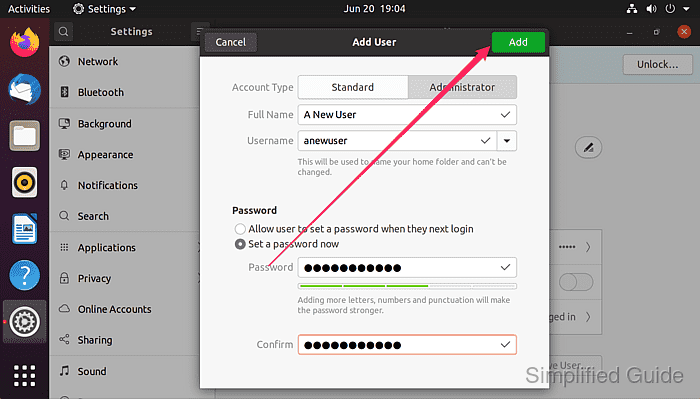
- Click the Add button to create the user.
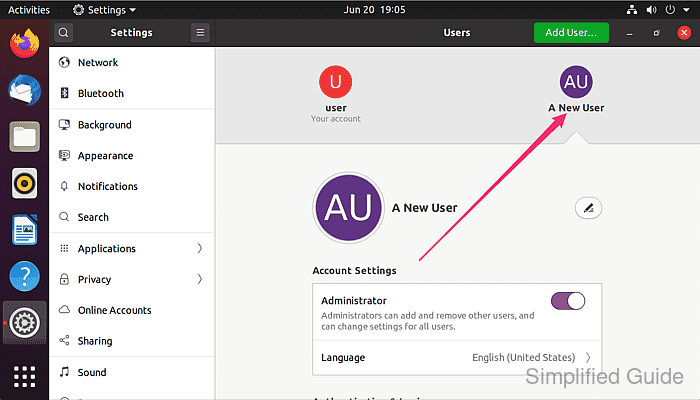
- Verify that the new user appears in the user list.
This guide is tested on Ubuntu:
| Version | Code Name |
|---|---|
| 24.04 LTS | Noble Numbat |