How to deploy TensorFlow Serving with Docker
TensorFlow models usually leave the training environment as SavedModel directories, not as a Python process that production clients can call directly. TensorFlow Serving supplies the model server, and Docker packages that server with a repeatable runtime boundary.
The official tensorflow/serving image starts TensorFlow ModelServer automatically, reads the model name from MODEL_NAME, and loads numeric model versions from the mounted model base path. Port 8500 exposes gRPC, while port 8501 exposes the REST API used by the verification calls.
The mounted host directory has to contain numeric version folders such as /srv/models/support_score/1, and those folders have to be visible inside the container. A flat export path, a .keras archive, or a bind mount that looks empty inside the container causes the server to start without loading a model.
Steps to deploy TensorFlow Serving with Docker:
- Place the exported SavedModel under a numeric version directory and confirm the parent directory contains that version.
$ ls /srv/models/support_score
1
Mount the parent directory in Docker and keep each exported model version in a child directory such as /srv/models/support_score/1.
- Start the TensorFlow Serving container, publish the gRPC and REST ports, and mount the model directory read-only.
$ docker run -d --name support-score-serving --restart unless-stopped -p 8500:8500 -p 8501:8501 -v /srv/models/support_score:/models/support_score:ro -e MODEL_NAME=support_score tensorflow/serving
2bcc8320b260736b49ae62df28465f2a203b0c8d1ae54cfeb5bb9b54301b12ee
The image starts TensorFlow ModelServer automatically, and the :ro bind mount keeps the container from changing the exported model files.
Tool: Docker Compose Generator can turn these image, port, environment, restart, and volume choices into a reusable Compose service when this same deployment needs a YAML handoff.If Docker reports a platform mismatch or exec format error on an arm64 host, run the serving container on an amd64 host or use a serving image built for the host architecture. Changing the model directory does not fix a CPU architecture mismatch.
- Review the container logs and wait for the gRPC and REST listeners to appear.
$ docker logs support-score-serving
2026-04-19 00:01:03.622813: I tensorflow_serving/model_servers/server.cc:78] Building single TensorFlow model file config:  model_name: support_score model_base_path: /models/support_score
##### snipped #####
2026-04-19 00:01:04.350965: I tensorflow_serving/model_servers/server.cc:428] Running gRPC ModelServer at 0.0.0.0:8500 ...
2026-04-19 00:01:04.358944: I tensorflow_serving/model_servers/server.cc:449] Exporting HTTP/REST API at:localhost:8501 ...
If the logs say No versions of servable support_score found under base path /models/support_score, the mounted path does not expose a numeric version directory such as /models/support_score/1 inside the container.
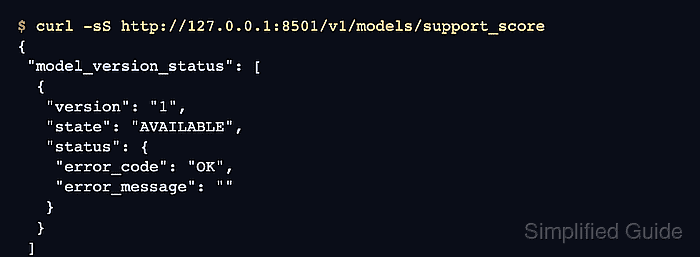
- Query the model status endpoint and confirm version 1 reaches the AVAILABLE state.
$ curl -sS http://127.0.0.1:8501/v1/models/support_score
{
 "model_version_status": [
  {
   "version": "1",
   "state": "AVAILABLE",
   "status": {
    "error_code": "OK",
    "error_message": ""
   }
  }
 ]
}
This is the decisive load check before sending production traffic, and omitting /versions/<number> returns the status for every loaded version.
- Post a prediction request that matches the exported signature and confirm the service returns predictions.
$ curl -sS -X POST http://127.0.0.1:8501/v1/models/support_score:predict -H 'Content-Type: application/json' -d '{"instances": [[0.0, 0.0, 0.0, 0.0], [1.0, 1.0, 1.0, 1.0]]}'
{
    "predictions": [[0.50488472], [0.38901788]]
}
The REST Predict API accepts either instances or inputs, but not both in the same request.
Related: How to export serving signatures in TensorFlow