How to call TensorFlow Serving with the REST API
TensorFlow Serving exposes a served model through ordinary HTTP endpoints when the REST port is enabled. Calling that endpoint with curl is a direct way to check that a client can reach the model, send a JSON payload that matches the serving signature, and receive prediction values back from the model server.
The REST path uses the model name and optional version in the URL. Port 8501 is the default REST port for the official Docker image, while the request body carries either row-formatted instances or column-formatted inputs JSON for the Predict API.
The model has to be loaded before a prediction request can succeed. Check the model status first, inspect the metadata endpoint when the input shape or output keys are unclear, and keep request examples free of production payloads, customer identifiers, or private model names.
Steps to call TensorFlow Serving with the REST API:
- Check that the model is loaded and available on the REST endpoint.
$ curl --silent --show-error http://127.0.0.1:8501/v1/models/support_score
{
 "model_version_status": [
  {
   "version": "1",
   "state": "AVAILABLE",
   "status": {
    "error_code": "OK",
    "error_message": ""
   }
  }
 ]
}
Replace support_score with the MODEL_NAME used by the running TensorFlow Serving process.
Related: How to deploy TensorFlow Serving with Docker - Inspect the REST metadata for the default serving signature.
$ curl --silent --show-error http://127.0.0.1:8501/v1/models/support_score/metadata
{
 "model_spec": {
  "name": "support_score",
  "version": "1"
 },
 "metadata": {
  "signature_def": {
   "signature_def": {
    "serving_default": {
     "inputs": {
      "features": {
       "dtype": "DT_FLOAT",
       "tensor_shape": {
        "dim": [
         {
          "size": "-1"
         },
         {
          "size": "4"
         }
        ]
       }
      }
     },
##### snipped #####
     "method_name": "tensorflow/serving/predict"
    }
   }
  }
 }
}
The input shape shows each request row needs four numeric feature values for this model.
Related: How to export serving signatures in TensorFlow - Save a prediction request body that matches the serving signature.
$ cat > predict-request.json <<'JSON'
{
  "instances": [
    [0.2, 0.8, 0.4, 0.6],
    [0.9, 0.1, 0.7, 0.8]
  ]
}
JSON
Use instances for row-formatted requests. Use inputs only when the client sends columnar input tensors instead, and do not send both keys in the same request.
Tool: JSON Validator can check the request body syntax before curl sends it. - Post the JSON body to the Predict endpoint.
$ curl --silent --show-error --request POST \
  --header 'Content-Type: application/json' \
  --data @predict-request.json \
  http://127.0.0.1:8501/v1/models/support_score:predict
{
    "predictions": [[0.50488472], [0.38901788]]
}
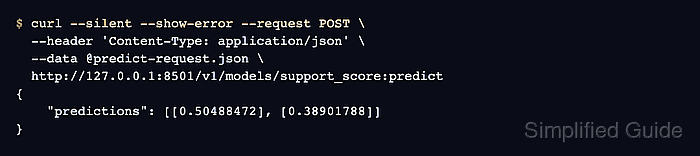
A successful row-format Predict response returns a predictions field with one result per submitted instance.
- Call a specific model version when the client must avoid latest-version changes.
$ curl --silent --show-error --request POST \
  --header 'Content-Type: application/json' \
  --data @predict-request.json \
  http://127.0.0.1:8501/v1/models/support_score/versions/1:predict
{
    "predictions": [[0.50488472], [0.38901788]]
}
Omit /versions/1 when the client should use the latest loaded version instead of a pinned version.
- Remove the temporary request body after the REST call is verified.
$ rm predict-request.json