How to save and restore a TensorFlow checkpoint
Long training jobs need a restart point that preserves more than learned weights. TensorFlow object checkpoints capture trackable model variables, optimizer state, and a step counter so a new process can continue from the same training state.
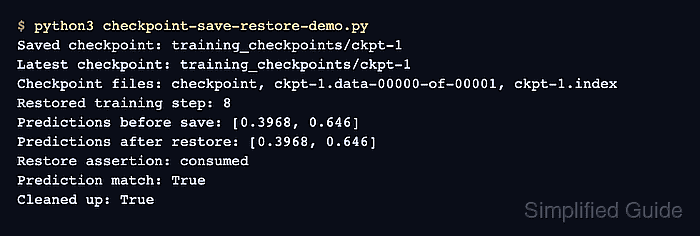
tf.train.Checkpoint follows named paths through the supplied objects. A restore into newly created objects succeeds when those names, variable shapes, and optimizer slots match the state recorded during the save.
tf.train.CheckpointManager keeps the newest checkpoint prefixes and records which one is latest. Checkpoints remain tied to the training code that recreates their object graph; use a SavedModel instead when an inference runtime needs a self-contained export.
Steps to save and restore a TensorFlow checkpoint:
- Create checkpoint_round_trip.py with the checkpoint path and deterministic training data.
- checkpoint_round_trip.py
import os
from pathlib import Path

os.environ["TF_CPP_MIN_LOG_LEVEL"] = "2"

import tensorflow as tf

tf.get_logger().setLevel("ERROR")
tf.keras.utils.set_random_seed(7)

CHECKPOINT_DIR = Path("training_checkpoints")
FEATURES = tf.constant(
    [[0.2, 0.8], [0.9, 0.1], [0.1, 0.7], [0.8, 0.2]],
    dtype=tf.float32,
)
LABELS = tf.constant([[0.0], [1.0], [0.0], [1.0]], dtype=tf.float32)
PROBE = tf.constant([[0.15, 0.75], [0.85, 0.25]], dtype=tf.float32)
- Append the model and optimizer construction to checkpoint_round_trip.py.
- checkpoint_round_trip.py
def build_model():
    model = tf.keras.Sequential(
        [
            tf.keras.layers.Input(shape=(2,)),
            tf.keras.layers.Dense(4, activation="relu"),
            tf.keras.layers.Dense(1, activation="sigmoid"),
        ],
        name="support_score",
    )
    model(tf.zeros((1, 2)))
    return model


model = build_model()
optimizer = tf.keras.optimizers.Adam(learning_rate=0.05)
optimizer.build(model.trainable_variables)
training_step = tf.Variable(0, dtype=tf.int64)
Calling the model creates its variables, while optimizer.build() creates the Adam slot variables that the checkpoint must save and later match.
- Append the four-step training loop to checkpoint_round_trip.py.
- checkpoint_round_trip.py
for _ in range(4):
    with tf.GradientTape() as tape:
        predictions = model(FEATURES, training=True)
        loss = tf.reduce_mean(
            tf.keras.losses.binary_crossentropy(LABELS, predictions)
        )
    gradients = tape.gradient(loss, model.trainable_variables)
    optimizer.apply_gradients(zip(gradients, model.trainable_variables))
    training_step.assign_add(1)
- Append the checkpoint save section to checkpoint_round_trip.py.
- checkpoint_round_trip.py
checkpoint = tf.train.Checkpoint(
    step=training_step,
    optimizer=optimizer,
    model=model,
)
manager = tf.train.CheckpointManager(
    checkpoint,
    CHECKPOINT_DIR,
    max_to_keep=3,
)
save_path = manager.save(checkpoint_number=training_step)
predictions_before = model(PROBE, training=False)
A checkpoint directory supports one active manager. With max_to_keep=3, the manager removes older checkpoint prefixes after newer saves, so the sample path must not contain irreplaceable checkpoints. Each path is a prefix for an index file and one or more data files, while the directory's checkpoint file records the latest prefix.
- Append the fresh-object restore and equality checks to checkpoint_round_trip.py.
- checkpoint_round_trip.py
restored_model = build_model()
restored_optimizer = tf.keras.optimizers.Adam(learning_rate=0.05)
restored_optimizer.build(restored_model.trainable_variables)
restored_step = tf.Variable(0, dtype=tf.int64)
restored_checkpoint = tf.train.Checkpoint(
    step=restored_step,
    optimizer=restored_optimizer,
    model=restored_model,
)
restored_manager = tf.train.CheckpointManager(
    restored_checkpoint,
    CHECKPOINT_DIR,
    max_to_keep=3,
)

latest_path = restored_manager.latest_checkpoint
if latest_path is None:
    raise RuntimeError("No checkpoint was found")

status = restored_checkpoint.restore(latest_path)
status.assert_consumed()
predictions_after = restored_model(PROBE, training=False)

tf.debugging.assert_equal(restored_step, training_step)
tf.debugging.assert_equal(restored_optimizer.iterations, optimizer.iterations)
tf.debugging.assert_near(predictions_before, predictions_after)

maximum_difference = tf.reduce_max(
    tf.abs(predictions_before - predictions_after)
)

print(f"TensorFlow version: {tf.__version__}")
print(f"Saved checkpoint: {save_path}")
print(f"Latest checkpoint: {latest_path}")
print(f"Restored step: {int(restored_step.numpy())}")
print(
    "Restored optimizer iterations: "
    f"{int(restored_optimizer.iterations.numpy())}"
)
print(f"Maximum prediction difference: {float(maximum_difference):.8f}")
assert_consumed() fails when saved objects remain unmatched. The tensor assertions independently require the restored step, optimizer iteration count, and probe predictions to equal the saved state.
- Run the completed checkpoint round trip to verify that restored state matches saved state.
$ python3 checkpoint_round_trip.py
TensorFlow version: 2.21.0
Saved checkpoint: training_checkpoints/ckpt-4
Latest checkpoint: training_checkpoints/ckpt-4
Restored step: 4
Restored optimizer iterations: 4
Maximum prediction difference: 0.00000000