How to filter network traffic in tcpdump
Tcpdump filters keep a capture focused on the packets that answer one network question. Without a filter, a busy interface can bury the relevant flow, increase packet loss during capture, and expose traffic that was never needed for the investigation.
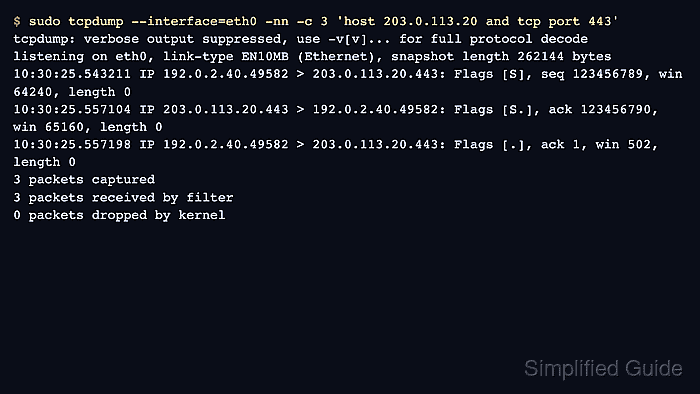
Tcpdump passes the expression after its options to libpcap. The expression can match hosts, networks, ports, protocols, direction, and link-layer fields before tcpdump prints or writes packets. Quote expressions that contain spaces, parentheses, or operators so the shell leaves the expression intact.
Start with the narrowest host, port, or protocol condition that can prove the capture target, then widen only when the expected packets do not appear. Examples below use documentation IP ranges; replace them with addresses from the flow being investigated. Direction qualifiers such as src and dst matter when seeing the wrong side of a flow would lead to the wrong conclusion.
Steps to filter network traffic in tcpdump:
- Filter traffic to or from one host before adding more conditions.
$ sudo tcpdump --interface=eth0 -nn -c 2 'host 203.0.113.20'
tcpdump: verbose output suppressed, use -v[v]... for full protocol decode
listening on eth0, link-type EN10MB (Ethernet), snapshot length 262144 bytes
10:30:25.543211 IP 192.0.2.40.49582 > 203.0.113.20.443: Flags [S], seq 123456789, win 64240, length 0
10:30:25.557104 IP 203.0.113.20.443 > 192.0.2.40.49582: Flags [S.], ack 123456790, win 65160, length 0
2 packets captured
2 packets received by filter
0 packets dropped by kernel
- Add source and destination qualifiers when only one direction answers the question.
$ sudo tcpdump --interface=eth0 -nn -c 1 'src host 192.0.2.40 and dst host 203.0.113.20'
tcpdump: verbose output suppressed, use -v[v]... for full protocol decode
listening on eth0, link-type EN10MB (Ethernet), snapshot length 262144 bytes
10:31:12.100821 IP 192.0.2.40.49582 > 203.0.113.20.443: Flags [S], seq 123456789, win 64240, length 0
1 packet captured
1 packet received by filter
0 packets dropped by kernel
- Filter by protocol and port when a service is the target.
$ sudo tcpdump --interface=eth0 -nn -c 1 'tcp port 443'
tcpdump: verbose output suppressed, use -v[v]... for full protocol decode
listening on eth0, link-type EN10MB (Ethernet), snapshot length 262144 bytes
10:31:50.004283 IP 192.0.2.40.46188 > 203.0.113.20.443: Flags [S], seq 3248983991, win 64240, length 0
1 packet captured
1 packet received by filter
0 packets dropped by kernel
- Combine host, protocol, and port conditions with parentheses when precedence could be unclear.
$ sudo tcpdump --interface=eth0 -nn -c 2 'host 203.0.113.20 and (tcp port 443 or tcp port 8443)'
tcpdump: verbose output suppressed, use -v[v]... for full protocol decode
listening on eth0, link-type EN10MB (Ethernet), snapshot length 262144 bytes
10:32:04.310441 IP 192.0.2.40.46188 > 203.0.113.20.443: Flags [S], seq 3248983991, win 64240, length 0
10:32:05.117823 IP 192.0.2.40.46210 > 203.0.113.20.8443: Flags [S], seq 99827102, win 64240, length 0
2 packets captured
2 packets received by filter
0 packets dropped by kernel
Keep the whole filter in quotes so the shell does not treat parentheses as syntax. Parentheses also make the intended grouping clear when and and or are used together.
- Exclude traffic that would hide the signal.
$ sudo tcpdump --interface=eth0 -nn -c 1 'host 203.0.113.20 and not port 22'
tcpdump: verbose output suppressed, use -v[v]... for full protocol decode
listening on eth0, link-type EN10MB (Ethernet), snapshot length 262144 bytes
10:32:18.440113 IP 192.0.2.40.46188 > 203.0.113.20.443: Flags [P.], seq 1:518, ack 1, length 517
1 packet captured
1 packet received by filter
0 packets dropped by kernel
Keep the exclusion tied to the target host or network so unrelated traffic is not removed from a broader capture by accident.
- Filter a whole network when the peer address can change inside a known range.
$ sudo tcpdump --interface=eth0 -nn -c 1 'net 203.0.113.0/24 and tcp port 443'
tcpdump: verbose output suppressed, use -v[v]... for full protocol decode
listening on eth0, link-type EN10MB (Ethernet), snapshot length 262144 bytes
10:33:44.204119 IP 192.0.2.40.52210 > 203.0.113.24.443: Flags [S], seq 920313, win 64240, length 0
1 packet captured
1 packet received by filter
0 packets dropped by kernel
- Check a complex filter before a long capture when a typo would waste the capture window.
$ tcpdump --interface=eth0 -d 'host 203.0.113.20 and tcp port 443'
(000) ldh      [12]
(001) jeq      #0x800           jt 2    jf 16
(002) ld       [26]
##### snipped
(015) ret      #262144
(016) ret      #0
tcpdump -d compiles the filter and prints the packet-matching program without capturing traffic. Use the same --interface value as the planned capture when the link type matters, and treat a syntax error here as the same expression failing during the live capture.