How to enable persistent journal storage in systemd
Persistent journal storage keeps systemd logs across reboots so the previous boot is still available in journalctl after a restart instead of disappearing with the runtime journal.
With the default Storage=auto setting, systemd-journald writes to /run/log/journal when /var/log/journal does not exist and switches to /var/log/journal when that directory is present. On a running host, creating the directory alone is not enough for the current boot because journald keeps writing to the runtime journal until it is flushed.
The shortest working path is to create /var/log/journal, apply the packaged tmpfiles rules for that path, and then run journalctl --flush. That moves the current boot from volatile storage to disk immediately so future boots can be retained.
Related: How to check systemd journal size
Related: How to clear old journal logs
Steps to enable persistent journal storage in systemd:
- Check the effective journald storage setting before changing anything on hosts that may already have an override.
$ systemd-analyze cat-config systemd/journald.conf
# /etc/systemd/journald.conf
##### snipped #####
[Journal]
#Storage=auto
##### snipped #####
# /usr/lib/systemd/journald.conf.d/syslog.conf
[Journal]
ForwardToSyslog=yes
Continue when the active value is the default Storage=auto or an existing Storage=persistent setting. If a later file sets Storage=volatile or Storage=none, change that override to Storage=persistent before continuing.
- Create the persistent journal directory.
$ sudo mkdir --parents /var/log/journal
With Storage=auto, the presence of /var/log/journal is what tells systemd-journald to keep logs on disk.
- Apply the packaged tmpfiles rules for the journal path.
$ sudo systemd-tmpfiles --create --prefix /var/log/journal
This prepares the journal path so systemd-journald can create its machine-ID directory and journal files under /var/log/journal.
- Flush the current runtime journal onto disk.
$ sudo journalctl --flush
No output means the flush completed. This is the step that moves the current boot out of /run/log/journal without waiting for the next reboot.
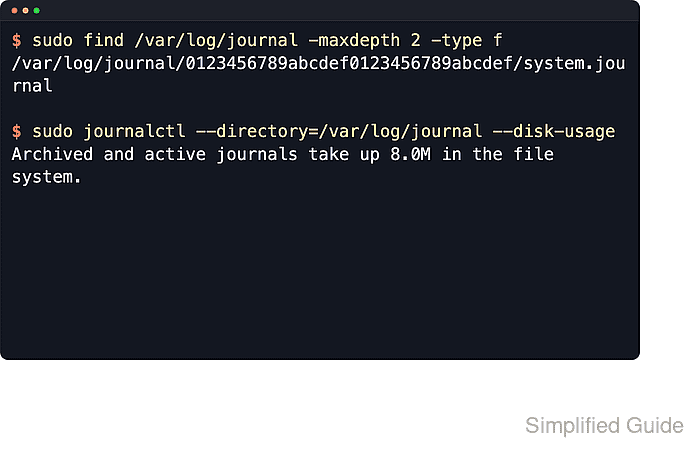
- Confirm that systemd-journald created an on-disk journal file below /var/log/journal.
$ sudo find /var/log/journal -maxdepth 2 -type f
/var/log/journal/0123456789abcdef0123456789abcdef/system.journal
The 32-character directory name is the local machine ID, so it differs on every host.
- Check that the persistent journal now contains data on disk.
$ sudo journalctl --directory=/var/log/journal --disk-usage
Archived and active journals take up 8.0M in the file system.
A non-zero result from /var/log/journal shows that the current boot has been written to persistent storage. After the next reboot, run journalctl --list-boots; a working persistent journal shows the previous boot as -1 instead of only 0.
Related: How to check systemd journal size
Related: How to clear old journal logs