How to clear old journal logs
Clearing older systemd journal files frees local disk space before log growth starts blocking package updates, container layers, database writes, or other workloads that still share the same filesystem.
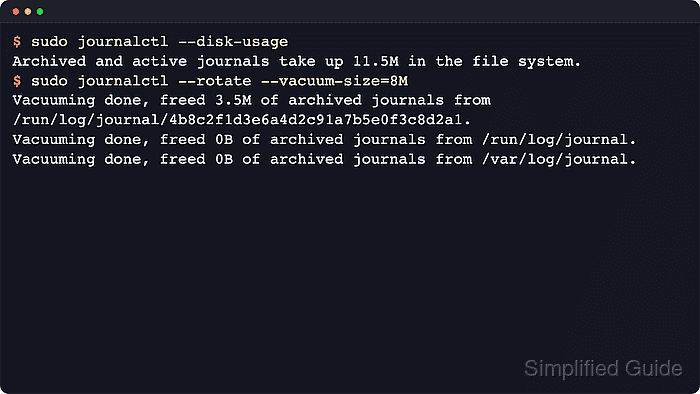
The systemd-journald service keeps one active journal file open and rotates older data into archived journal files. The journalctl vacuum options delete archived files only, so combining --rotate with --vacuum-size= gives the cleanup pass the best chance to reclaim space immediately.
This operation requires administrative privileges and permanently removes older local history. The total reported by journalctl --disk-usage can stay above the requested cap after cleanup because that total includes the new active journal file, which vacuuming does not delete.
Steps to clear old journal logs:
- Check the current journal footprint before deleting archived logs.
$ sudo journalctl --disk-usage
Archived and active journals take up 11.5M in the file system.
The reported total includes both the active journal file and any archived files that can be vacuumed away.
- Rotate the active journal and delete archived files until they fit the chosen size limit.
$ sudo journalctl --rotate --vacuum-size=1M
Deleted archived journal /run/log/journal/0123456789abcdef0123456789abcdef/system@089e56e4d77142deabe9116b1e5fa381-0000000000000001-00064fff3f976ebd.journal (3.5M).
Deleted archived journal /run/log/journal/0123456789abcdef0123456789abcdef/system@089e56e4d77142deabe9116b1e5fa381-0000000000000003-00064fff43175004.journal (3.5M).
Vacuuming done, freed 7.1M of archived journals from /run/log/journal/0123456789abcdef0123456789abcdef.
Vacuuming done, freed 0B of archived journals from /var/log/journal.
Vacuuming done, freed 0B of archived journals from /run/log/journal.
Replace 1M with a practical cap such as 200M, 500M, or 2G on a real host. Hosts with persistent storage usually show the cleanup under /var/log/journal instead of /run/log/journal. The --rotate option archives the current file first so the vacuum pass can remove more history in the same command. When retention is based on age instead of a size limit, use --vacuum-time=14days. When file count matters more than size, use --vacuum-files=10.
- Recheck the journal size after the cleanup pass.
$ sudo journalctl --disk-usage
Archived and active journals take up 8.0M in the file system.
The total can stay above the requested cap when the new active journal file is already larger than that cap. Vacuuming removed the archived history, but it does not delete the current file.