How to customize syslog message format in rsyslog
Downstream log parsers often expect fields in a fixed order, and the default rsyslog file format can hide the exact timestamp, tag, or host value a parser needs. A custom rsyslog template lets one destination receive a predictable line without changing every other local log file.
rsyslog templates are static configuration objects. A string template combines literal text with message properties such as timereported, hostname, syslogtag, and msg, then an output action names that template through its template parameter.
A dedicated file action for a tagged test message keeps the proof separate from production logs. Run the syntax check against the full configuration tree before restarting the service, and restart the packaged service unless the host's rsyslog unit explicitly documents a reload action.
Related: How to test rsyslog configuration syntax
Related: How to send a test syslog message
Related: How to route syslog messages to a file in rsyslog
Related: How to manage the syslog service
Steps to customize rsyslog message format:
- Choose the message tag, destination file, template name, and field order.
Message tag: format-demo
Output file: /var/log/custom-format.log
Template name: ParserLine
Field order: timestamp host tag message
- Create a dedicated rsyslog drop-in before the default file rules.
$ sudoedit /etc/rsyslog.d/30-custom-format.conf
On Debian and Ubuntu packages, /etc/rsyslog.d/50-default.conf contains the default local file rules, so a lower-numbered drop-in can handle and stop the matching test tag first.
- Add the custom string template and file action.
template(name="ParserLine" type="string"
         string="%timereported:::date-rfc3339% host=%hostname% tag=%syslogtag%%msg:::sp-if-no-1st-sp%%msg:::drop-last-lf%\n")

if $programname == "format-demo" then {
    action(type="omfile"
           file="/var/log/custom-format.log"
           template="ParserLine")
    stop
}
syslogtag keeps the tag as parsed from the syslog header, usually with the trailing colon. The paired msg:::sp-if-no-1st-sp and msg:::drop-last-lf property replacer options keep one delimiter between the tag and message text while ending the rendered line with the template's newline. Use the same template="ParserLine" parameter on an omfwd action when a remote collector should receive the custom line instead of a local file.
Leave stop in place when the formatted destination should be the only destination for that message. Remove stop if the same matching message should continue into later local file or forwarding rules.
- Validate the full rsyslog configuration.
$ sudo rsyslogd -N1
rsyslogd: version 8.2512.0, config validation run (level 1), master config /etc/rsyslog.conf
rsyslogd: End of config validation run. Bye.
- Restart rsyslog to load the template and action.
$ sudo systemctl restart rsyslog
Restart the packaged unit unless the host's rsyslog service file explicitly documents a reload action.
Related: How to manage the syslog service
- Send a tagged test message.
$ logger -p local0.notice -t format-demo "custom parser check"
Related: How to send a test syslog message
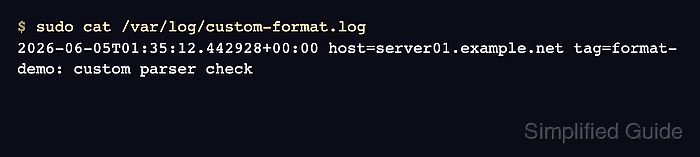
- Read the custom formatted log file.
$ sudo cat /var/log/custom-format.log
2026-06-05T01:35:12.442928+00:00 host=server01.example.net tag=format-demo: custom parser check
The timestamp, host, tag, and message text appearing in the configured order confirms that the action used the custom template.