How to filter syslog messages by program name in rsyslog
Application logs can share the same facility and priority as unrelated daemon messages, so selector rules cannot isolate one script or service by themselves. Filtering on the rsyslog program name routes only records whose tag resolves to the chosen program, which keeps one job's records separate in its own file or forwarding path.
rsyslog exposes two related message properties for this job. $syslogtag is the tag as received from the message header, such as backup-check:, while $programname is the static program portion, such as backup-check.
The rule below uses $programname for an exact match, writes matching messages to a proof file, and stops those records before later rules handle them. Use a test tag first, validate the full configuration with rsyslogd -N1, then restart rsyslog on a systemd-managed host because many packaged units do not expose a daemon reload action.
Steps to filter syslog messages by program name in rsyslog:
- Choose the program tag, destination, and temporary exclusion proof file.
Program tag: backup-check
Matched file: /var/log/rsyslog-backup-check.log
Temporary unmatched proof file: /var/log/rsyslog-other.log
Filter property: $programname
logger --tag backup-check sends a tag that rsyslog sees as backup-check: in $syslogtag and backup-check in $programname.
- Create a dedicated rsyslog drop-in before the default file rules.
$ sudoedit /etc/rsyslog.d/30-program-filter.conf
On Debian and Ubuntu packages, /etc/rsyslog.d/50-default.conf contains the default local file rules, so a lower-numbered drop-in can select and stop the matching program before those defaults run.
- Add the program-name filter and proof actions.
template(name="ProgramProofFormat" type="string"
         string="%programname% %syslogtag% %msg%\n")

if ($programname == "backup-check") then {
    action(type="omfile"
           file="/var/log/rsyslog-backup-check.log"
           template="ProgramProofFormat")
    stop
}

*.* action(type="omfile"
           file="/var/log/rsyslog-other.log"
           template="ProgramProofFormat")
The final *.* action is a temporary proof action. It records messages that continue past the program filter, so remove it or replace it with the intended production rules after the exclusion test.
If the same matching message should also reach later rules, omit stop. If the application sends tags with slashes or full paths, check $syslogtag or the rsyslog parser.permitSlashInProgramName option before relying on $programname.
- Validate the full rsyslog configuration.
$ sudo rsyslogd -N1
rsyslogd: version 8.2512.0, config validation run (level 1), master config /etc/rsyslog.conf
rsyslogd: End of config validation run. Bye.
- Restart rsyslog to load the new rule.
$ sudo systemctl restart rsyslog
Restart the packaged unit unless the host's rsyslog service file explicitly documents a reload action.
Related: How to manage the syslog service
- Clear the proof files before sending test messages.
$ sudo truncate -s 0 /var/log/rsyslog-backup-check.log /var/log/rsyslog-other.log
- Send one matching program-tag message.
$ logger --tag backup-check "program filter selected message"
Related: How to send a test syslog message
- Send one otherwise similar message with a different tag.
$ logger --tag web-check "program filter excluded message"
- Read the matched program file.
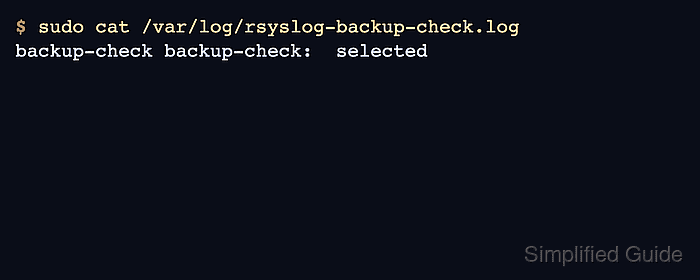
$ sudo cat /var/log/rsyslog-backup-check.log
backup-check backup-check:  program filter selected message
The selected message appearing in /var/log/rsyslog-backup-check.log confirms that $programname == "backup-check" matched the logger tag.
- Read the temporary unmatched proof file.
$ sudo cat /var/log/rsyslog-other.log
web-check web-check:  program filter excluded message
The web-check message appearing only in the temporary unmatched proof file confirms that a different program tag did not enter the backup-check action.
- Remove the temporary broad proof action after the test.
*.* action(type="omfile"
           file="/var/log/rsyslog-other.log"
           template="ProgramProofFormat")
Leave the backup-check action in place or replace its file action with the intended destination, then run sudo rsyslogd -N1 and sudo systemctl restart rsyslog again.